What Endures When Everything Evolves?
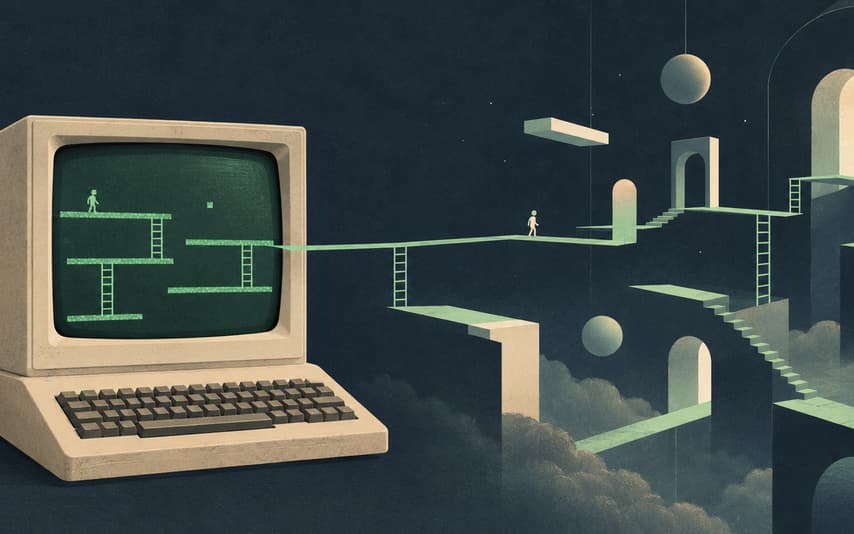
Ask me why I first became interested in computers, and the answer is simple: I wanted to play games.
In 1987, I encountered the Apple II. Most of my time in front of it was spent playing. I did not have the chance to use a color display; my world was green on black. One of the games that held my attention most was Lode Runner.
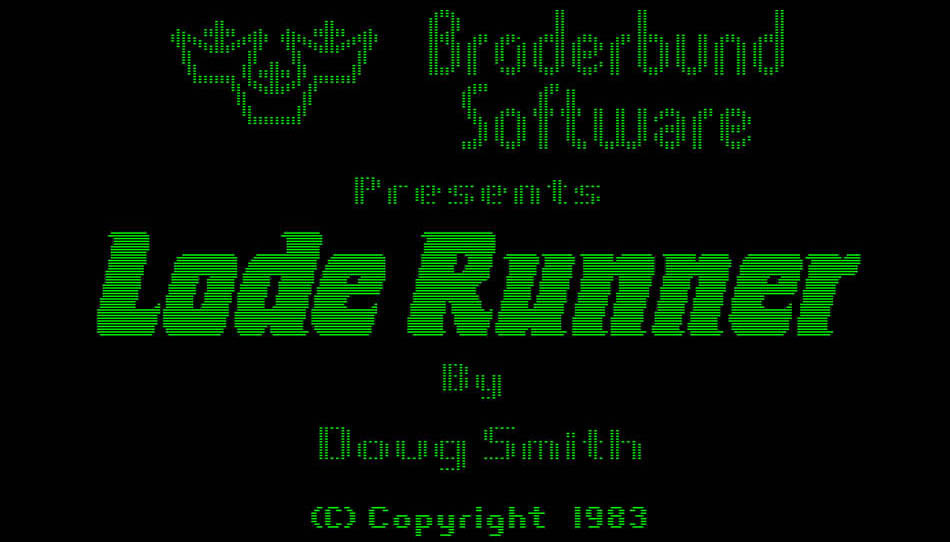
Apple II Lode Runner title screen from JYManet, retaining the source image’s green monochrome appearance. This is not my personal screenshot. Game imagery belongs to its respective rights holders.
To me, a computer was first of all the thing that let me play this game. The machine, keyboard and display were right in front of me. I pressed a key, and the little figure moved. The computer and its interface were almost the same thing: I was here, the machine was here, and that small world I could enter was inside its screen.
Later, I discovered that the screen in front of me and the computer doing the work could be far apart. Then I discovered, repeatedly, that an interface did not have to look the way I expected.
Preparing my AFS-UI keynote brought those experiences back. Near the beginning, I tell the audience something: the slides they are watching are an application running on AFS, presented through AFS-UI. An AI agent helped build them. They look like ordinary web slides. Why make a point of it? I leave that question open for a while.
The story I want to tell is about what we should keep as interfaces continue to change.
A computer, and a way into it
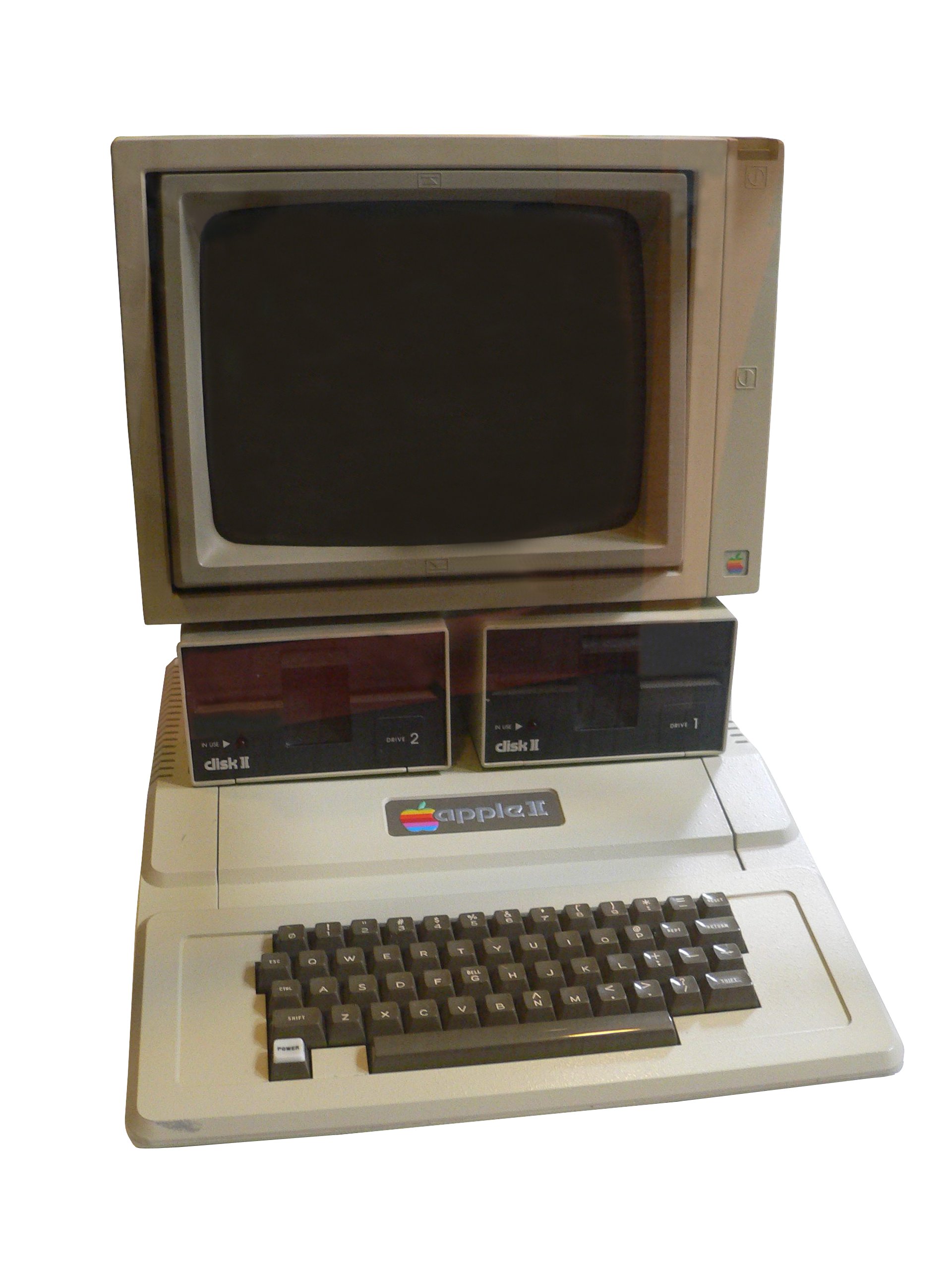
An Apple II reference photograph, not my own machine. Rama and Musée Bolo, Wikimedia Commons, CC BY-SA 2.0 FR.

Lode Runner did not need an elaborate image. A small figure moved along ladders and platforms, collected gold, and escaped pursuers. You could dig into the floor to trap an enemy temporarily; the opening would fill again. Every brick and ladder had a purpose. A keystroke changed that little world.
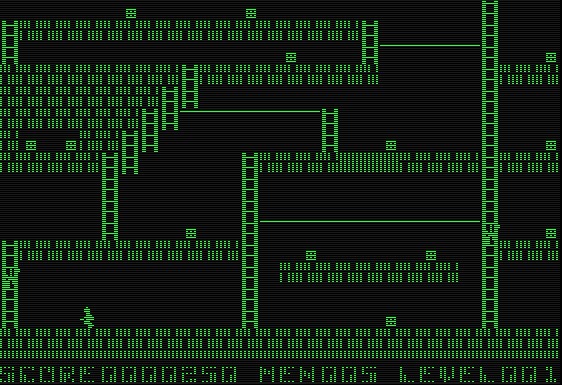
Lode Runner gameplay image supplied by the author from the web, without redrawing or recoloring. Game imagery belongs to its respective rights holders.
Side story · More than a set of levels
Created by Doug Smith and published by Broderbund in 1983, Lode Runner included 150 levels and an editor for designing, testing and saving your own. The idea that players could also build worlds was already there. The original manual is a wonderful glimpse of how these capabilities were explained to players.
Around 1990, I encountered a terminal for the first time. Behind it was a Motorola 68000-based system running Unix, still using enormous eight-inch floppy disks.
I no longer remember the model. As I recall, it was a minicomputer that could support dozens of terminals. Each person had a keyboard and screen, while the same host ran their programs.
That felt very different from the Apple II. My hands were still on a keyboard, and the response still appeared on the screen in front of me, but the computer was elsewhere. The terminal provided input and output; the host did the computing. Many people could each have an interface to one shared computer.
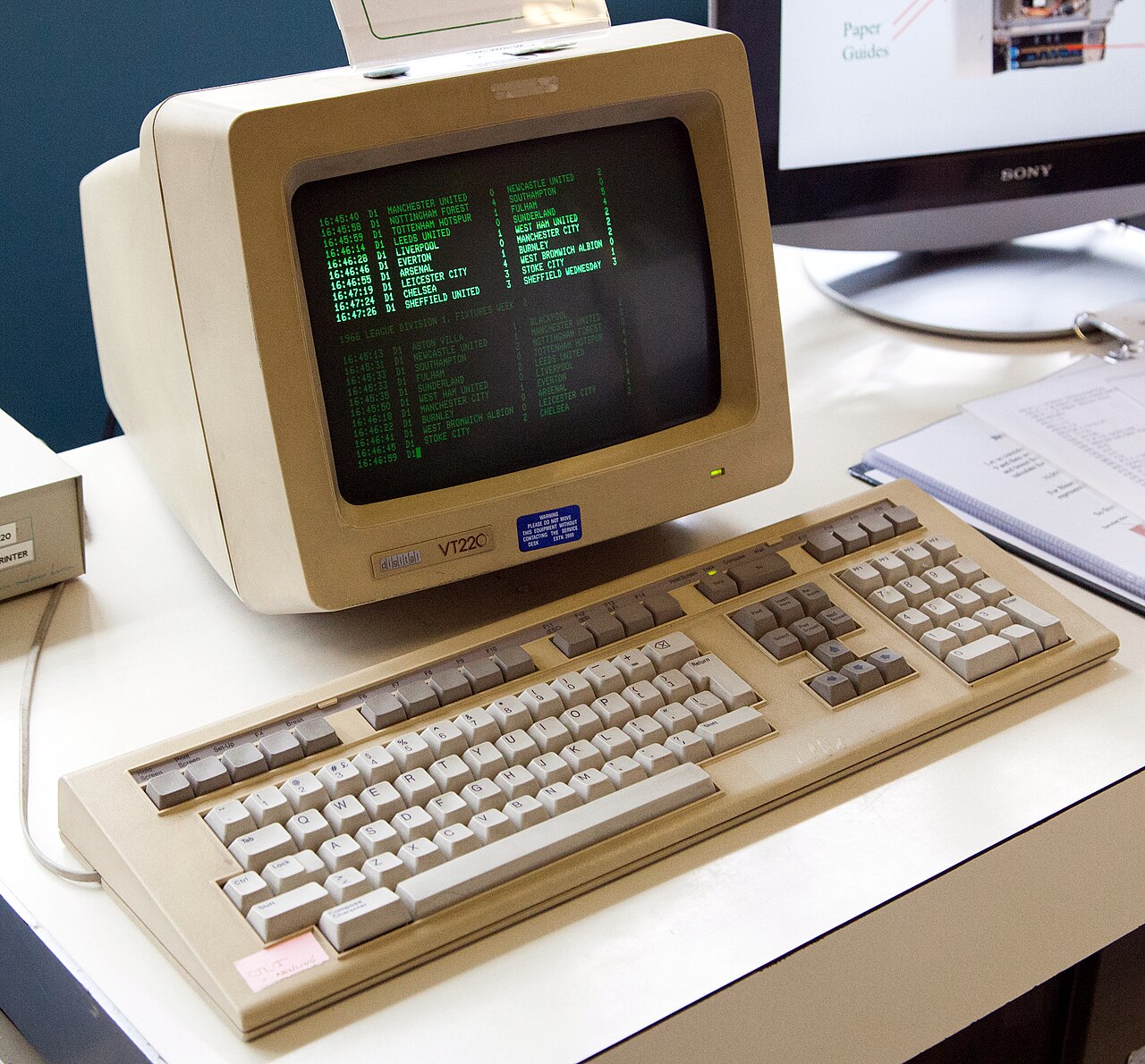
DEC VT220 reference photograph illustrating the form of a terminal, not identifying the model I used. Tom Page, Wikimedia Commons, CC BY-SA 2.0.

Side story · A terminal is not just a smaller PC
The kind of terminal I mean primarily handles keyboard input and display output. Applications run on the connected host. A terminal emulator on a modern computer carries that interaction model forward, but it is different from the dedicated terminal that once sat on a desk.
Then came the PC, DOS and Windows. Computation and the interface seemed to return to the same box. I wrote programs in that world and experienced the move from character interfaces to windows. Menus and buttons made things more immediate. By then, though, I knew that this arrangement was a choice.
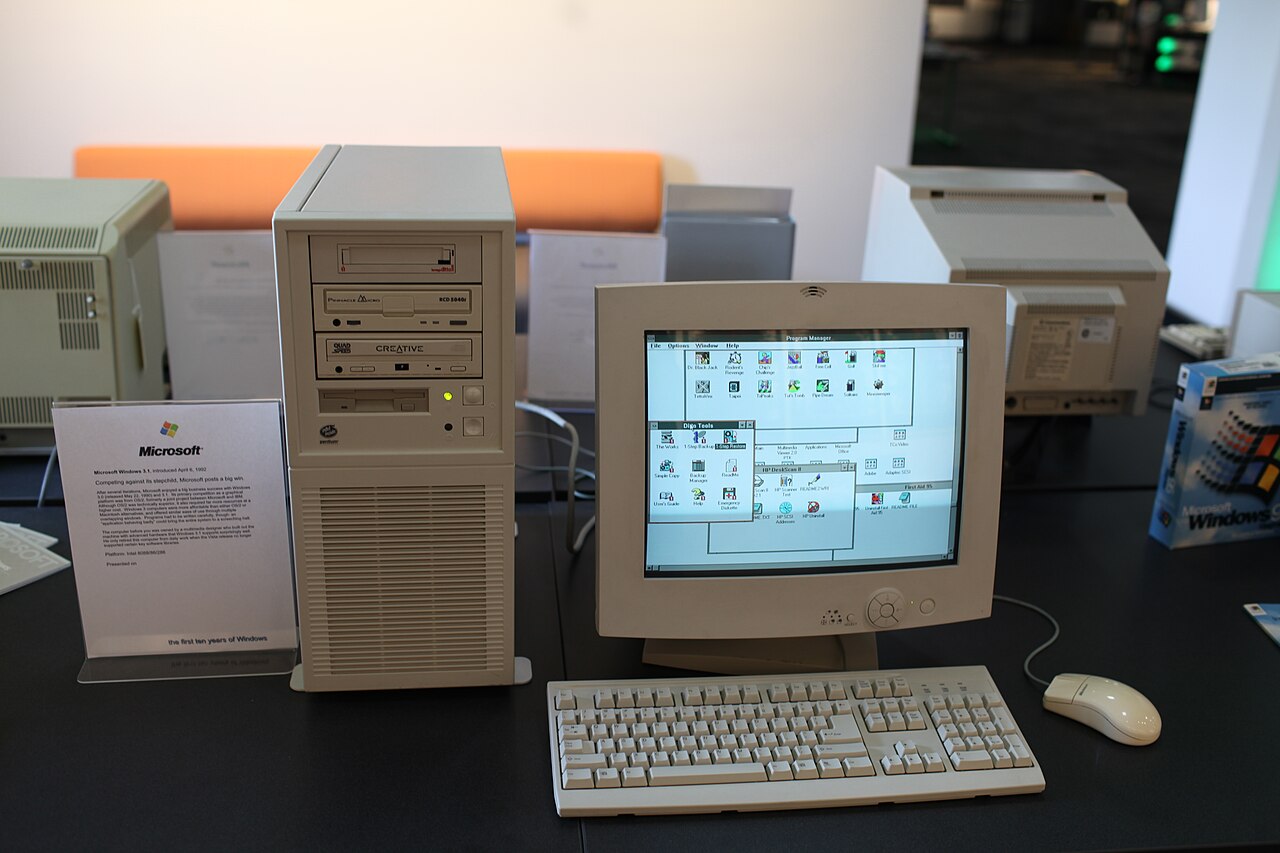
A museum PC running Windows 3.1. Jason Scott, Wikimedia Commons, CC BY 2.0.
.jpg)
Side story · Windows 3.1
Microsoft released Windows 3.1 in 1992. It belonged to the generation of Windows closely tied to DOS, with a different architecture from Windows today. This photograph evokes that period of PC interfaces. Microsoft's historical account covers the release.
The window here, the program elsewhere
Unix and X Window changed my understanding again.
I learned Unix at university and later used Sun workstations. Remote login and administration became familiar. Still, X Window felt remarkable: a program could run on one machine and display its window on another.
The screen in front of me was no longer the only place the program could appear. A display, keyboard and mouse could provide a service at another endpoint. Where computation happened and where I interacted with it became separate decisions.
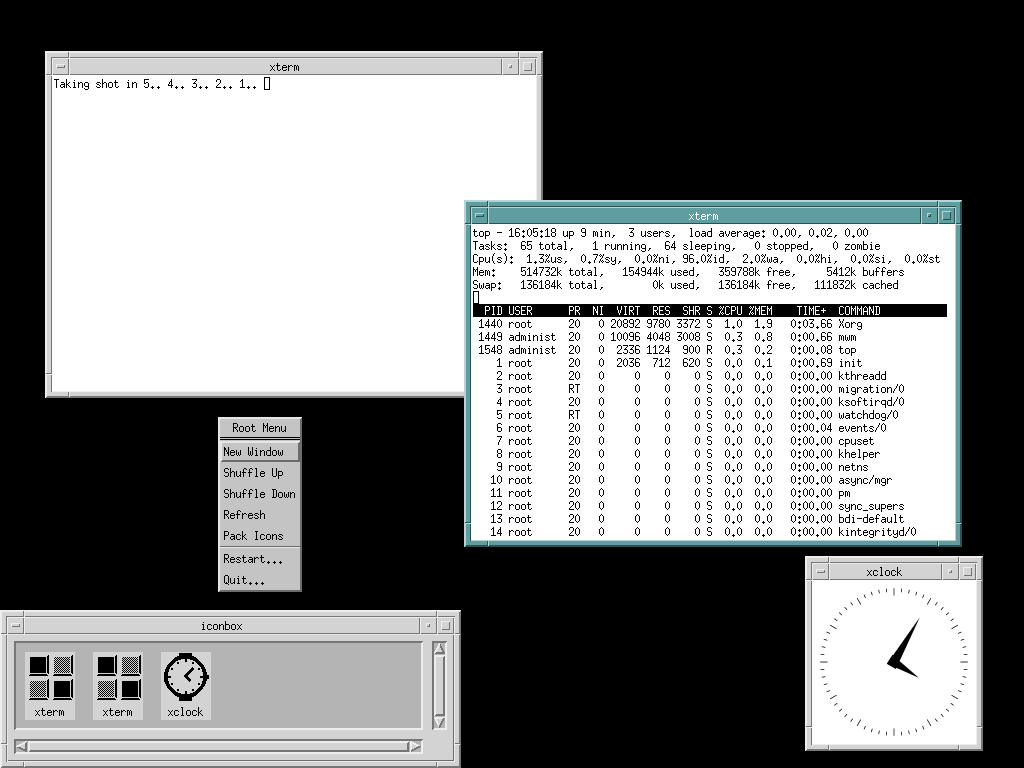
Huihermit's Motif/MWM screenshot on Debian, not an original capture of my Sun workstation. Wikimedia Commons, CC0.

Side story · Which end is the X server?
In X, the display and input side is the server; the application is a client. The window manager is another separable part, allowing different desktop appearances over the same underlying system. That division of responsibilities matters more than a particular window style. X.Org's explanation describes the roles.
Later, I developed a Video CD player for SGI's IRIX and used IBM AIX at work. These Unix systems looked different, with different window managers. The ability to change how an interface appeared without replacing the whole system stayed with me.
Display, Device and Window Manager in AFS-UI are not names we invented in isolation. They come partly from that experience: an interface is a way of connecting to computation, and its presentation should be able to evolve independently. We are borrowing that separation of responsibilities, not transplanting the X protocol.
My first internet revelation: reaching the White House from China
In 1994, when I first encountered the internet, I used Gopher through a character terminal. One of the first sites I visited was the White House.
The image was not what astonished me. It was still text and menus. I was in China, entering a selection, and a remote system returned a file. At the time, I imagined a computer inside the White House responding to me. I did not know where the service was physically hosted. What became tangible was that my input happened here and the response came from across the ocean.
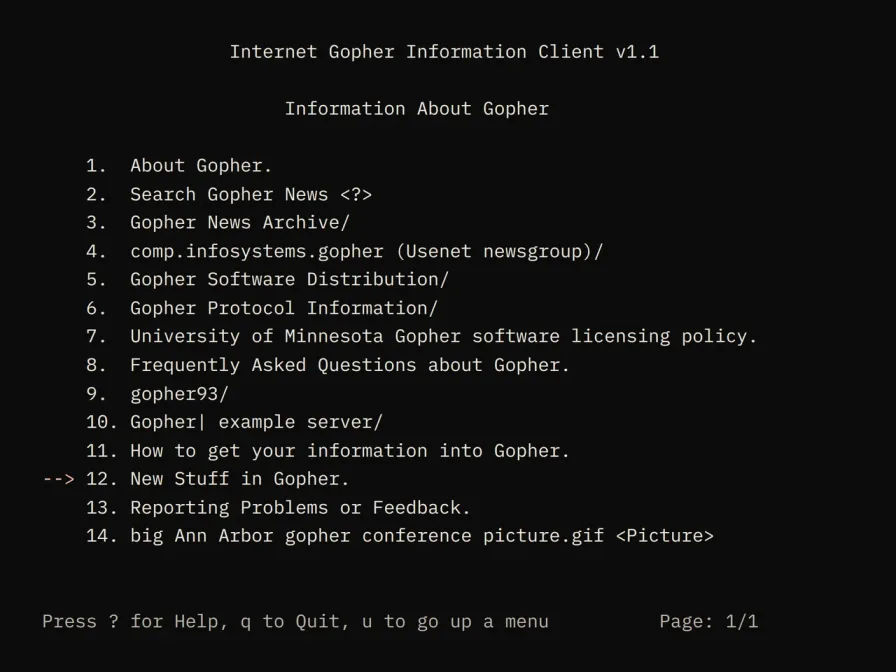
Reconstructed from an example in RFC 1580 to illustrate the interaction. This is not a screenshot of my White House visit.
Side story · What was Gopher?
Gopher organized internet files and services through menus. You entered a directory, selected an item and retrieved its contents. It has its own protocol; it is not Telnet, although remote login to a system running a Gopher client was one way to use it. RFC 1436 documents the protocol.
That same year, I also encountered Mosaic. The internet became pages with pictures and links. Dynamic pages, Ajax and increasingly capable browser applications followed. Today, AI is beginning to generate interactive interfaces around the task at hand.
Side story · Mosaic was not the first browser
NCSA released Mosaic in 1993. It played an important role in popularizing the graphical Web, but the Web and browsers existed before it. The year 1994 here is when I encountered it. NCSA's project history offers more background. Our visual interface history lets you continue through the pictures.
Each experience had something in common: just as I thought I understood what an interface was, another system gave me a reason to reconsider.
First return: what evolved, and what endured?
The changes are easy to see. Machines changed. Operating systems changed. Characters became windows, and windows became web pages. Programs could run on a desk, in a machine room, or across a network.
What remained?
On the human side, keyboards and screens proved remarkably durable. On the system side, something less conspicuous endured: the file.
I still have my Apple II floppy disks on a bookshelf. Reading them today involves media, drives and format compatibility. But if we recover the data, it can still be found, kept and moved as files. The original machine has disappeared from everyday use; the abstraction remains.
File systems themselves have changed substantially. What survived was a set of understandable agreements: content has a name and a place; it can be read, and, when permitted, changed.
Unix took that idea further.
“Everything is a file” does not mean that the world literally becomes disk files. It brings many different resources under related input and output operations. Terminals, devices, standard input and standard output participate in that approach.
Side story · Where the shorthand stops
Unix uses special files to connect devices to file-style I/O. Network sockets also use file descriptors, but that does not mean every network connection has an ordinary browsable pathname. The useful idea is a common access model, while preserving differences between resources. Dennis Ritchie's archived Unix manual introduction provides historical context.
The earlier stories now connect. A terminal, an input device and a destination for output can all become resources the system knows how to operate.
From files to an environment an agent can work in
That idea strongly influenced AFS, the Agentic File System.
An AI agent faces a varied environment: files, databases, services, tools, tasks and running state. It needs to discover what exists, where it is, what it can do, and what happened after an operation.
AFS provides a filesystem-like space for accessing those resources. Different providers connect different kinds of resources to its paths and operation conventions. The underlying resources do not have to become files on a disk.
I think of it as an environment that can be explored and acted upon. Paths indicate where to go. Structure and descriptions help an agent understand what is there. Supported operations and permissions establish what it can do.
From Unix's “Everything is a file,” we arrive at “Everything is context.” Context here includes external resources an agent can use and revisit, not only text inserted into a model's input. Our AFS introduction and discussion of context versus cognition develop those distinctions.
Why have AFS when we already have tool calling, MCP and skills?
They address different parts of the problem. Tools perform actions. MCP can expose tools and resources. Skills can describe how to organize work. The working environment still needs a way to bring resources from different sources together so an agent can find, inspect and operate them again.
These mechanisms can work together. AFS does not require replacing every tool protocol or working method. It aims to stabilize how an agent encounters its environment. Even then, stability does not mean a path lasts forever. Sessions end, resources move and permissions change. The system must make those boundaries explicit.
Second return: as resources multiply, what should stay stable?
Models will change. Tools will change. Services behind them will change. What we want to keep is a clear way to locate resources, understand them and operate within authorization.
That seems natural for context. But it reveals a missing part: where is the interface?
If an agent can directly access many resources, yet must finally guess what a button means and where to click, we have introduced another environment for it to decipher.
Computer Use and Browser Use address this problem and are valuable. They make it possible for agents to operate software that was never designed for them. Their access is not limited to screenshots; it can include the DOM, accessibility trees and other structured mechanisms.
Still, using agents this way reveals the costs of recognition, waiting and confirmation. A popup, a changed layout or a page that has not finished loading can require another judgment. Visual understanding remains useful. But when we design an application ourselves, should the agent have to infer structure that the application already knows?
I think Generative UI raises at least two questions that deserve separate answers:
How can AI present an interface to a person?
How can AI work through that interface?
In Interfaces Change. Work Should Remain., I started with OpenAI's exploration of interactive interfaces and discussed approaches including A2UI and MCP Apps. They should not be collapsed into one technology. Some focus on interface descriptions, others on embedded applications and their hosts, and others on communication between an agent and a frontend.
Here I want to ask a further question. If a person can understand and operate a generated interface, can an agent also return to the same work through an explicit structure?
AFS-UI: a picture and a path into the same system
That is the starting point for AFS-UI.
People see the presentation; agents access paths. People click, type and touch. Agents can read the interface nodes exposed through AFS, their associated state and their supported operations. The entrances differ, but they should lead to the same objects.
Consider a task card. A person sees its title, status and action buttons. An agent should not have to recognize the card's color and calculate a button's coordinates before discovering what it is. When the interface system exposes the structure, the agent can locate it by path and use the operations the system supports.
A path does not solve everything. Business rules still need implementation, permissions need enforcement, and results need verification. Nor does a complex image acquire structured meaning merely because it has an address. The value is that known interface structure does not need to be inferred from pixels for every operation.
Side story · A protocol and a device
AUP, the Agentic UI Protocol, describes interface structure, properties, bindings and events. It gives the interface system a language for expressing what exists and how it participates in interaction.
Web Device provides a concrete Web presentation environment, including website page organization, routes, components and rendering. A protocol and a device have different responsibilities. A specific live session carries interface state during a particular run.
Introducing AFS-UI explains those parts in more detail. For this story, the central relationship is simple: a person can see the interface system, and an agent can access it directly.
Now we can return to the question at the beginning.
The keynote slides are an application. At this point in the talk, I open an Explorer to show the package that carries them: where the Markdown lives and where the AUP definitions are. This is the presentation's own material, not a diagram drawn afterward.
There is a distinction worth keeping: this Explorer shows the application's package content and definitions, not the complete tree of running UI objects. It provides a concrete entrance into the system behind the presentation.
This website, its articles and its Learning material are also built and presented through our system. Readers can encounter the result before deciding what they think of the architecture.
What else could a device be?
X Window taught me that computation and display need not be together. AFS-UI prompts another question: must presentation and interaction have only one form?
We have terminal and browser UI implementations, as well as Web Device for websites. Looking ahead, a smart speaker could be a Device: listening to speech and responding with sound. Glasses might offer only a small display area. VR could make a whole space into an interface. Characters, objects and actions in a game could provide the interaction language of an RPG Device.
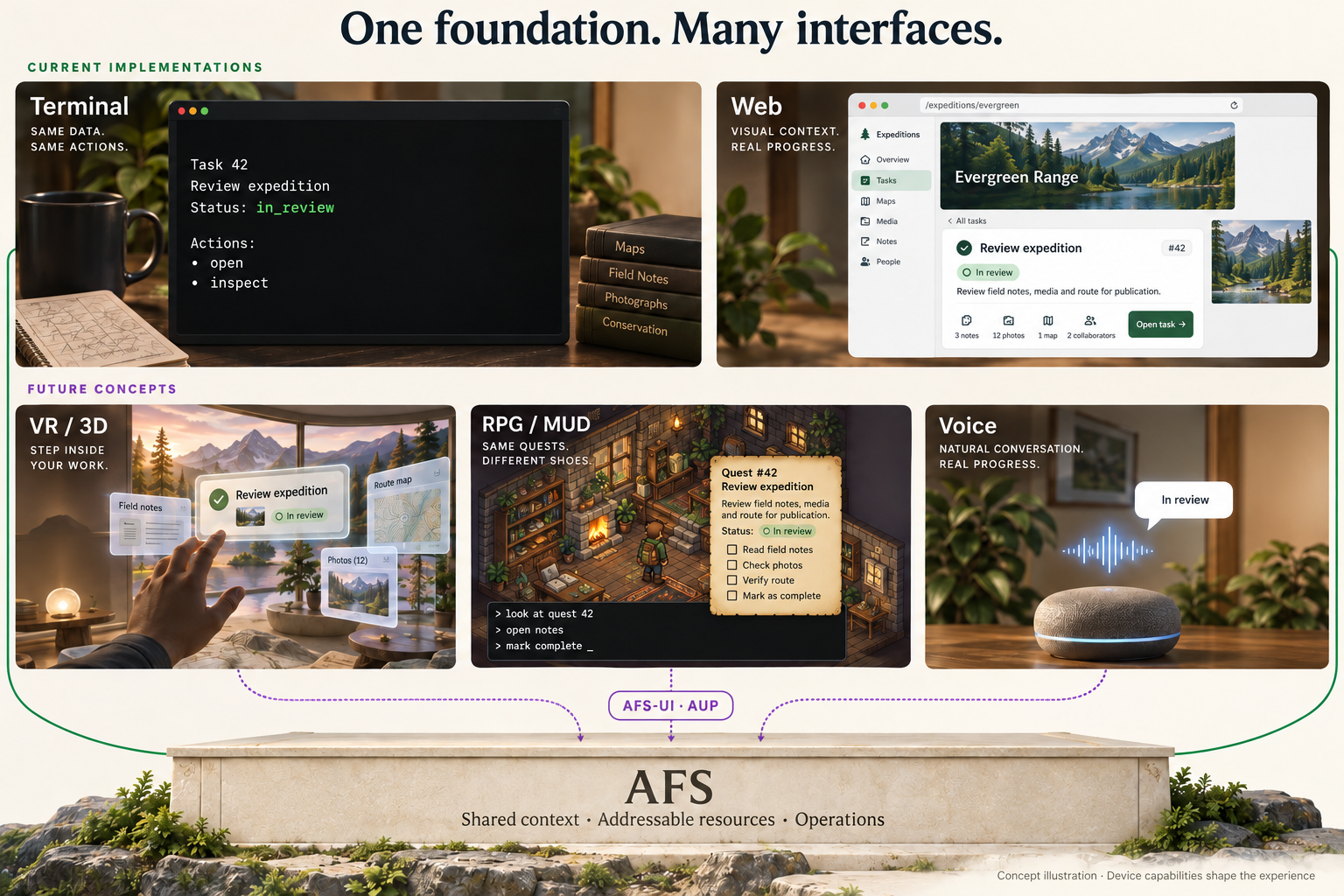
Concept illustration reused from Introducing AFS-UI. The upper row represents existing terminal and Web implementation directions; the lower row shows future concepts. The pictured interfaces are illustrative, not running product screenshots or a claim of automatic conversion across every device.
Those later examples are directions we have discussed, not general capabilities already delivered. A complex website does not automatically transfer intact to a speaker. Without a screen, information needs to be reorganized. Without a keyboard, input needs another form. Some capabilities can remain, some need simplifying, and others may not belong on that device at all.
With a common foundation for objects and operations, each device can decide how to express them within its capabilities. People should still understand what they are doing; agents should still be able to find the relevant objects.
And with games, the story comes back to where it began.
Side story · The name Lode stayed with me
Lode Runner's influence reached into the names of my companies. My first company was LodeSoft, named for my affection for the game. Early in ArcBlock, we called its core the Lightweight Objects Decentralization Engine, or LODE, for the same reason. That early name is recorded in my review of ArcBlock’s evolving architecture. In ArcBlock: From Blueprint to Reality, I returned to the story of those ideas becoming working systems.
There was another unexpected connection. Before ArcBlock, I rented an office for my company in Bellevue. I later discovered that the company holding the Lode Runner rights was nearby, on the same road. A game from my childhood screen had acquired a place in my everyday surroundings.
Tozai's history traces the game's beginnings to Doug Smith in Seattle, while he was a University of Washington student. He has since passed away. The game he made continued to influence me for many years.
Third return: as interfaces evolve, what should endure?
From a game on a green screen to generative interfaces, the changes are far from over. New models will produce new presentations. New devices will change input and output.
What I want to preserve is the work we can act on: its objects, understandable state, explicit operations and permissions, and an environment people and agents can enter together.
AFS provides access to context; AFS-UI brings the interface into that space. But software's whole lifecycle is larger than its interface. How does intent become work? How is the result verified? Who can understand and take over when something goes wrong?
Those questions lead to our exploration of DarcFactory, the dark factory. AFS, AFS-UI and a software factory that organizes and verifies agents' work begin to approach that larger vision. Autonomous execution needs verification and supervision. An agent being able to operate an interface does not establish that the entire production process is reliable.
But what happens if we follow the dark factory idea further?
Suppose the everyday work of implementing, testing and delivering software can eventually proceed autonomously, without people directly operating those processes. What, then, becomes of the User Interface?
Will we still need to watch software work? Or will we encounter it when we express an intention, make a judgment, or decide it should stop? When nobody needs to sit in front of a development tool, where should its interface appear?
Perhaps it will not be a screen. Perhaps not a keyboard. Perhaps not even the voice input we imagine today.
What will it be? I do not know. None of us knows yet.
I began discovering computers through Lode Runner on an Apple II. Back then, I thought the computer was the box in front of me, and the interface was the green world inside it. Terminals, X Window and the internet kept teaching me that it could take another form.
I do not want to draw the final shape of the next interface in advance. AFS and AFS-UI are our concrete attempt to make room for that change: presentations can evolve while people and agents can still find objects, understand state and participate in the same work.
When software can keep working in the dark, what we preserve for people may no longer be a screen that stays lit. It may be the ability to understand the system, decide what it should do, and change it when necessary.
Everything evolves. Even the interface may cease to resemble what we recognize as an interface.
When that happens, what should endure?
このページに関わるもの
製品
イベント
用語
- AFS
AFS(Agentic File System)は、タスクに関係するファイル、サービス、実行中の作業を確認可能なリソース表示にします。agent に区別のないマシンや API の束を渡すのではなく、名前と境界を持つ作業世界を与えます。
- AFS UI
AFS-UI builds interfaces over the addressable resources of AFS. People use a rendered interface; agents can inspect and operate its exposed structure through paths. AUP describes the interface and its interactions, while a UI device such as Web Device renders it.
- AUP
AUP(Agentic UI Protocol)は、アプリケーションが何を表示し、どの操作を可能にするかを表現します。runtime はデバイス能力に合う部分を render し、一つの画面の pixel をアプリケーションそのものとして扱いません。
- Web Device
AFS のどこかに .web/ フォルダを宣言すると、その下のデータと AUP がサーバー側でウェブサイトとして描画されます。