You are here. See how this question connects to other ideas.
Select a node to open its page · Expand to read within the map
One question
From Apple II to AFS-UI: a journey through interfaces
Follow screens, windows, networks and paths to see what interfaces changed—and what endured.
Interfaces have never followed a single line from old to new. This timeline follows terminals, personal computers, Unix workstations and the Web to explore how people operate computers—and how software gains access to the same work. Dates refer to technologies or published documents; their histories overlap.
Read in order or tune into an unfamiliar era. Follow the photographs, inspect an interface, or open a side story to understand an unexpected detail.
Enter an era, or keep scrolling. Every stop has its own link. Date ranges overlap; one technology does not simply replace another.
1960s · 1970s · 1980s · 1990s · 2000s · 2010s · 2020s
1969 → · Unix: giving work an address
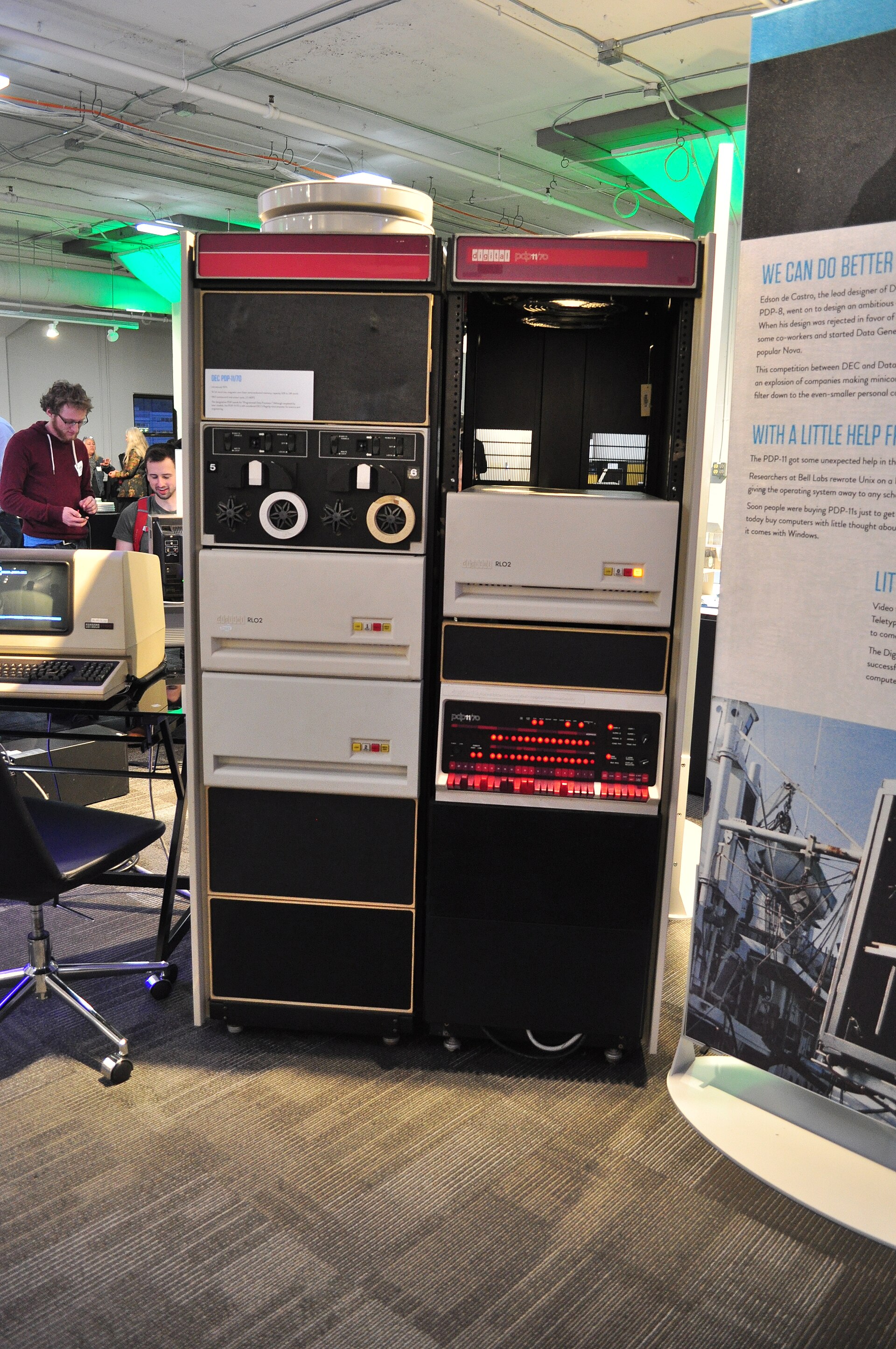
Cabinets, tape reels and a control panel: computing occupied physical space. This PDP-11/70 was photographed at Seattle’s Living Computer Museum in 2014; it is not the PDP-7 on which Unix began in 1969. Joe Mabel · CC BY-SA 3.0.

Unix organized work through names, paths and composable operations. Unix is not a terminal appearance; the shell, file interfaces and processes belong to different layers.
What endured: paths and composition. Command lines still coexist with graphical interfaces.
1977 → · Apple II: a computer at the keyboard
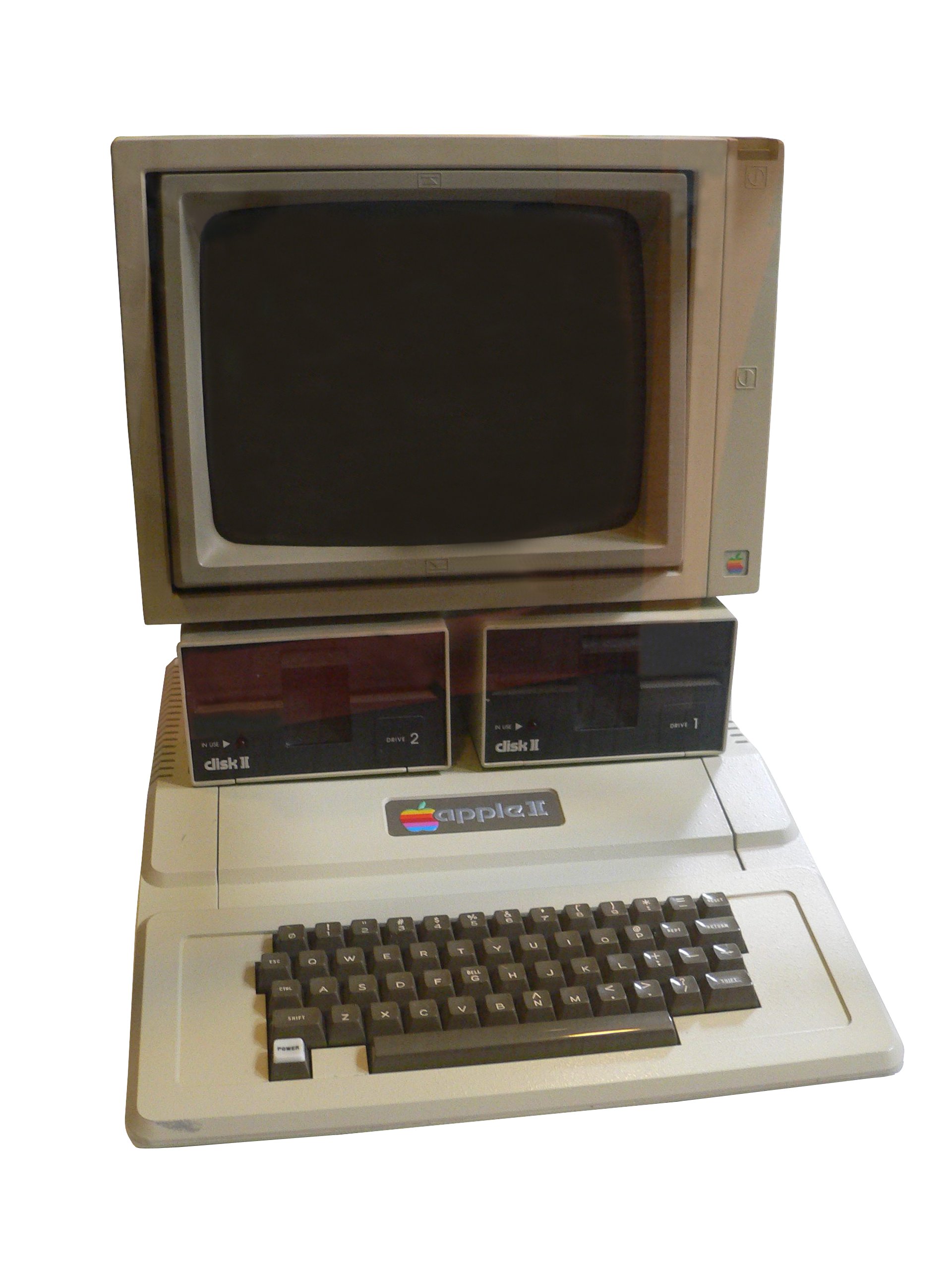
Apple II · Rama & Musée Bolo · CC BY-SA 2.0 FR
Introduced in 1977, the Apple II supported text and graphics: this era was not simply a world without images. Keyboard input, execution and screen feedback already formed a complete interaction loop.
Look closely: keyboard and computer share a housing; the display is a separate object.
Computer History Museum · 1977
Side story · A graphics-capable screen. Why type commands?
Look at the keyboard in the photograph. Each key can become input to a program. Graphics capability and typed commands can coexist. Ask two separate questions of an old computer: what can its screen draw, and how does a person tell a program what to do next?
Explore: ↗ A graphics-capable screen. Why type commands?
1970s–1980s · Terminals: the screen is not the computer
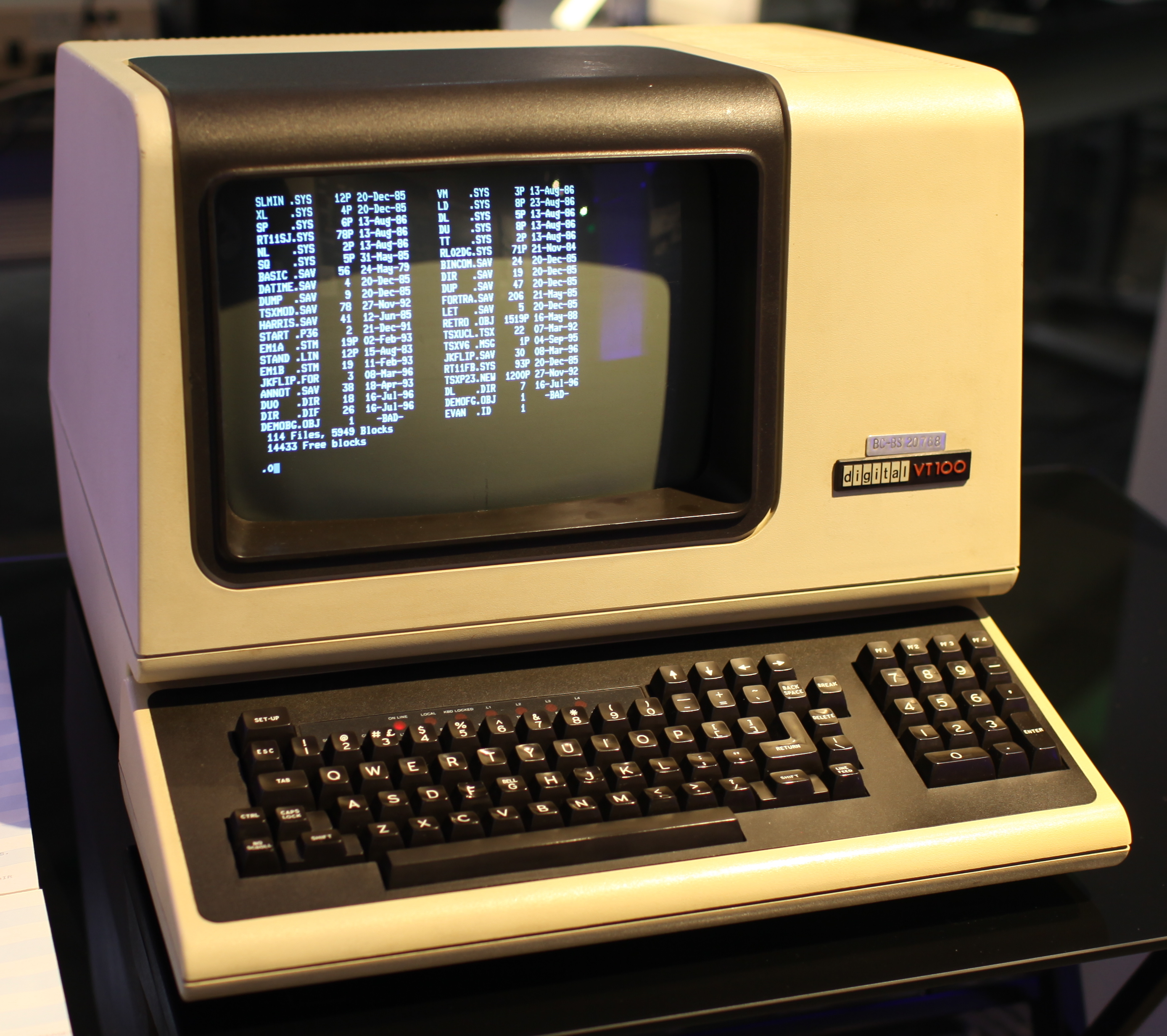
DEC VT100 · Jason Scott · CC BY 2.0
A character terminal sends keystrokes to another computer and displays characters returned by it. The DEC VT100 pictured here is a terminal, not a personal computer such as the Apple II. Green phosphor is one visual memory of the era, not the definition of a terminal.
The enduring question: must input, computation and display occupy the same place?
VT100 · original documentation archive
1981 → · IBM PC and DOS: operating your own machine
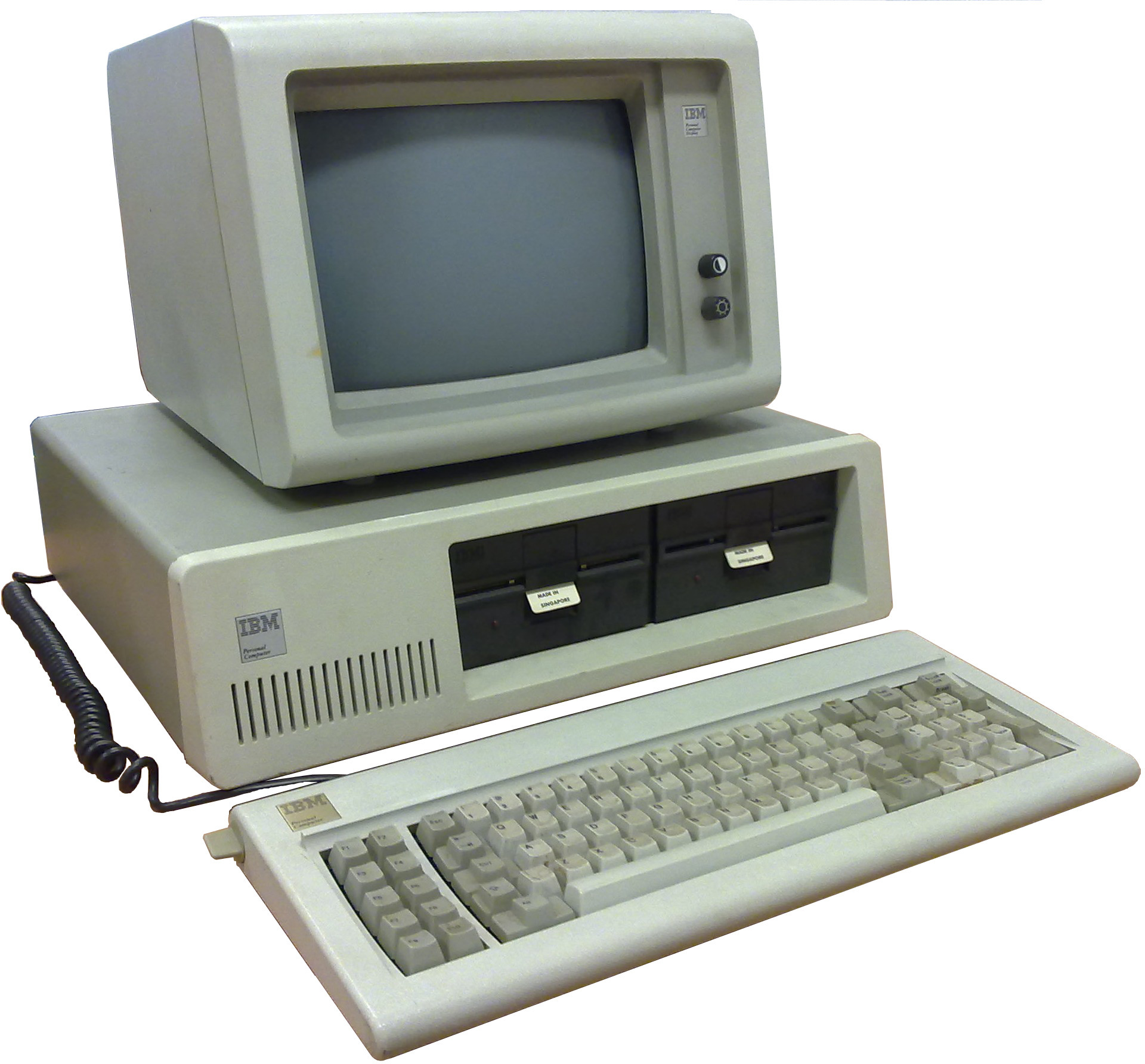
IBM PC 5150 · Ruben de Rijcke · CC BY-SA 3.0 · 2010
The IBM PC brought a new personal-computing platform to market in 1981. In DOS, paths, files, commands and the prompt returned after a program exited made computing a series of repeatable actions. Personal computing changed where computation happened without making the filesystem obsolete.
What endured: file paths serve people and programs alike.
1980s–1990s · Modems and BBSs: back to characters
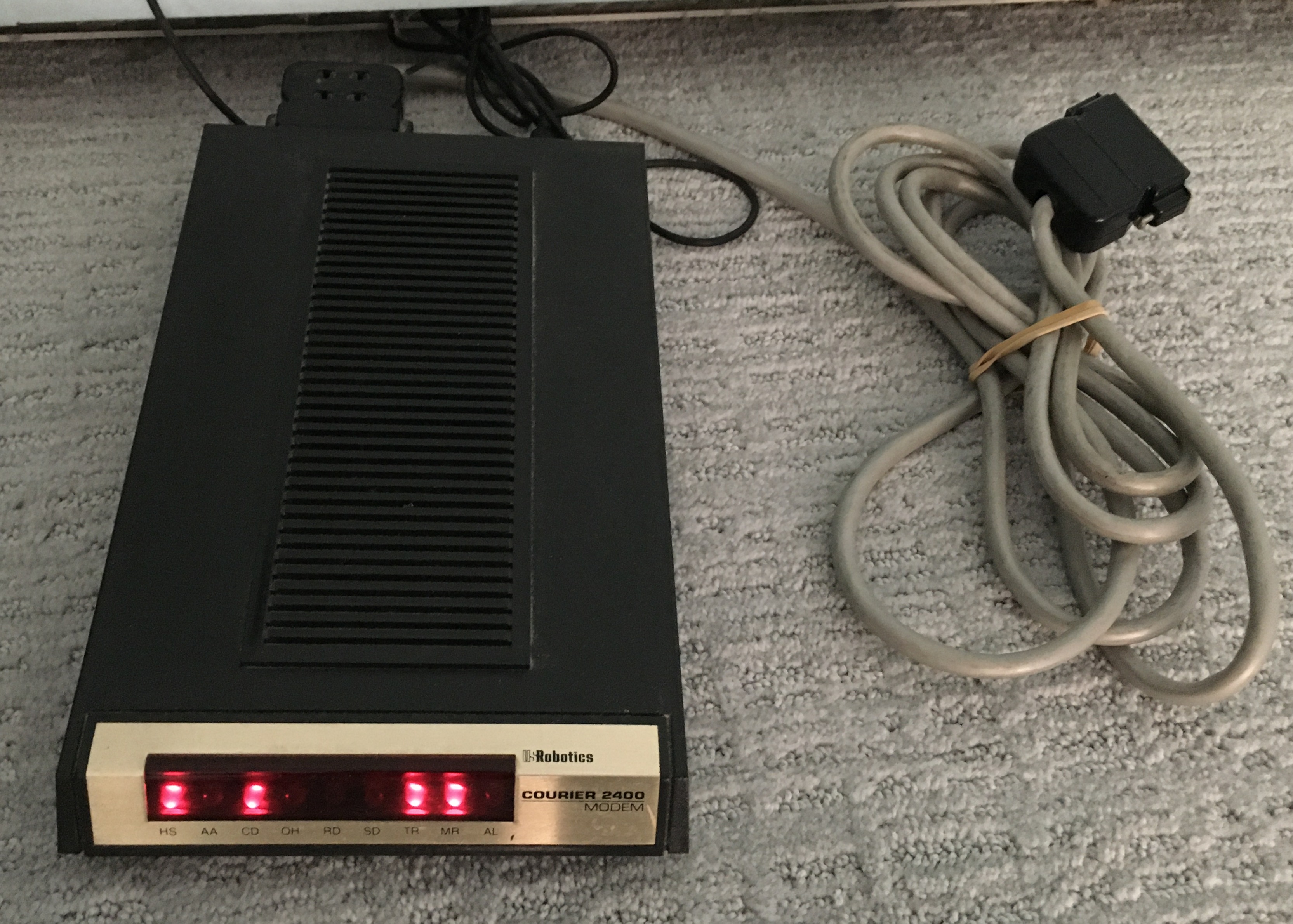
Look at the lights, then the serial cable: connecting meant a physical box with visible status. Photographed in 2021, this device dates from the late 1980s; lit LEDs do not mean an active BBS connection. Jonathan Schilling; crop and rotation by Pittigrilli · CC BY-SA 4.0.
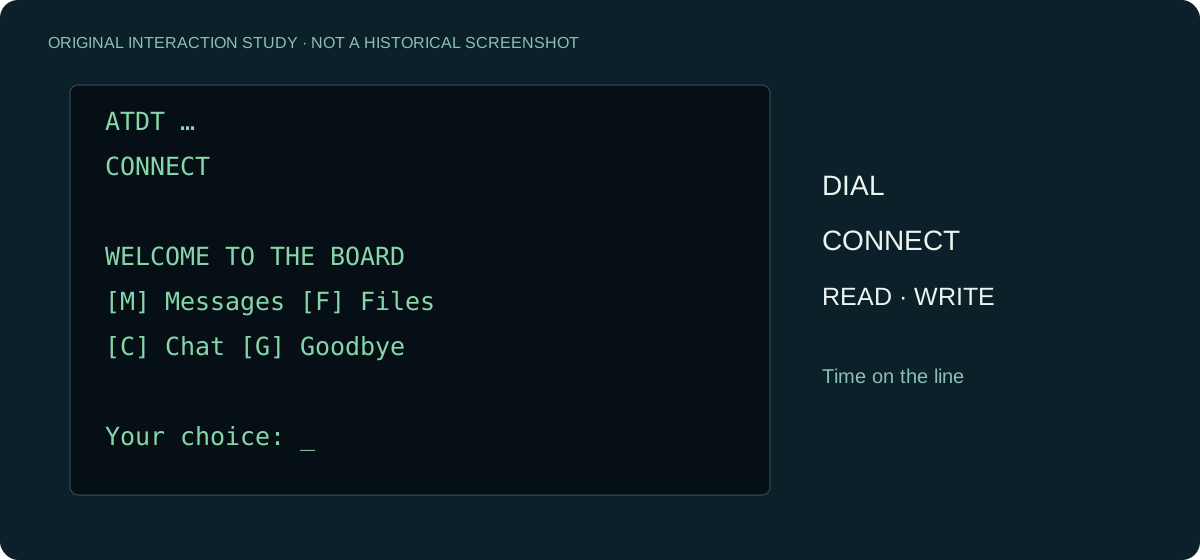
BBS users reached remote systems through modems and character-based terminal interfaces. These communities coexisted with graphical desktops: graphics did not simply replace text. Networks, devices and communities shaped interface choices. BBS terminal presentation and FidoNet message exchange are separate layers; FidoNet is not a screen-drawing technique.
What endured: an older interaction form can find new usefulness through new connections.
Open a dial-up sequence: why did the screen appear one line at a time?
This is an illustrative reconstruction, not an archived session. It does not dial a number.
ATDT [number]       → Ask the modem to dial
CONNECT            → Connection established
WELCOME            → Characters arrive from the host
Your choice: _     → Wait for your input
NO CARRIER         → Connection ended
Content arrived over the connection and the terminal placed characters on the screen. With slow transmission, waiting became part of the experience. The BBS menu was an interaction layer; exchanging messages behind it was another concern.
1983 / 2006 RFCs · Telnet and SSH: continuity and change in remote access
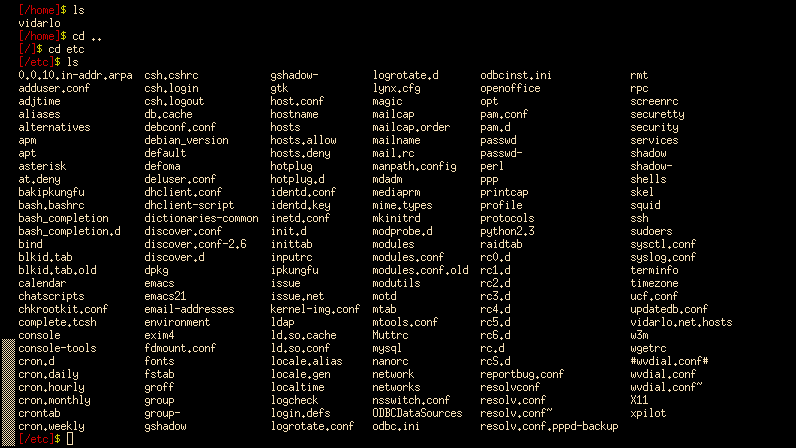
Notice cd etc near the top, then the filenames below: a directory organizes objects by name. This xterm screenshot was uploaded in 2006 and illustrates the Unix tradition, not a screen from 1969. Vidarlo · CC BY-SA 3.0.
Telnet’s network virtual terminal and SSH’s secure remote access show continuity and change together. Remote-terminal habits persisted while security boundaries needed to change. The dates here identify the cited RFCs, not the technologies’ invention. SSH is also more than an encrypted terminal appearance.
What endured was remote operation, not the old security assumptions.
IETF · SSH architecture (with Telnet reference below)
1980s → · X Window: the program here, the display there
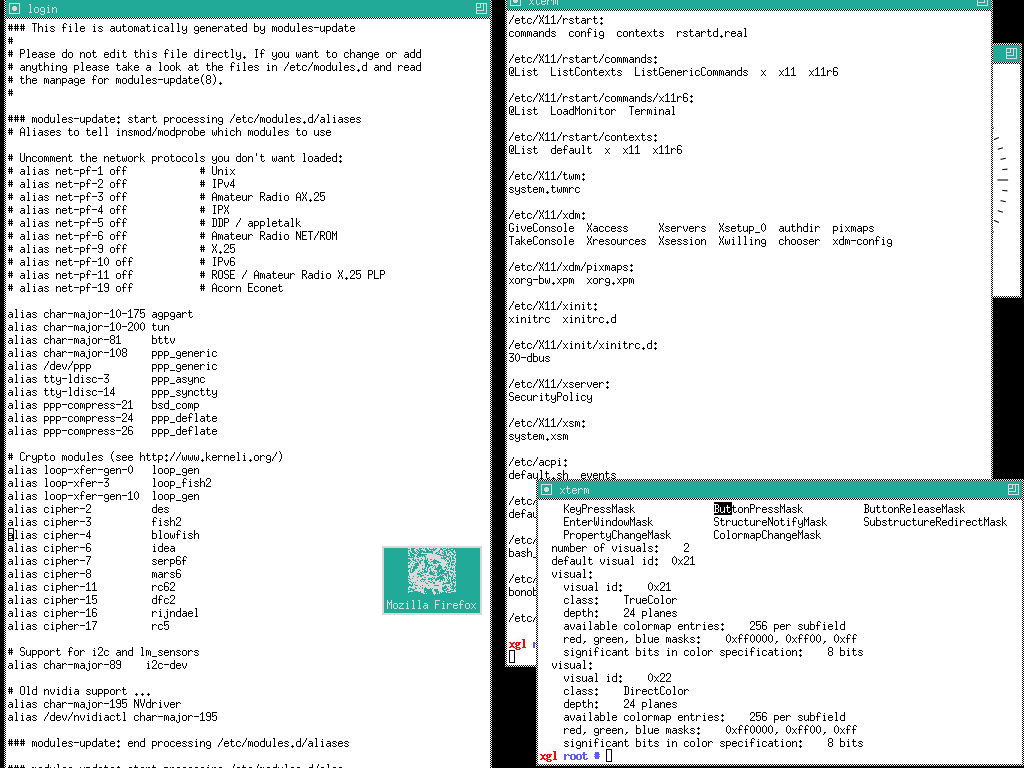
TWM / X · DoWhile, 2006 · Public domain
X Window makes the separation of computation and display tangible. The X server manages display and input; an application is a client and can run on another machine. The terminology can surprise modern readers: the server is on the side providing the display service.
What endured: display can be a service. AFS-UI draws on that separation of responsibilities, not X protocol compatibility.
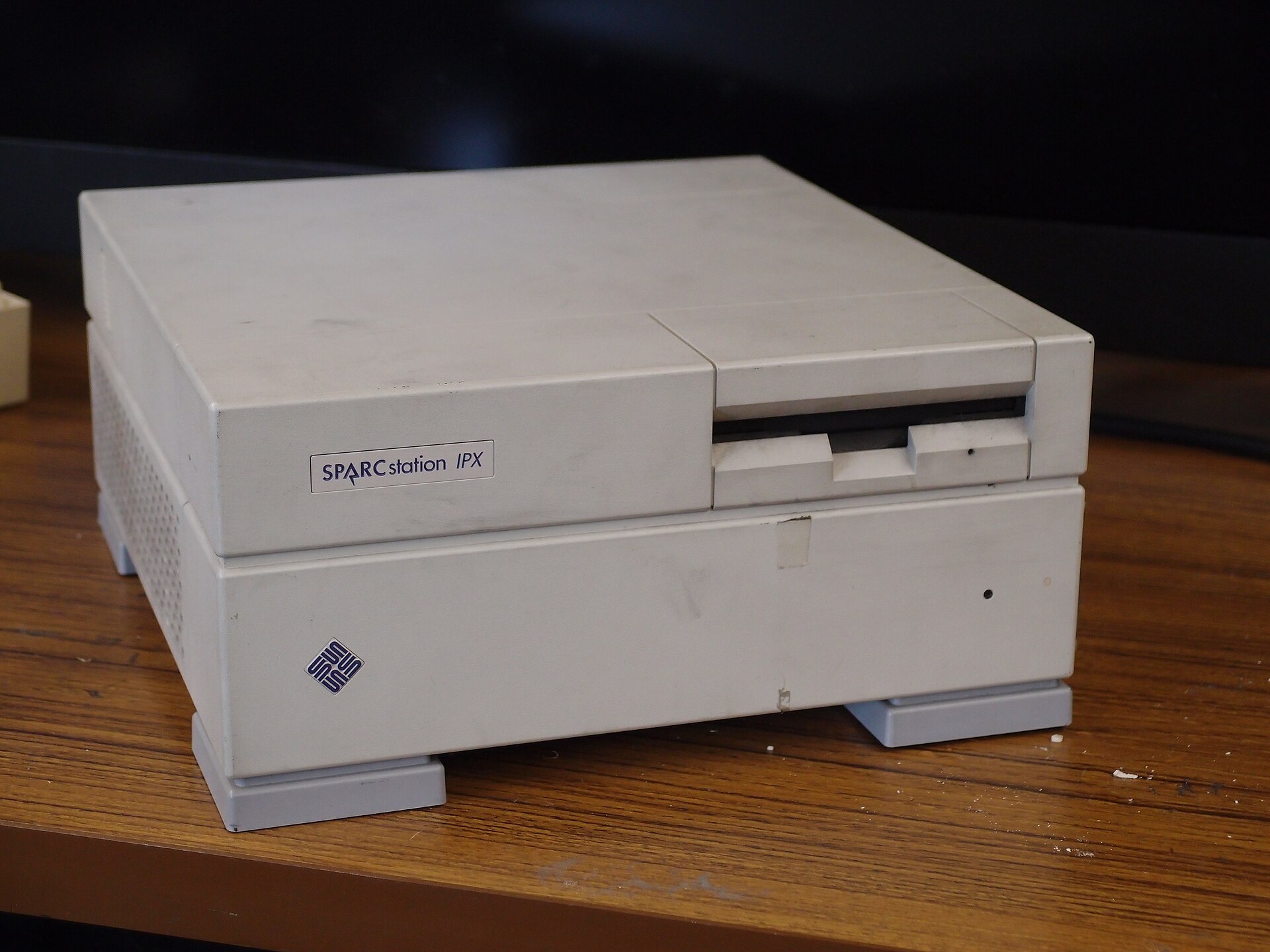
The computer beneath the desktop: a Sun SPARCstation IPX. This 2013 device photograph is not a live X session; the screenshot above shows windows, this photograph shows workstation hardware. htomari · CC BY-SA 2.0.

Side story · Why is the screen in front of you the server?
Set aside which machine is more powerful. The X server provides display and input services. Applications request drawing and receive input events. An application can therefore be remote while its server sits at your desk. The names describe a service relationship, not the size of the computer.
Explore: ↗ Why is the screen in front of you the server?
1980s–1990s · PC Shell and Turbo Vision: characters can make windows
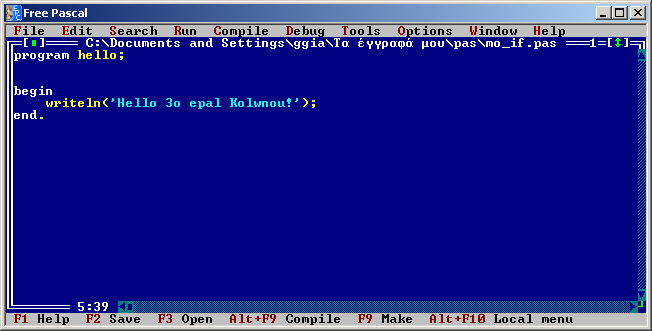
Menus above, shortcuts below, a workspace drawn with characters between them. This 2013 Free Pascal IDE continues that visual language; it is not an original Turbo Pascal screenshot. Ggia · CC BY-SA 3.0.

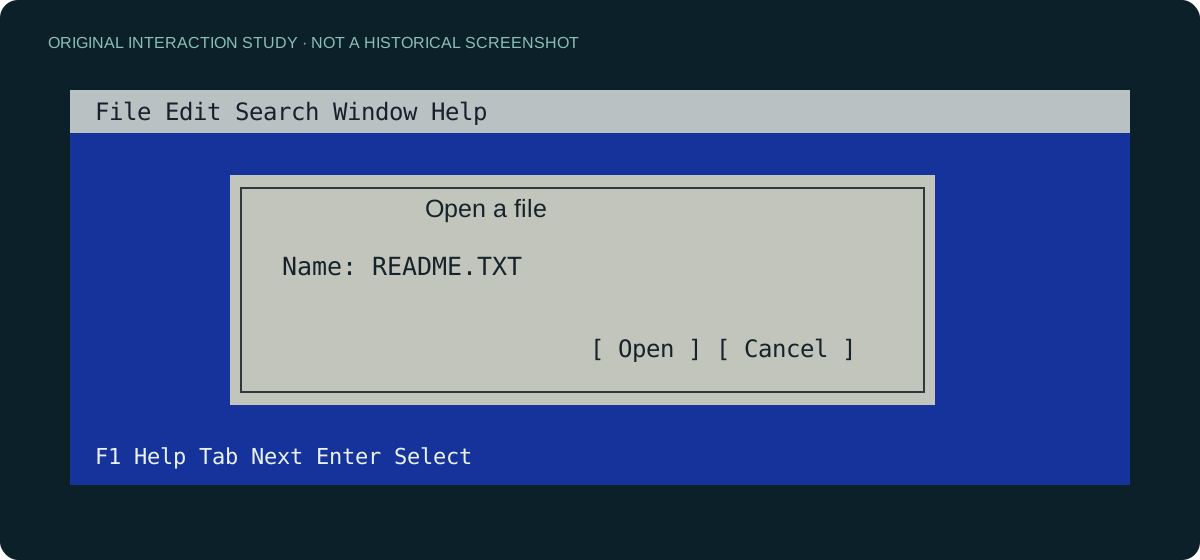
PC Tools and PC Shell offered ways to navigate a personal computer; Turbo Vision gave developers a framework for building character-based interfaces. Menus, dialogs, focus and windows do not require a bitmap desktop: a character grid can carry them too. Turbo Vision supplied interacting objects and event handling, not merely box drawing.
Try the modern Turbo Vision port to see character interfaces running today. It is a contemporary port, not archival footage.
Turbo Vision · maintained port and original manual links
1989–1990 · The Web: turning a destination into a link
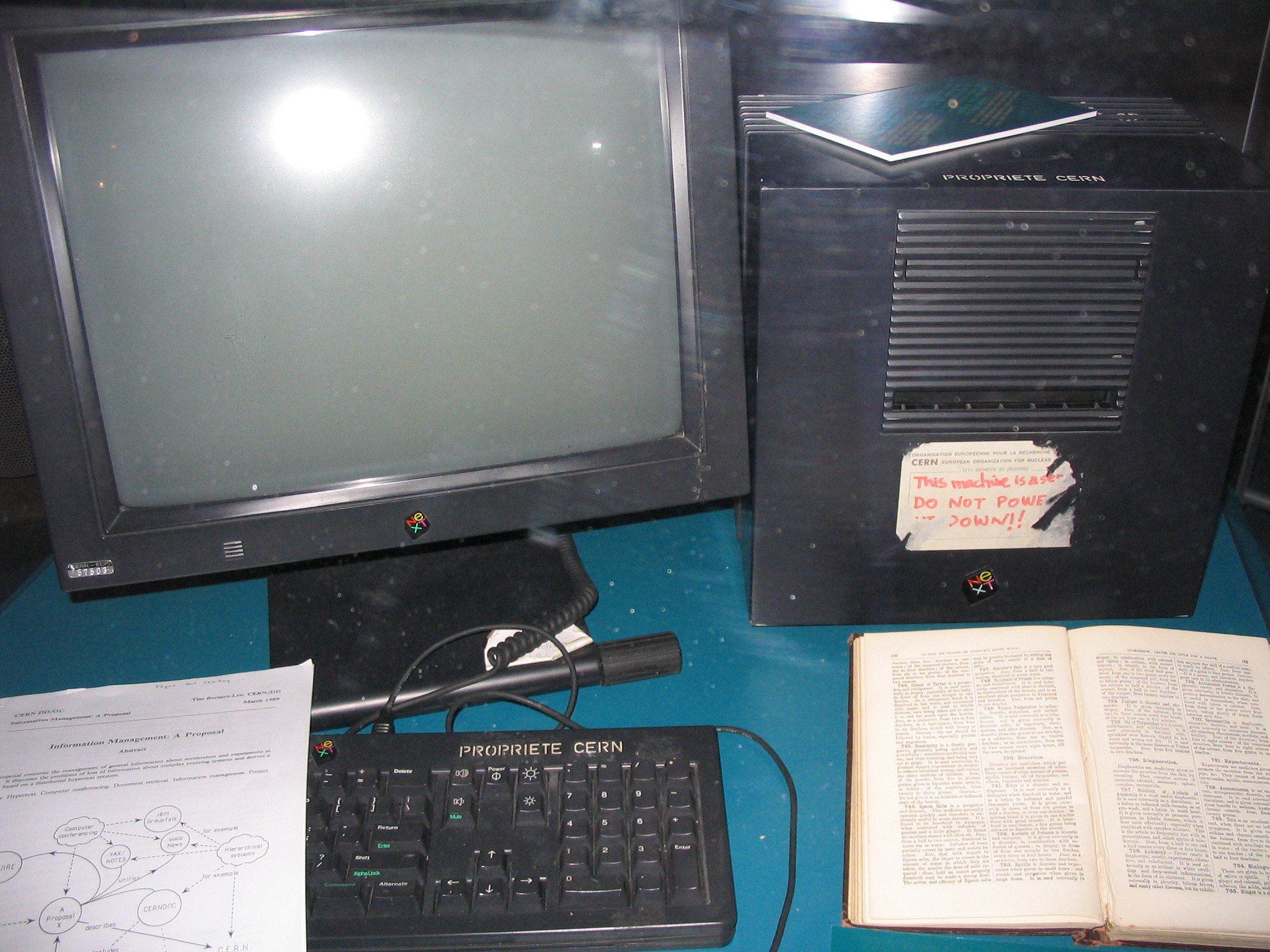
NeXT / CERN · Coolcaesar · CC BY-SA 3.0 · 2005
Work at CERN brought documents, addresses and hyperlinks together. A browser became an entry point to content across machines. The original Web browser also included editing, so the history is richer than an initial era of purely passive reading.
Try historical pages and browser reconstructions linked from CERN’s first website. Notice how navigation uses addresses.
Side story · A server is also a physical machine
Look from the NeXT computer to its monitor and keyboard. A globally reachable address still depended on a running physical machine. This is a museum photograph from 2005, not a photograph of the Web’s birth. CERN offers paths into early pages and a browser reconstruction.
Explore: ↗ A server is also a physical machine
1990s · SGI IRIX and IBM AIX: Unix had more than one face
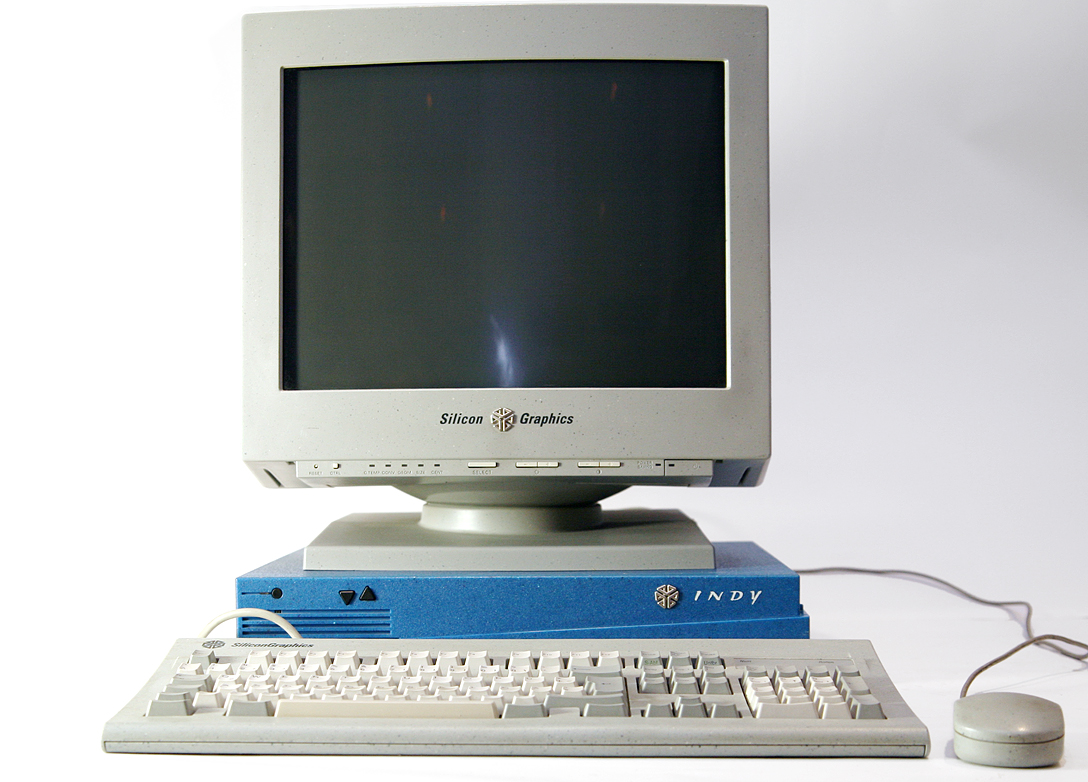
SGI Indy · Thomas Kaiser · CC BY-SA 3.0 · 2007
SGI IRIX and IBM AIX belonged to the Unix world without requiring the same desktop appearance. The IRIX Interactive Desktop used 4Dwm to manage windows. AIX graphical environments involved distinct layers such as X, Motif and CDE, with combinations depending on version and configuration. CDE is a desktop environment, not simply another name for a window manager.
Side story · What changes with a different Window Manager?
What does a window manager manage? Window placement, stacking, moving, resizing, decorations and related interaction policies. Its role differs from the X server’s display and input services; applications and toolkits supply content inside windows. Changing the window manager can substantially change the experience without rewriting every application. It does not necessarily restyle every control inside those applications.
Window organization can change while the division between applications, connections and display services remains. This is more interesting than a new skin.
Original SGI desktop guidelines (archive) · IBM: AIX X11, CDE and XDM
This provides a historical route into the motivation for Display and Window Manager in AFS-UI: display targets and interface organization can be discussed separately. The intellectual connection does not establish X protocol compatibility or an identical replacement mechanism.
1990s · Windows, OWL and MFC: the desktop toolbox
Windows 3.0, released in 1990, was part of a growing graphical-desktop ecosystem. Frameworks such as OWL and MFC developed around Windows over time; they did not all arrive with Windows 3.0. Frameworks organized windows, controls and events: users saw buttons while programs handled events and objects.
What endured: interaction has structure and state beyond its final pixels.
Microsoft · History of Microsoft, 1990
1990s · Java applets and ActiveX: programs inside pages
Once browsers became entry points, running richer programs inside pages was an attractive next step. Applets and ActiveX took different technical paths with different runtimes, distribution models and trust questions. Neither should be conflated with the HTML DOM or modern Web Components.
The enduring question: who supplies the runtime, and who decides what interface code may do?
Microsoft · MFC ActiveX controls
1998 recommendation · The DOM: an operable tree behind the page
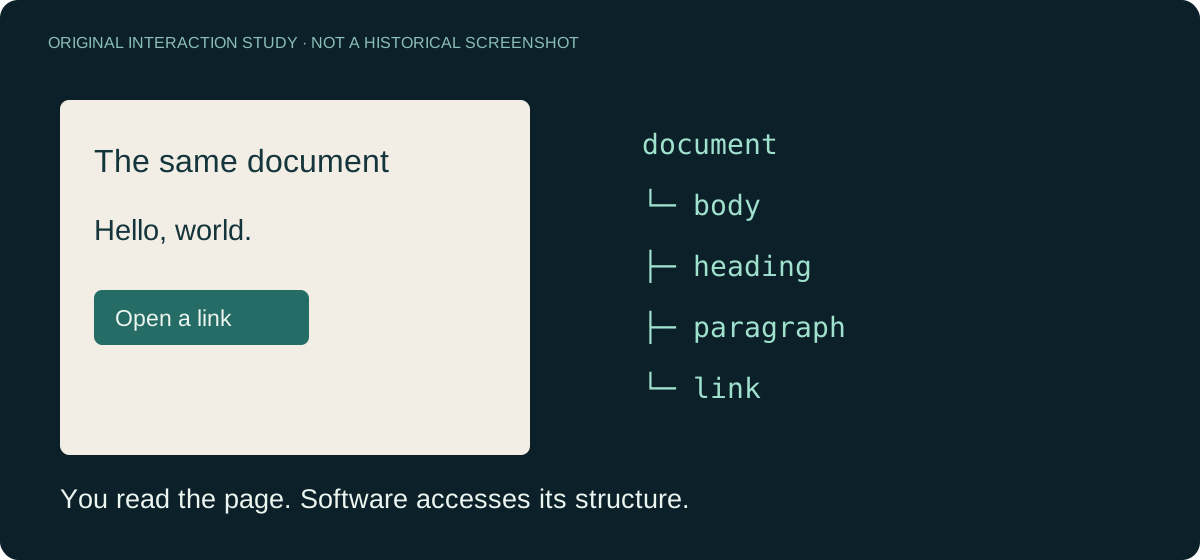
The DOM exposes document structure to programs. Scripts can locate objects, read content and modify structure without interpreting a screenshot. AFS-UI is therefore not the first system to expose structured interfaces to software. Its architectural choices concern the address space and operational boundaries it provides.
What endured: viewing a page and operating its structure are complementary forms of access.
Side story · A page and its tree: two ways to read
Imagine a heading above a paragraph and a link. A person sees a layout; a program can find the heading, paragraph and link separately. That structural view matters, but a DOM node is not automatically a stable business identity across applications, nor a grant of permission.
Explore: ↗ A page and its tree: two ways to read
2005 term · Ajax: not every action needs a new page
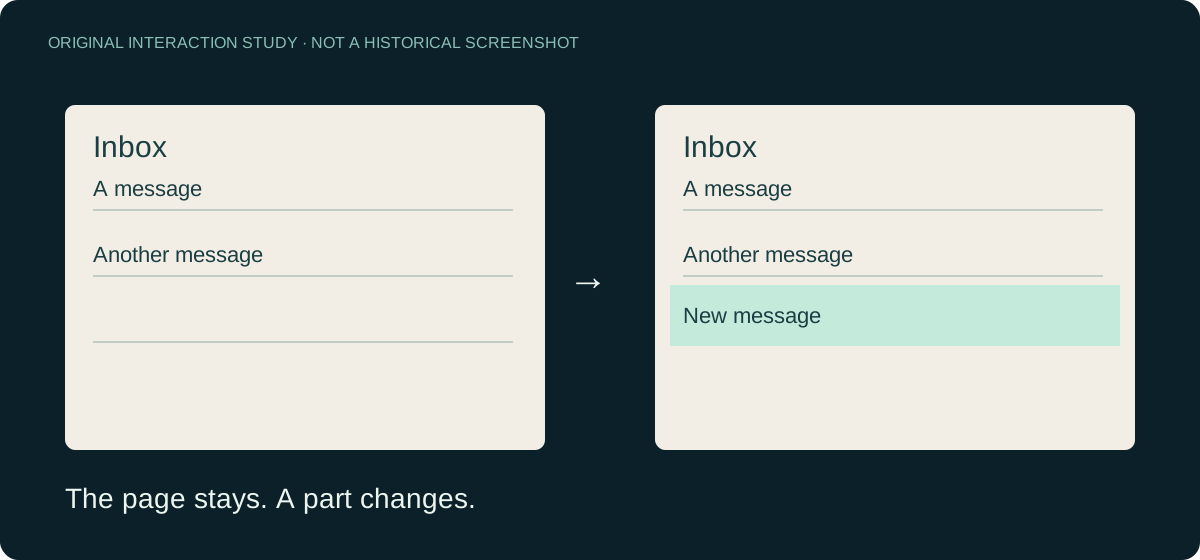
Ajax gave a widely adopted name to a combination of existing Web technologies: a page could request data asynchronously and update portions of its interface. This helped make continuous interaction common in Web applications, but asynchronous requests are not server push and do not guarantee real-time delivery.
What endured: a page can remain while its data and presentation change.
Jesse James Garrett · Ajax essay (archived copy)
Side story · No page reload does not mean server push
A cart count changes without the entire page disappearing. That is the visible experience of a partial update. Whether the data arrived after a click, through polling, or over an ongoing connection is a separate question. Similar-looking interfaces can use different communication mechanisms.
Explore: ↗ No page reload does not mean server push
2011 RFC · WebSocket: a connection beyond page refreshes
WebSocket provides a bidirectional communication channel between client and server. Its uses overlap with Ajax, but the mechanisms differ. A shared presentation still needs session, state, authorization and recovery semantics even when a bidirectional channel exists.
The enduring question: once connected, which state is actually shared?
2013 / 2014 → · React and Vue: interfaces that follow state
Components and declarative rendering help organize increasingly complex Web applications. React and Vue have distinct models, but both encourage describing interfaces through state rather than manually maintaining each screen update.
What endured: the relationship between state and presentation, even as frameworks change.
React · Versions and first release
Today · AI agents: another kind of operator
When agents also perform work, interfaces must help software locate objects, discover operations and understand what is permitted. Screenshots, accessibility trees, the DOM, tool interfaces and paths each have roles. The argument cannot start by assuming that agents can only use screenshots.
The enduring question: how does the object a person sees correspond to the object software operates?
2026-10-07 · Intelligent UI: the answer becomes an interface
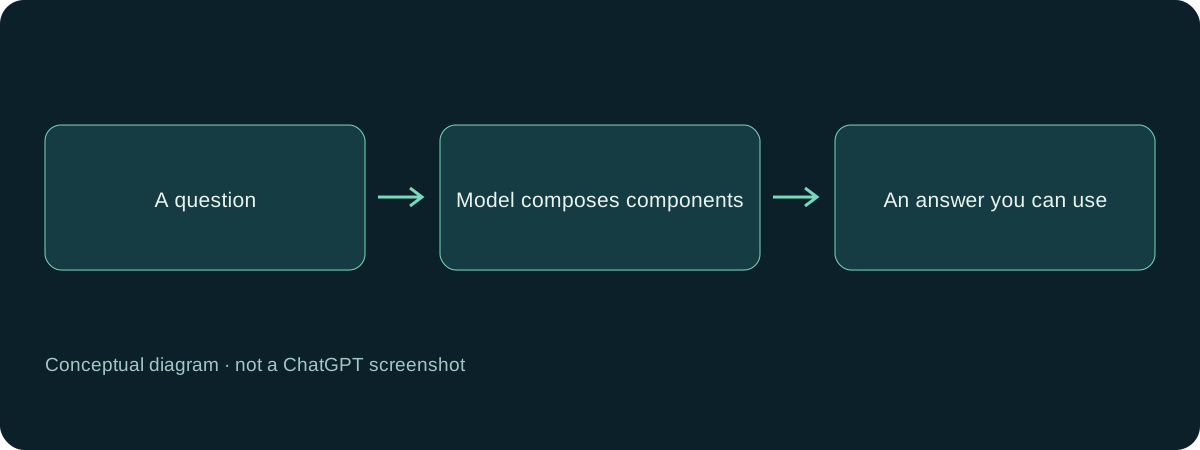
OpenAI announced Intelligent UI in ChatGPT: answers can combine text, visuals and interaction. The technical description identifies native streamable components, an incremental compiler and model training for interface composition.
Today’s question: if an interface can be generated on demand, how does a person’s change correspond to the state another operator needs next?
Side story · Show progressively, or prepare before presenting?
A progressively appearing explanation lets someone start understanding sooner. An operational form also needs to make clear which inputs and actions are ready. AUP’s Stage-to-Live offers a prepare-then-present choice; streaming answers illustrate another presentation rhythm. Both need explicit interaction readiness. A complete-looking picture alone cannot establish it.
This product announcement does not publish a complete general UI protocol. An undisclosed internal design must not be described as a missing capability. Continue with the Intelligent UI learning card and neighboring approaches.
Today · ArcBlock · AFS-UI: returning to a shared operational world
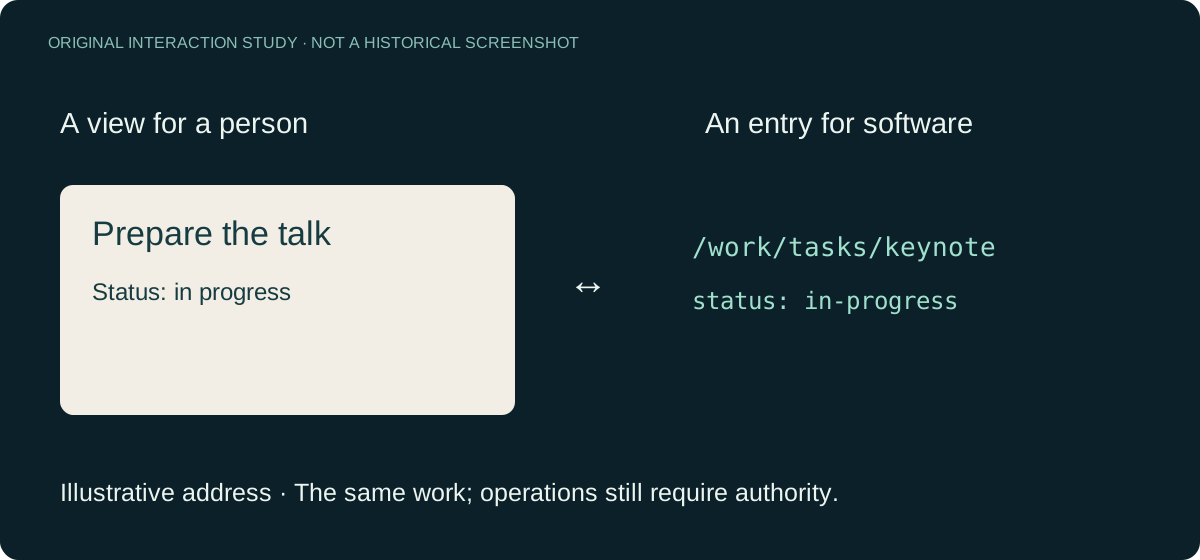
AFS-UI revisits several questions from this history: filesystem addressability, X’s separation of display and computation, and the relationship between state and presentation. Its goal is participation by both people and agents. It is not a simple combination of X, the DOM and a filesystem, and participation does not imply equal permissions. Concrete capabilities need implementation evidence.
This Learning experience and its companion presentation are examples built with AFS-UI.
Continue reading: AFS-UI · Learning
Side story · Look again: one task, two entry points
Start with a task card, then look at the resource path it corresponds to. The card gives a person a readable entry point; the path gives a program a target. The test is whether objects, operations and permissions remain clear when the view changes.
Explore: ↗ Look again: one task, two entry points
Walk it again, looking only at what endured
Screens changed; input and feedback remained. Networks changed; addresses and connections remained. Frameworks changed; state, authority and operational boundaries still needed design. These are not immutable answers. They are questions each generation must answer again.
CERN · Explore the first website · Telnet · RFC 854 · Vue · FAQ · OWL · Java applets
Image credits
Device photographs are reference material, with dates and credits where available. The TWM screenshot was captured in 2006; it is not a contemporaneous photograph of a 1980s or 1990s workstation.
- Apple II — Rama & Musée Bolo, CC BY-SA 2.0 FR.
- DEC VT100 — Jason Scott, CC BY 2.0.
- TWM — DoWhile, public domain.


Additional reference photographs are reproduced without cropping or redrawing:
- IBM PC 5150 · Ruben de Rijcke · CC BY-SA 3.0.
- First Web Server · Coolcaesar · CC BY-SA 3.0.
- SGI Indy · Thomas Kaiser · CC BY-SA 3.0.
- xterm · Vidarlo · CC BY-SA 3.0.
- Courier 2400 · Jonathan Schilling / Pittigrilli · CC BY-SA 4.0.


Check your understanding
Did each new interface simply replace the previous one?
No. Characters, graphics, windows and paths continue to coexist in different settings.