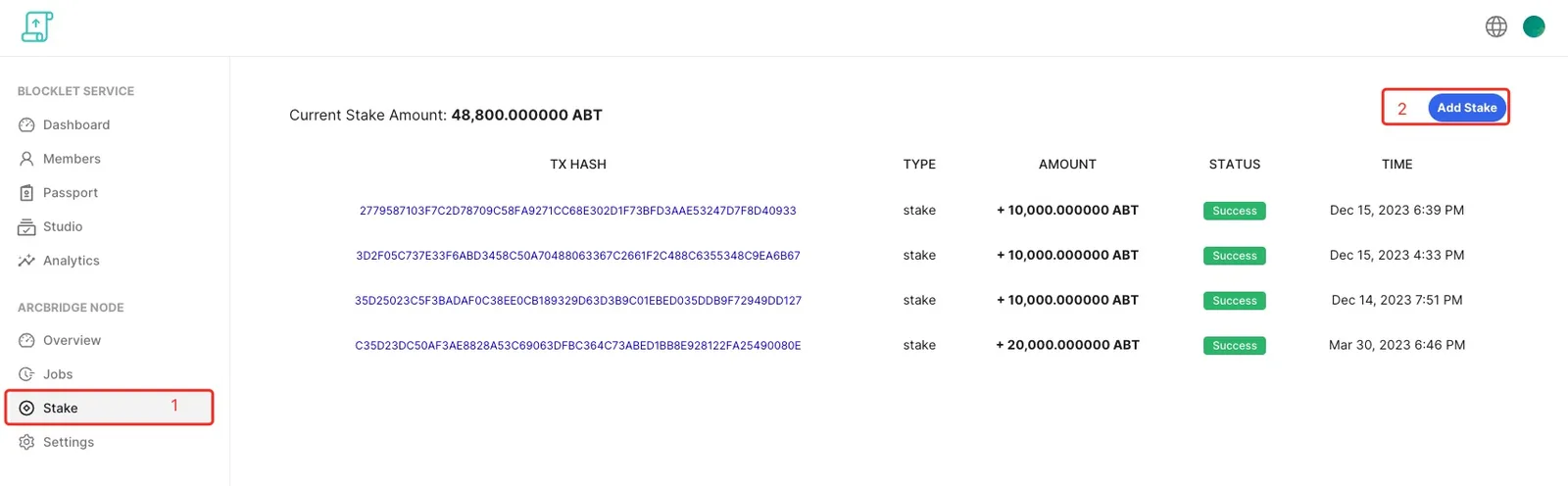
- Login to your ArcBridge Node, and open "Stake" page
- Click "Add Stake" on the Stake page
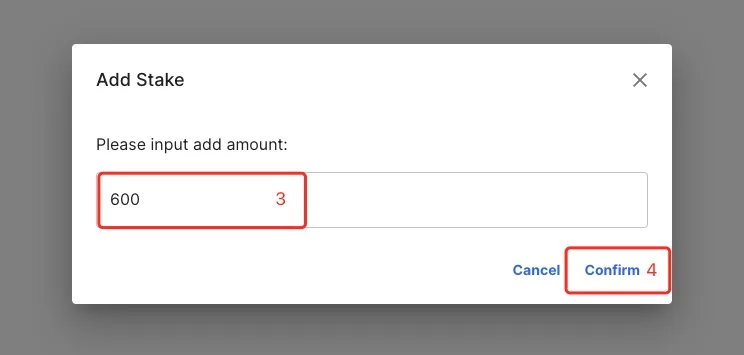
- Input stake amount in the stake dialog:
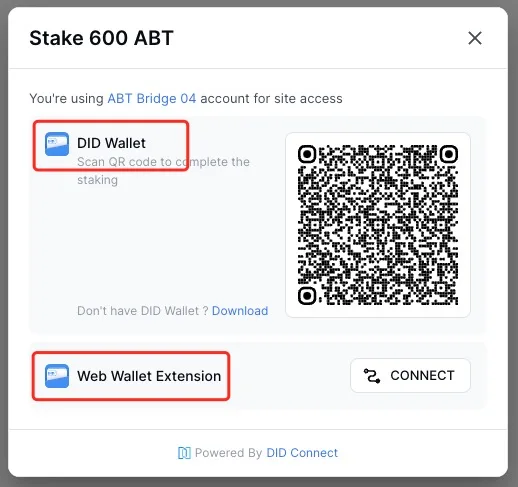
- Complete the stake with your DID Wallet or send the QRCode to others
Login to your ArcBridge Node, and open "Stake" page Click "Add Stake" on the Stake page Input stake amount in the stake dialog: Complete the stake wit