Applicable scenarios
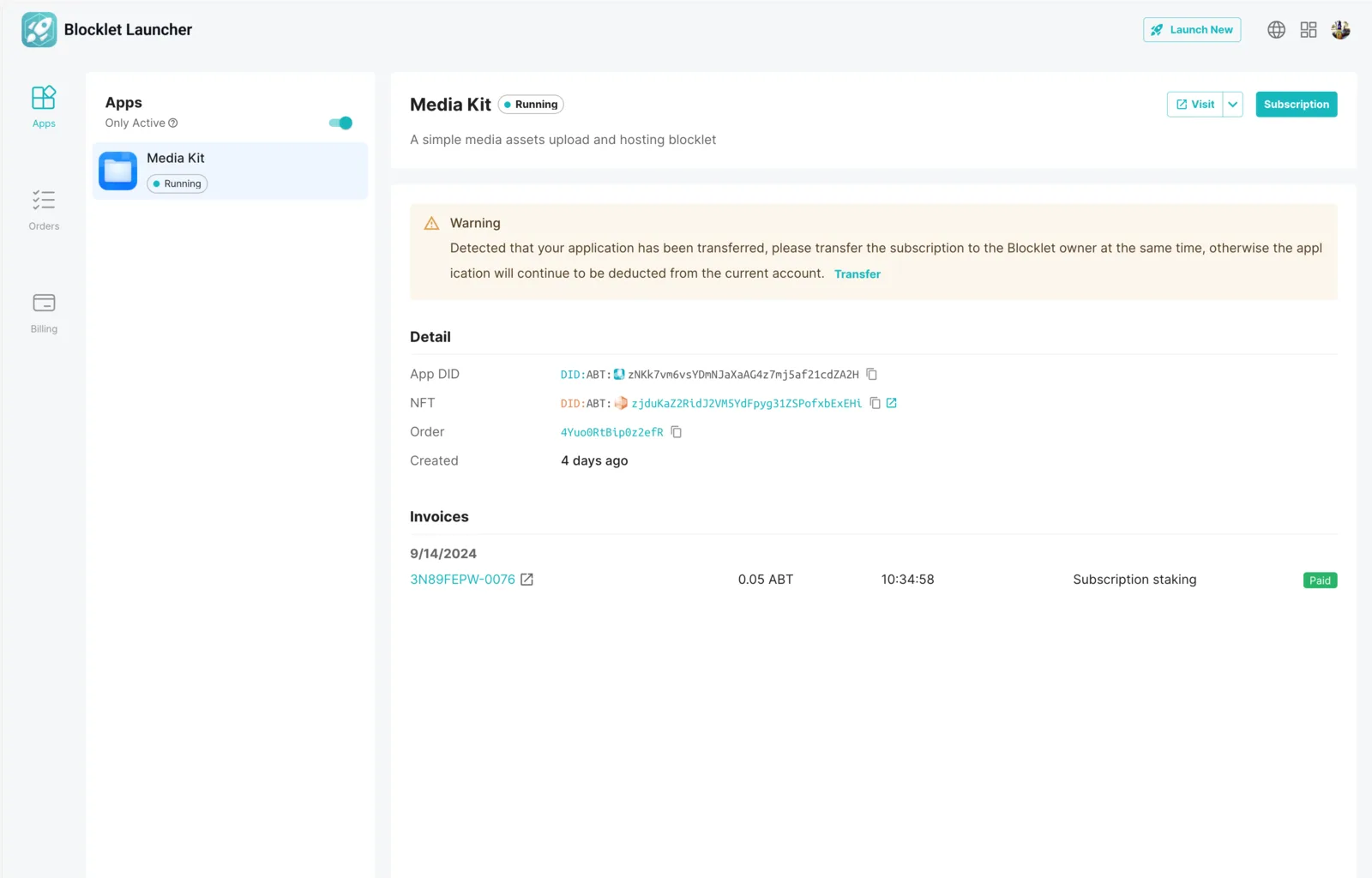
Blocklet has been transferred to another user. At this time, the subscription page needs to be transferred to that user, otherwise Blocklet Launcher will continue to deduct fees from the original account.
Related documents: How to transfer a Blocklet
Conditions necessary for transferring subscriptions
The Blocklet has been transferred to another user in the Blocklet Server.
The steps to transfer subscriptions
1. Generate transfer subscription link
If your Blocklet has already been transferred to another user, the Blocklet Launcher details page will remind the user to transfer the subscription and provide a button to generate a transfer link, which can be sent to the new owner of the Blocklet.
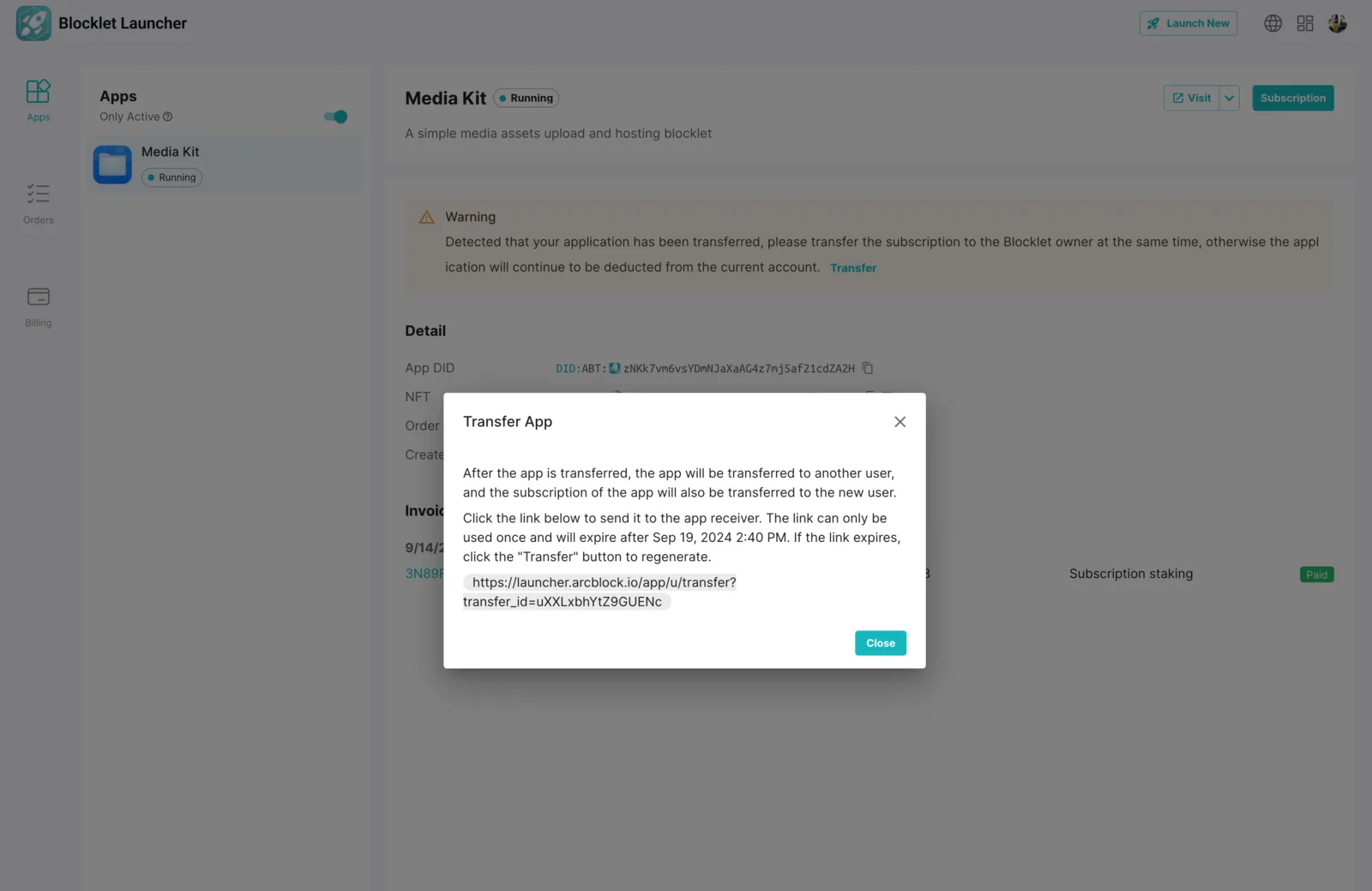
2. New owner takes over subscriptions.
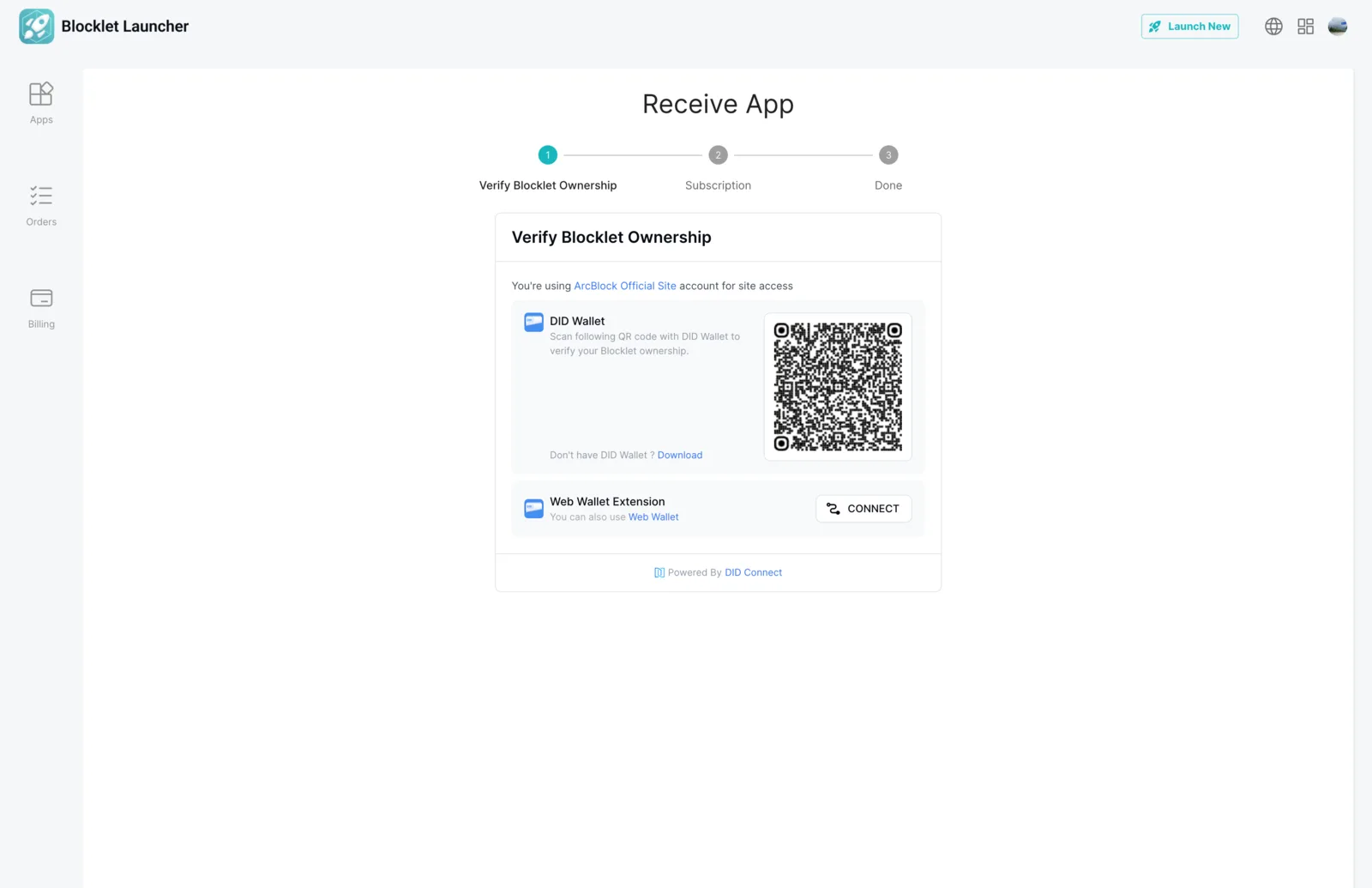
- The recipient opens the transfer subscription link in the browser.
- Log in to the Blocklet Launcher account of the new owner
- Use DID wallet to verify the owner of the Blocklet.
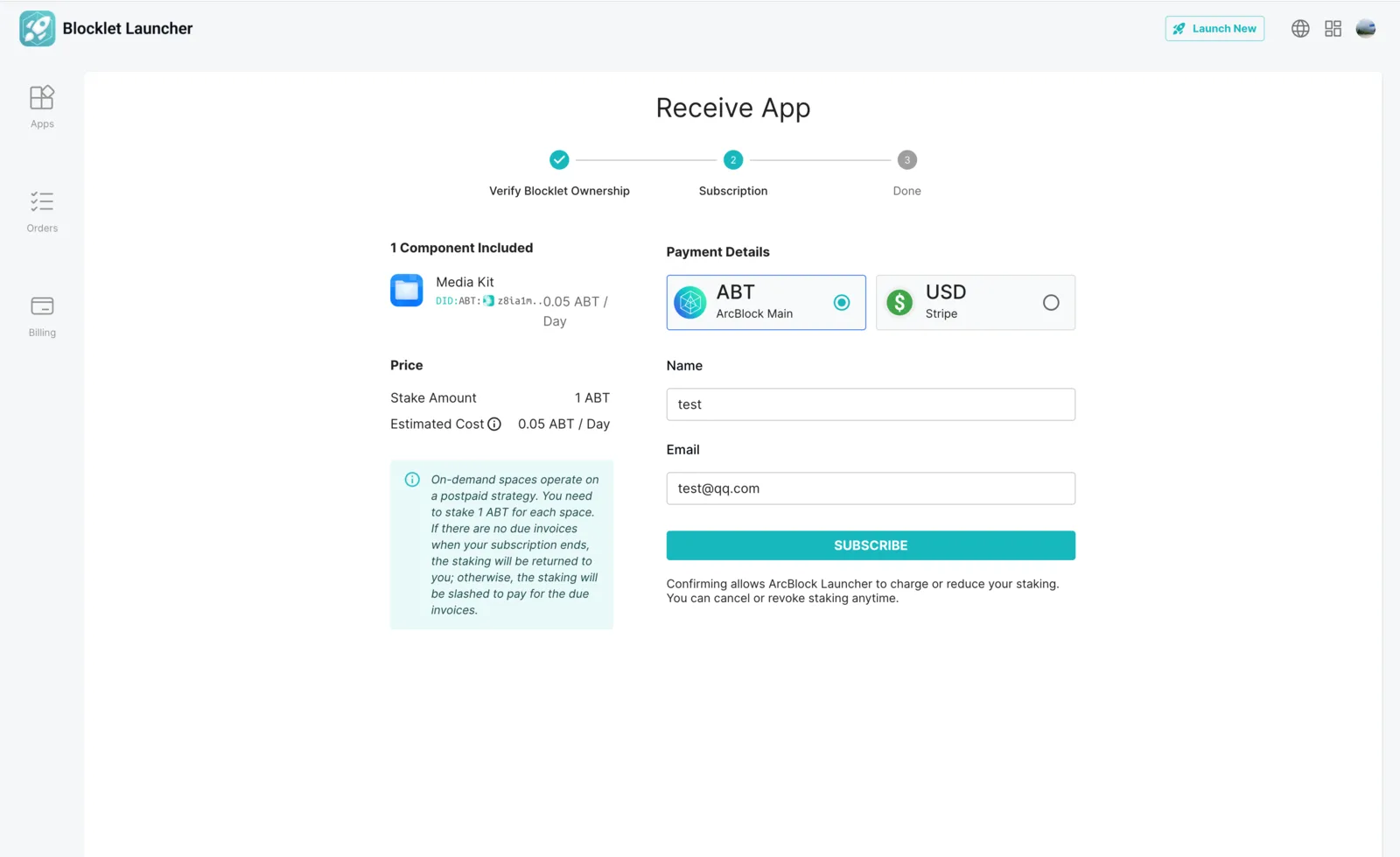
- Complete subscription using DID Wallet
- Transfer completed.
Note
※Notice: If the current owner and the original owner of the Blocklet are using two different wallets under the same user, you will need to open the transfer link in a different browser or log out of the currently logged-in user from the Blocklet Launcher.
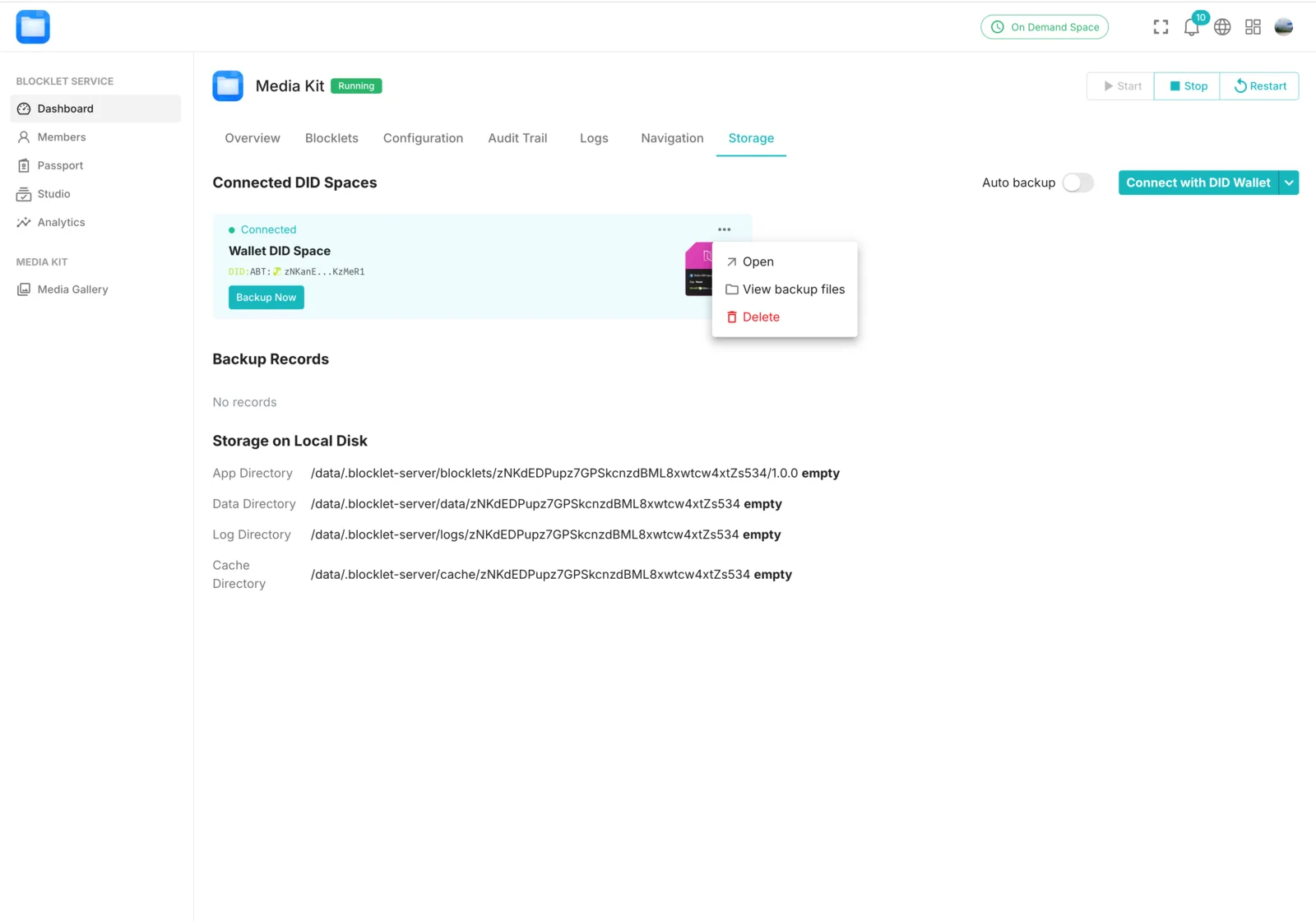
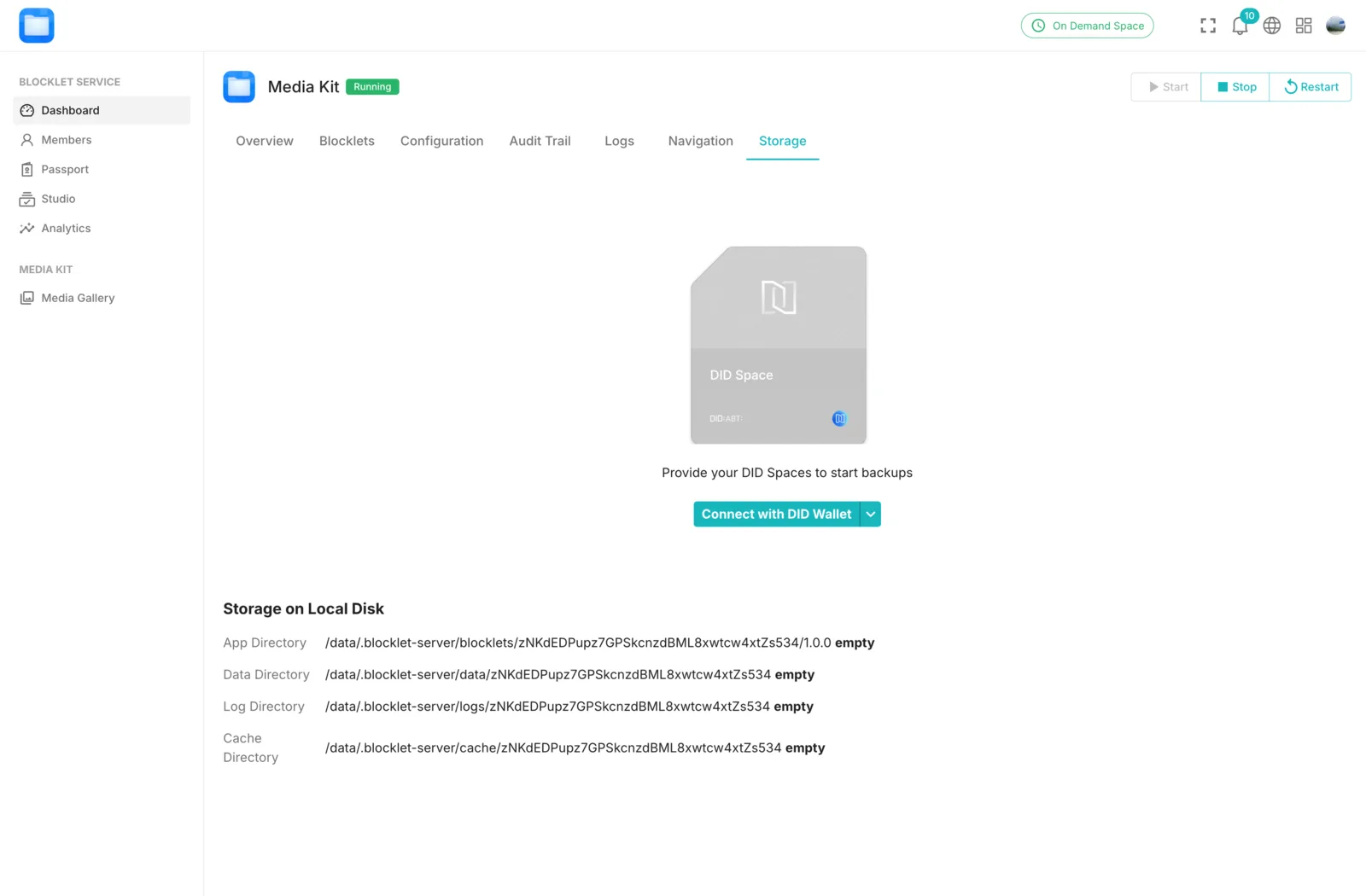
[Optional] Reconnect DID Spaces
If the Blocklet connected to DID Spaces before the transfer, you will need to reconnect DID Spaces, otherwise you WON'T be able to back up to DID Spaces.
- Delete old DID Spaces connection
- Reconnect with Wallet
Summary
After the transfer, the Blocklet Launcher will automatically deduct fees from the recipient's subscription and cancel the old subscription.
If the Blocklet connected to DID Spaces before the transfer, then you need to reconnect DID Spaces.