If we want to publish an application to the Blocklet Store, we need the Blocklet Store to issue a Developer certificate to us.
Because Blocklet Store is decentralized, anyone can create their own app store. If you are not an administrator of Blocklet Store, you can also create your own app store.
Create your own app store
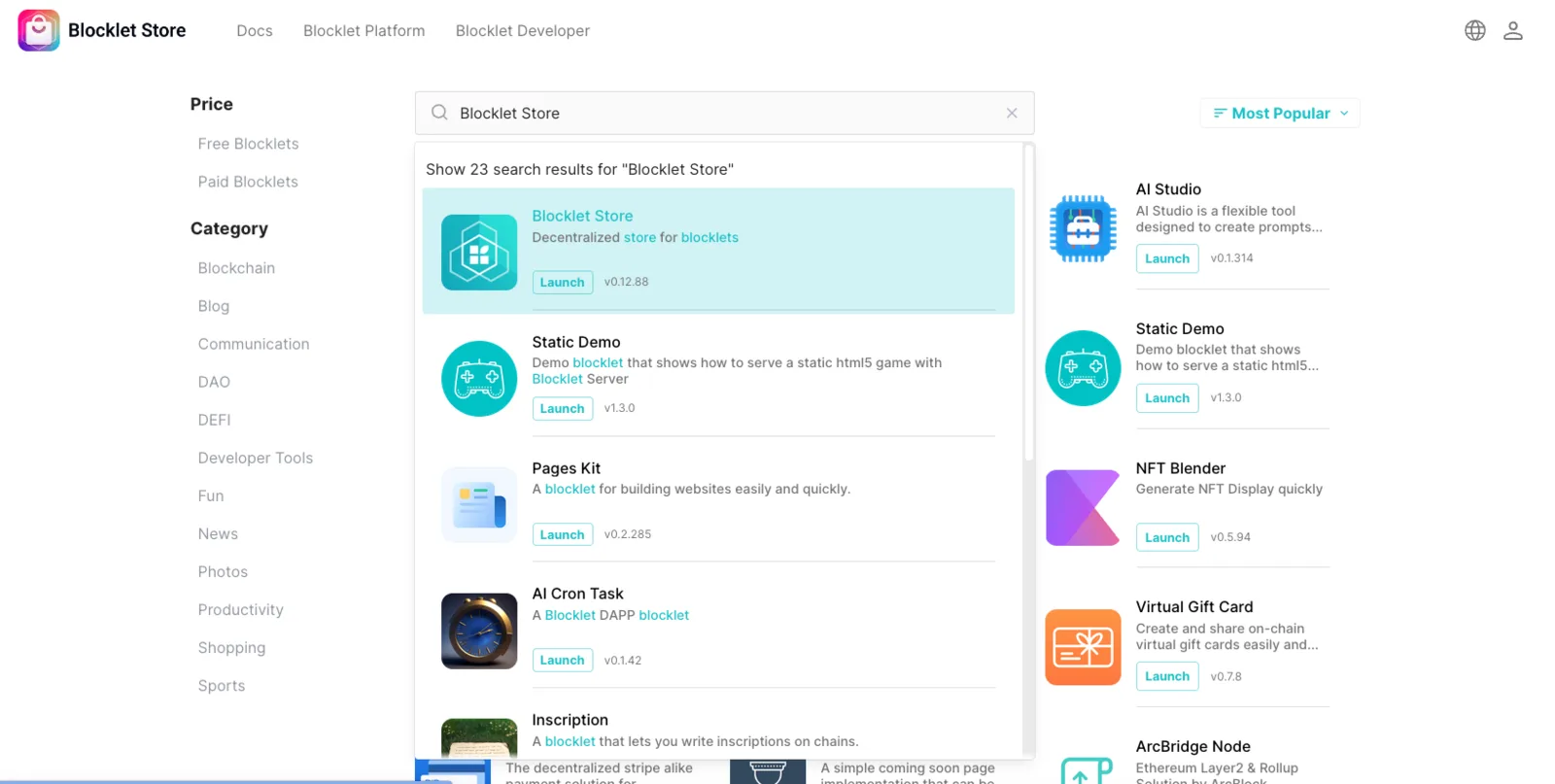
Visit the official Blocklet Store of ArcBlock.
We search for Blocklet Store in the app store, install it, and then have our own Blocklet Store:
Blocklet Store administrators issue Developer Passports
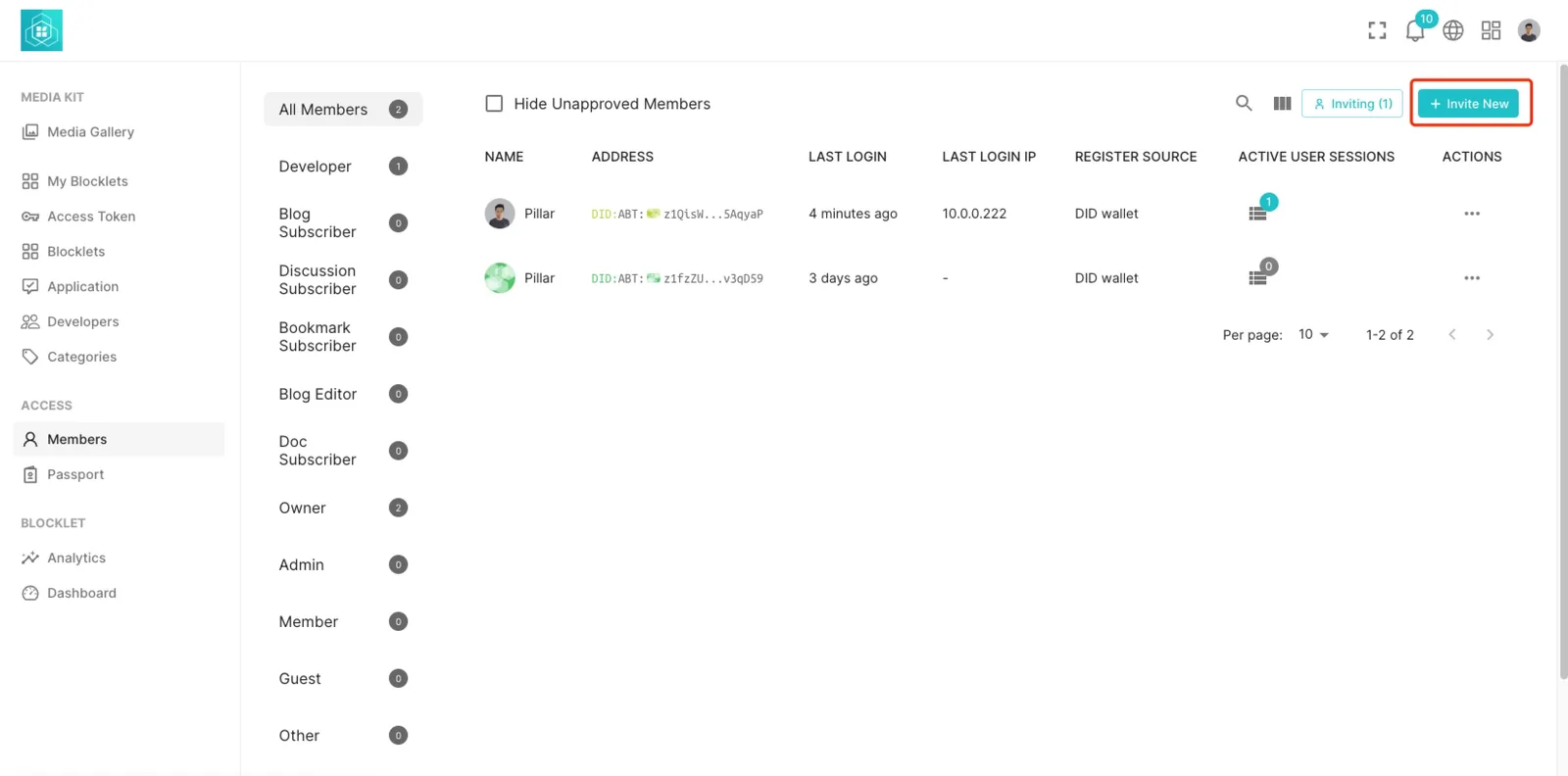
First, have the administrator of the Blocklet Store issue passports on the Member page:
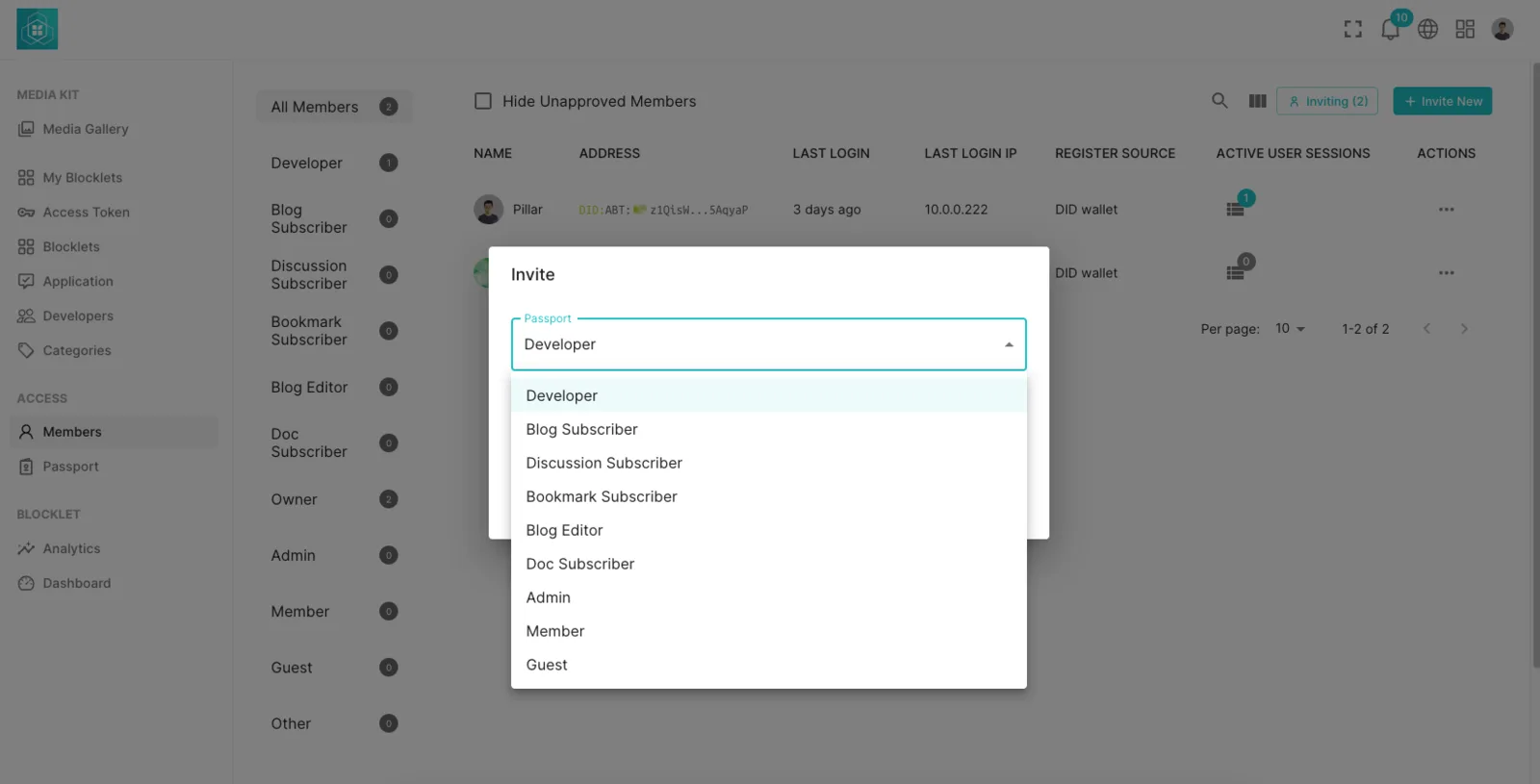
Certificate type selection Developer:
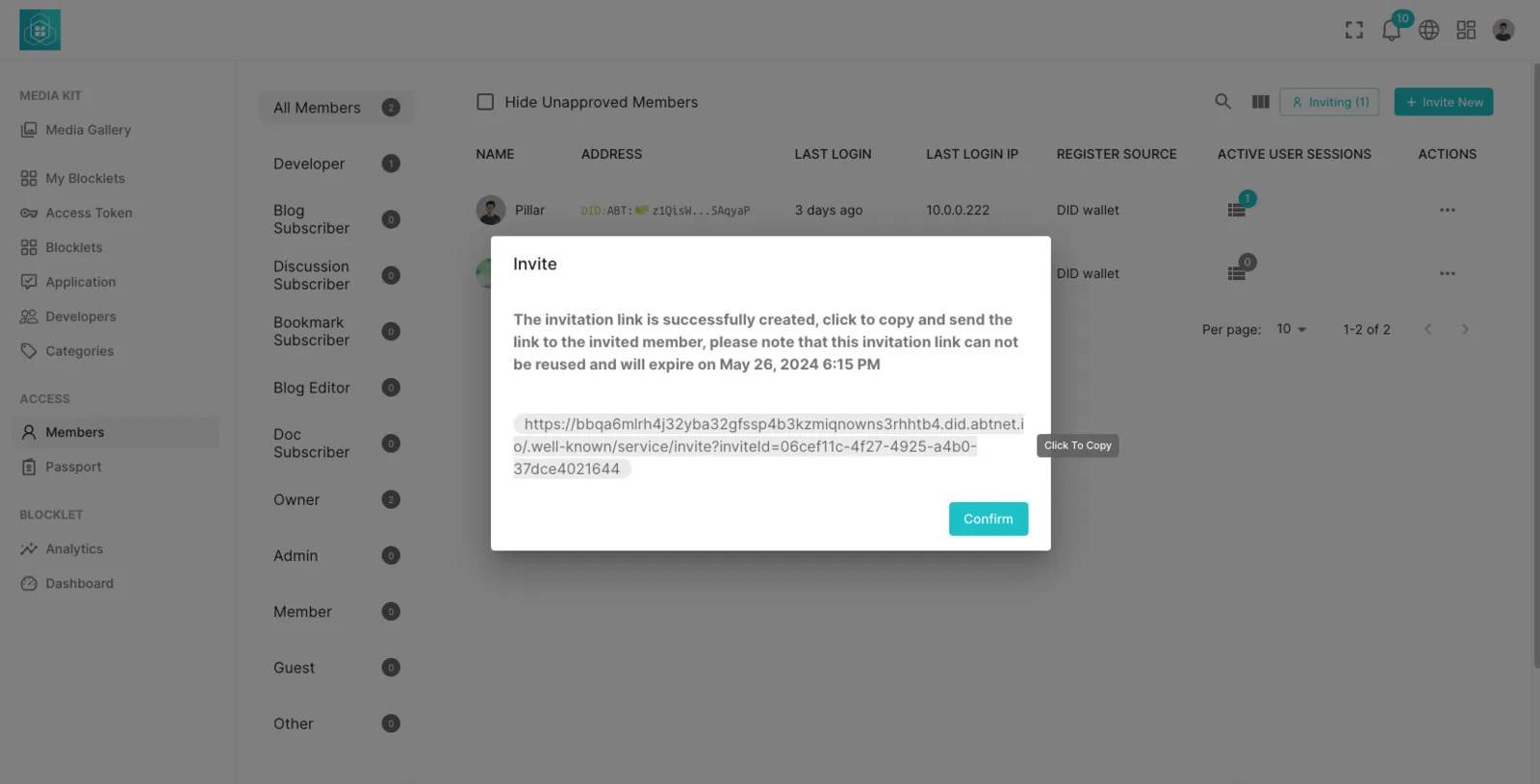
Copy this certificate address and send it to the Blocklet developer:
Blocklet developers receive Passports
Blocklet developers open the invite link and click on DID Connect to associate the passport:
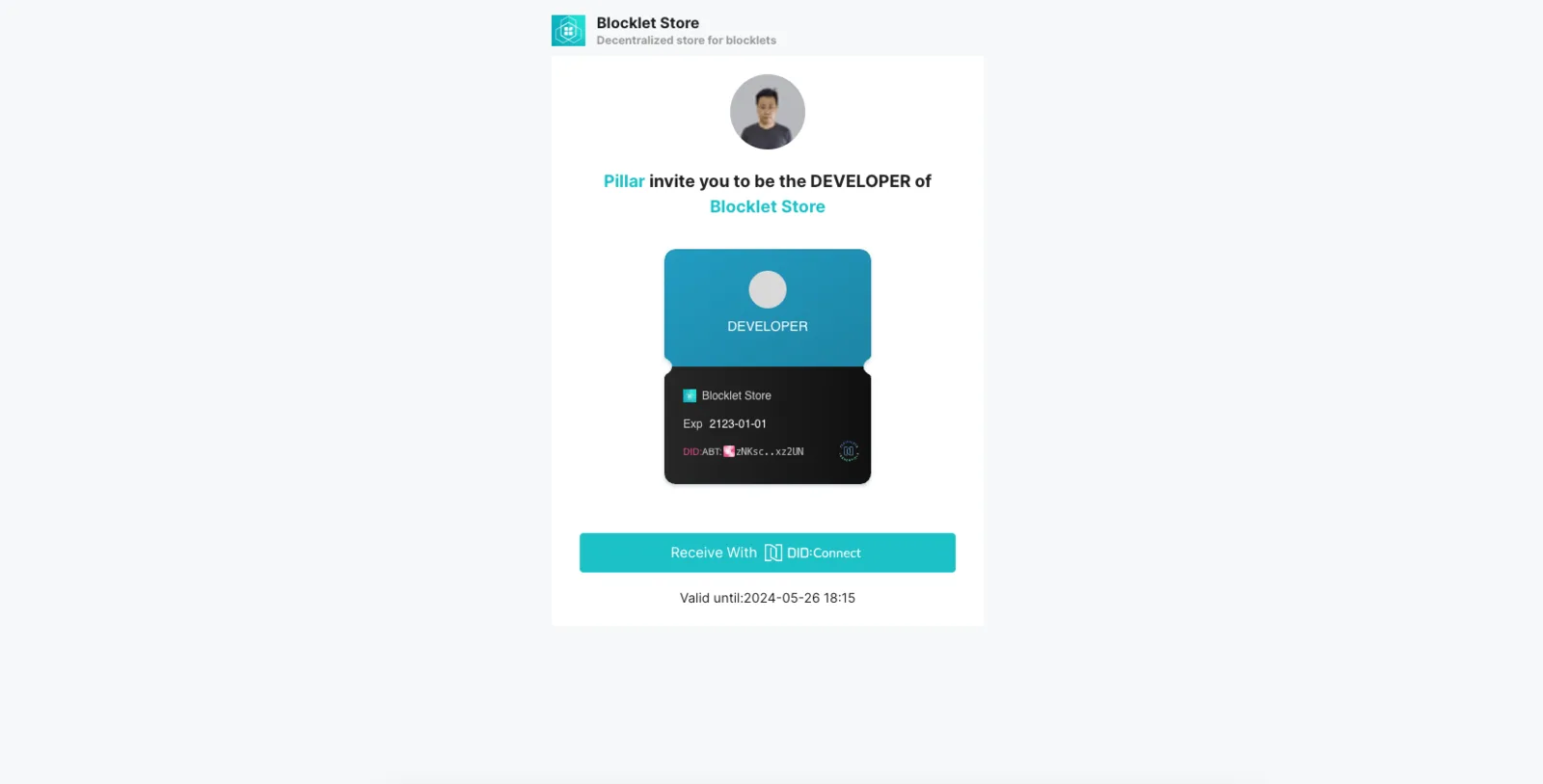
Once the acceptance is successful, this user will become the developer of this Blocklet Store, and will be able to upload and publish subsequent Blocklets.