Different registrars have different ways of making modifications. This document will demonstrate some methods for registrars to modify name servers and NS records.
Godaddy
Change Name Servers
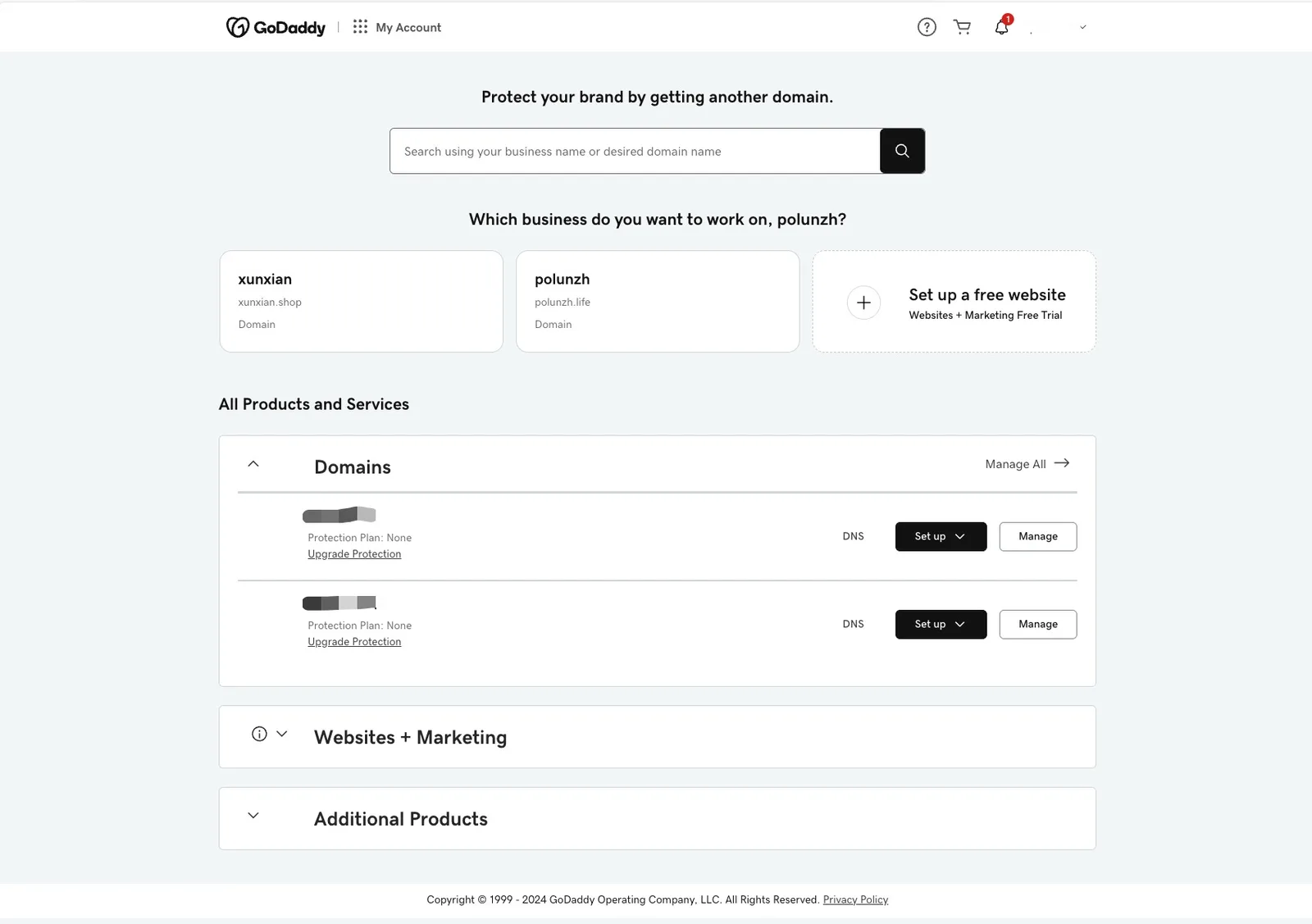
- Enter the domain list
- Select the domain name you want to modify, and click "DNS" to enter the DNS management page.
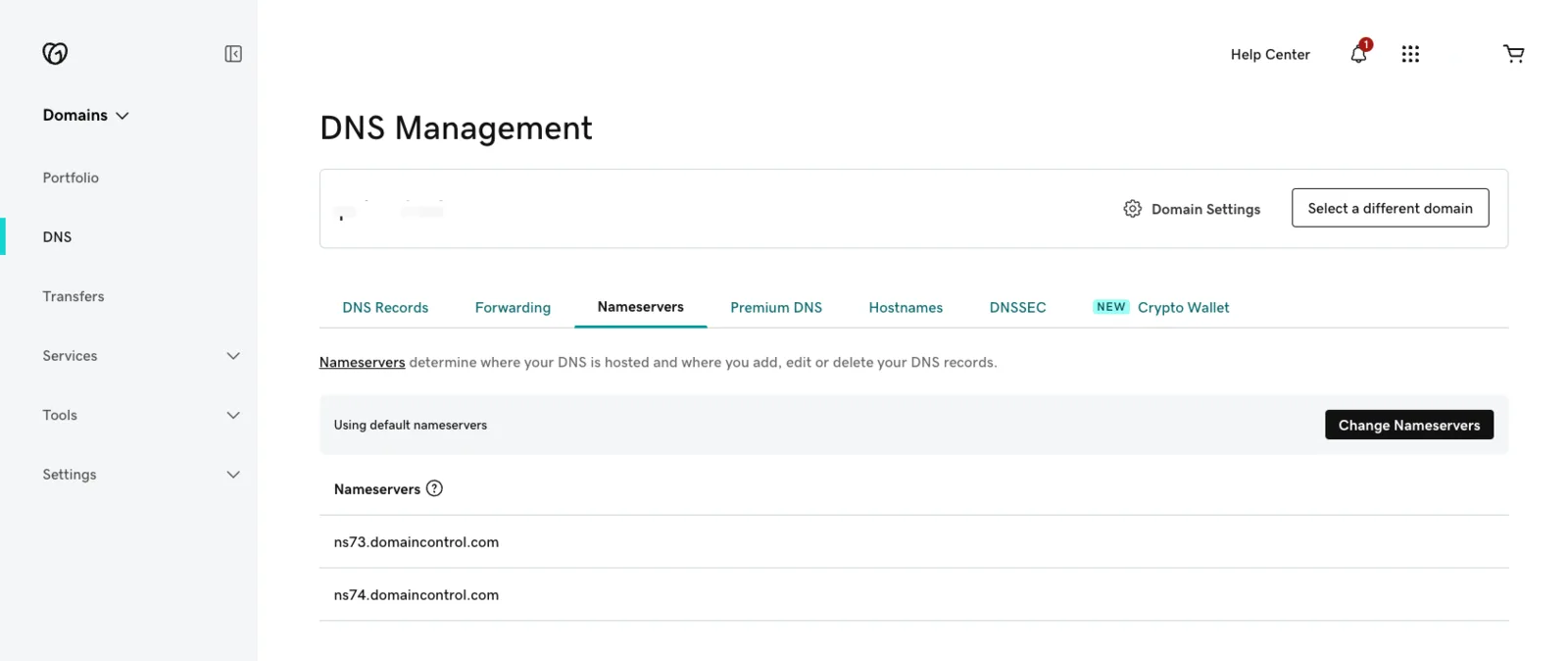
- Select the "Nameservers" section
- Click the "Change Nameservers" button
- Choose "I'll use my own nameservers"
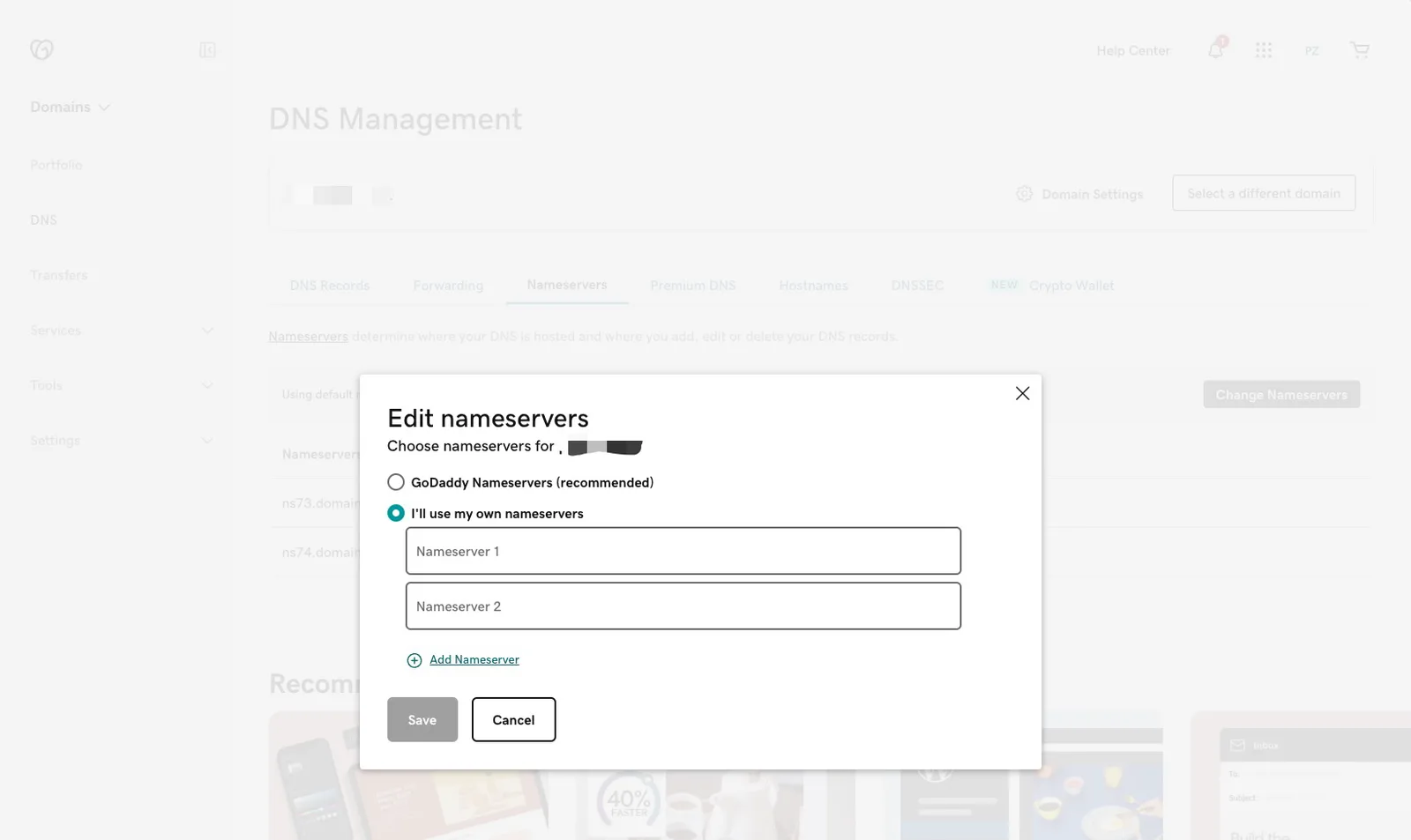
- The server address specified by the input DID Domain
- Click "Save", complete the modifications, and wait for DNS resolution to take effect.
Add NS Record
- Access the domain list
- Select the domain name you want to modify, click "DNS" to enter the DNS management page.
- Click "Add New Record"
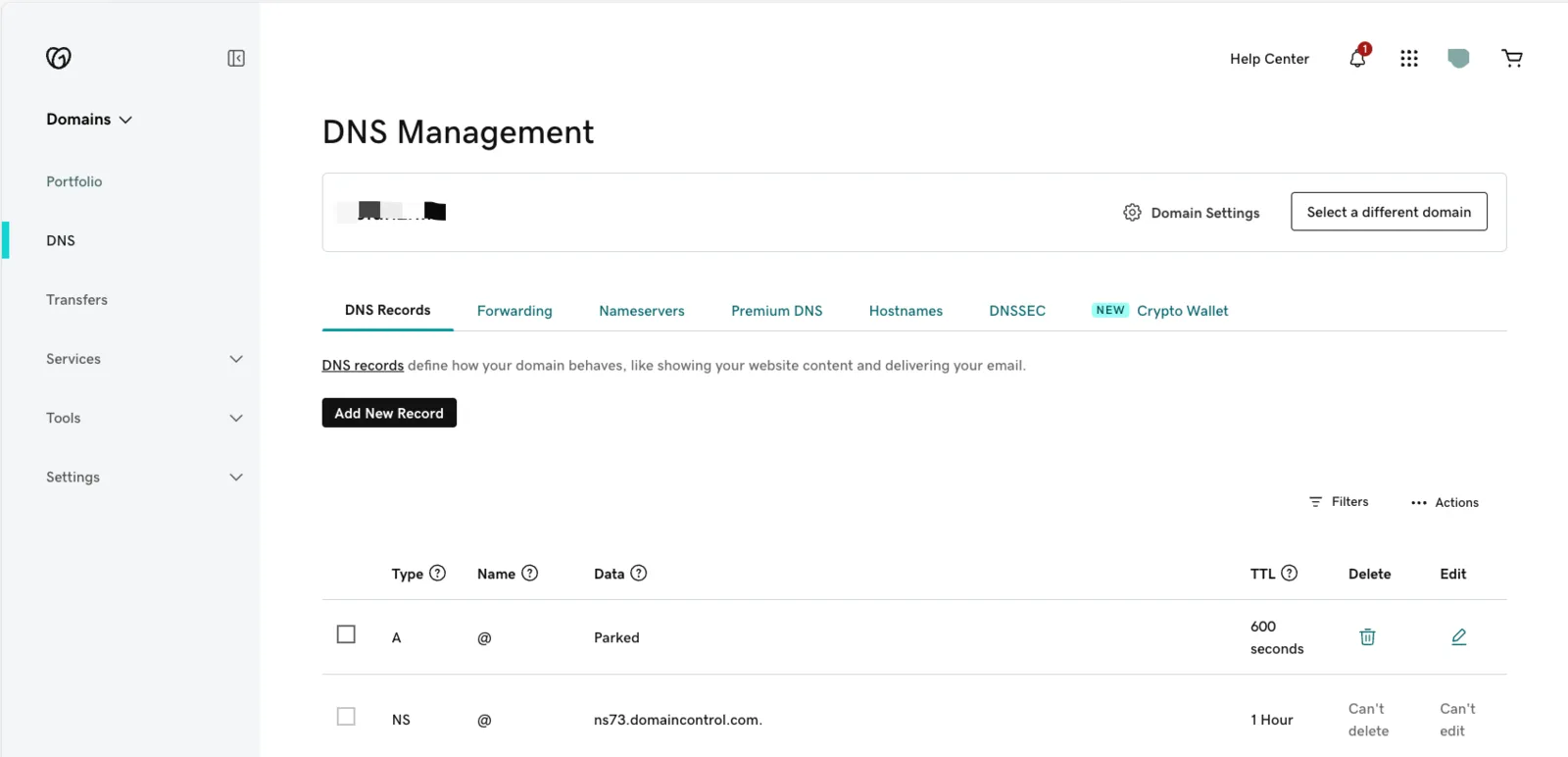
- Add TXT record
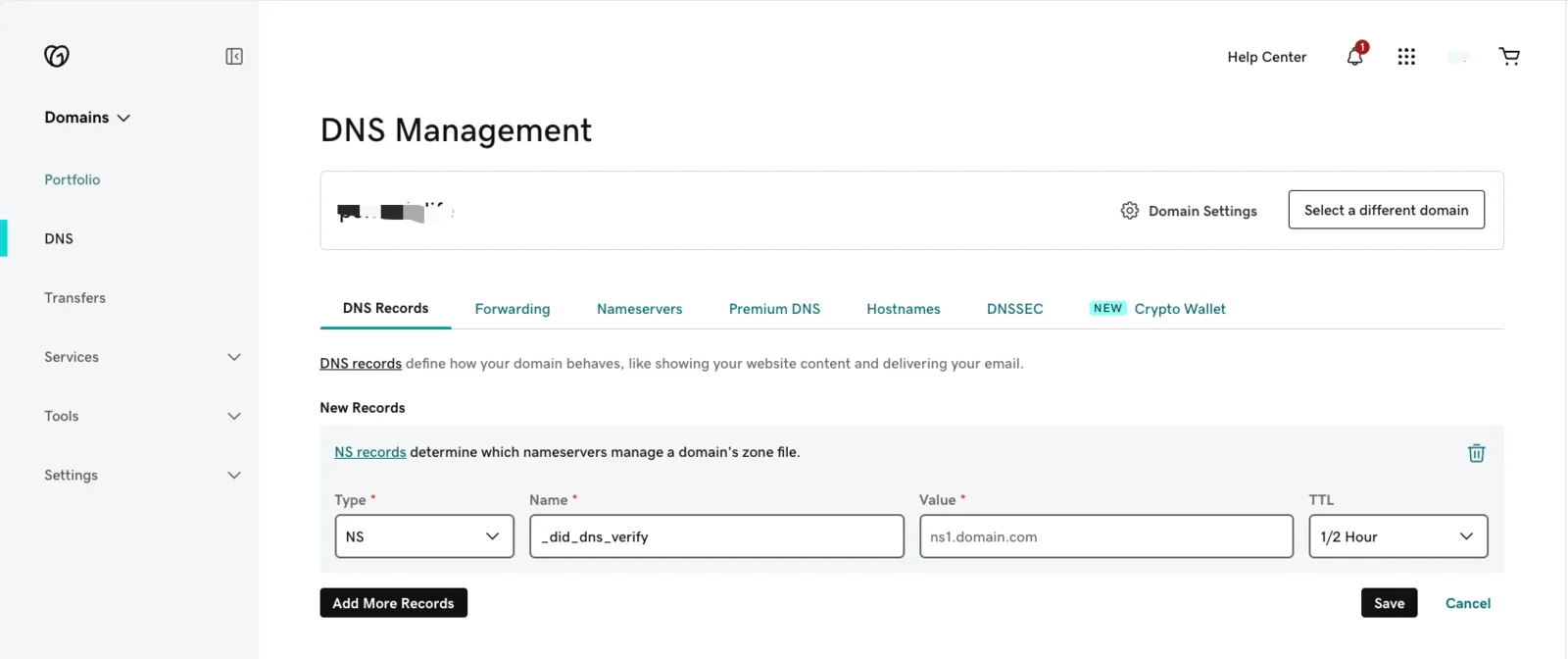
- Click "Save", complete the modification, and wait for DNS resolution to take effect.