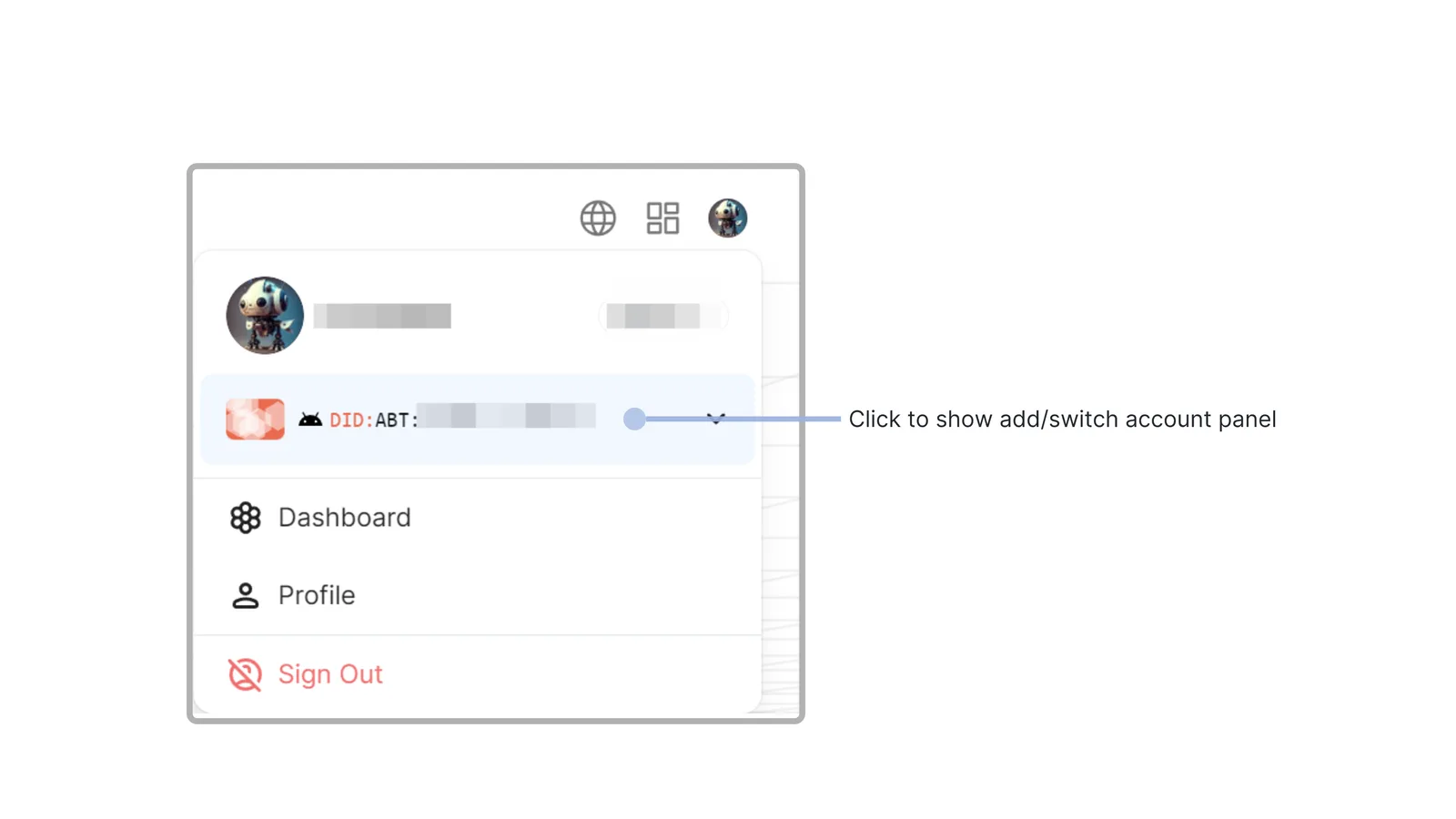
Click on the profile picture in the top right corner of the site to open the personal control panel
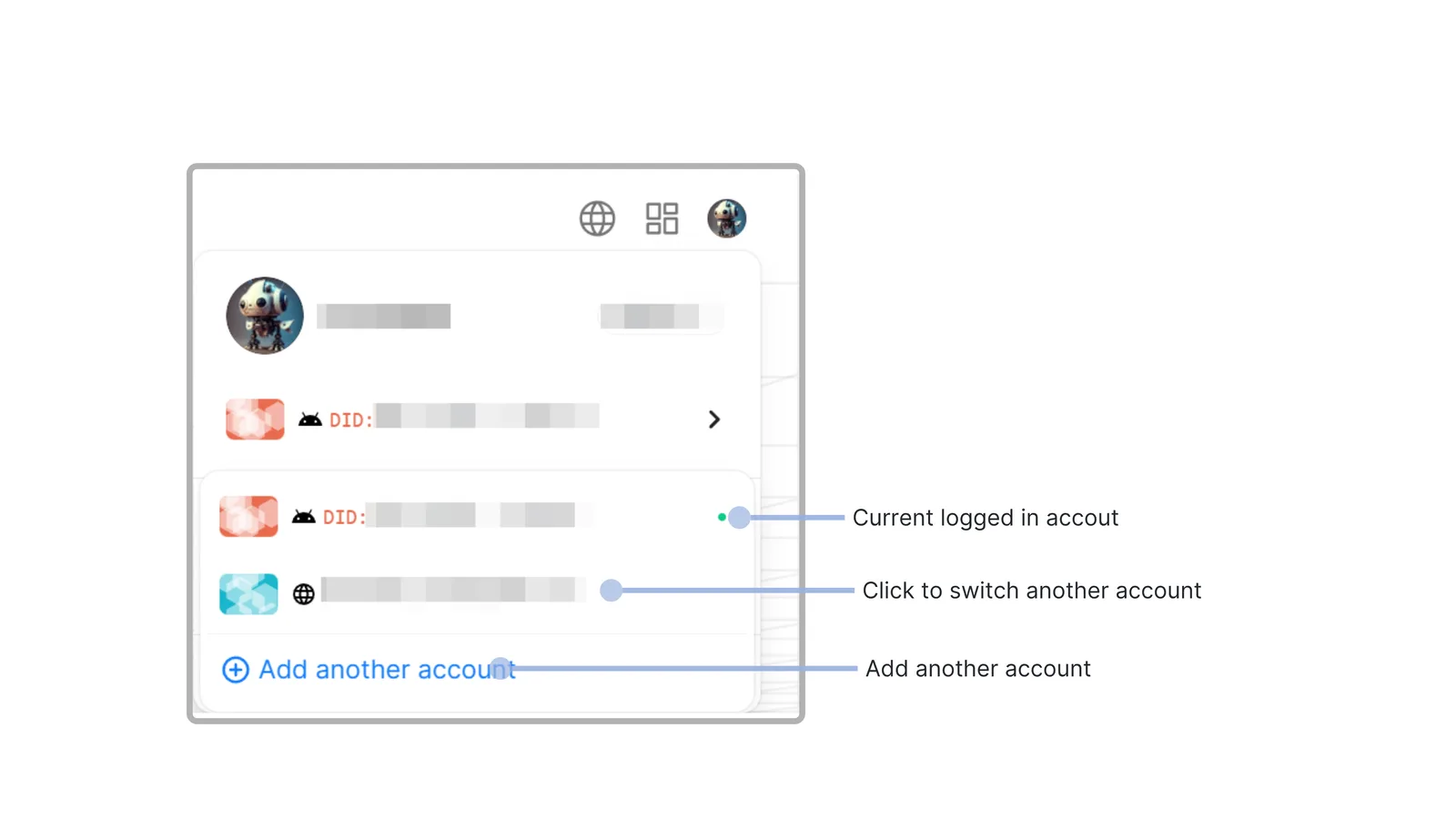
Click on the account section below the avatar to see all the currently logged-in accounts and the button to add an account
If you click to switch to another account, it will automatically switch to the other account without the need to log in again.
If you click on add another account, the normal DID Connect process will be opened to complete the account login. The successfully logged-in account will also be displayed in this list.