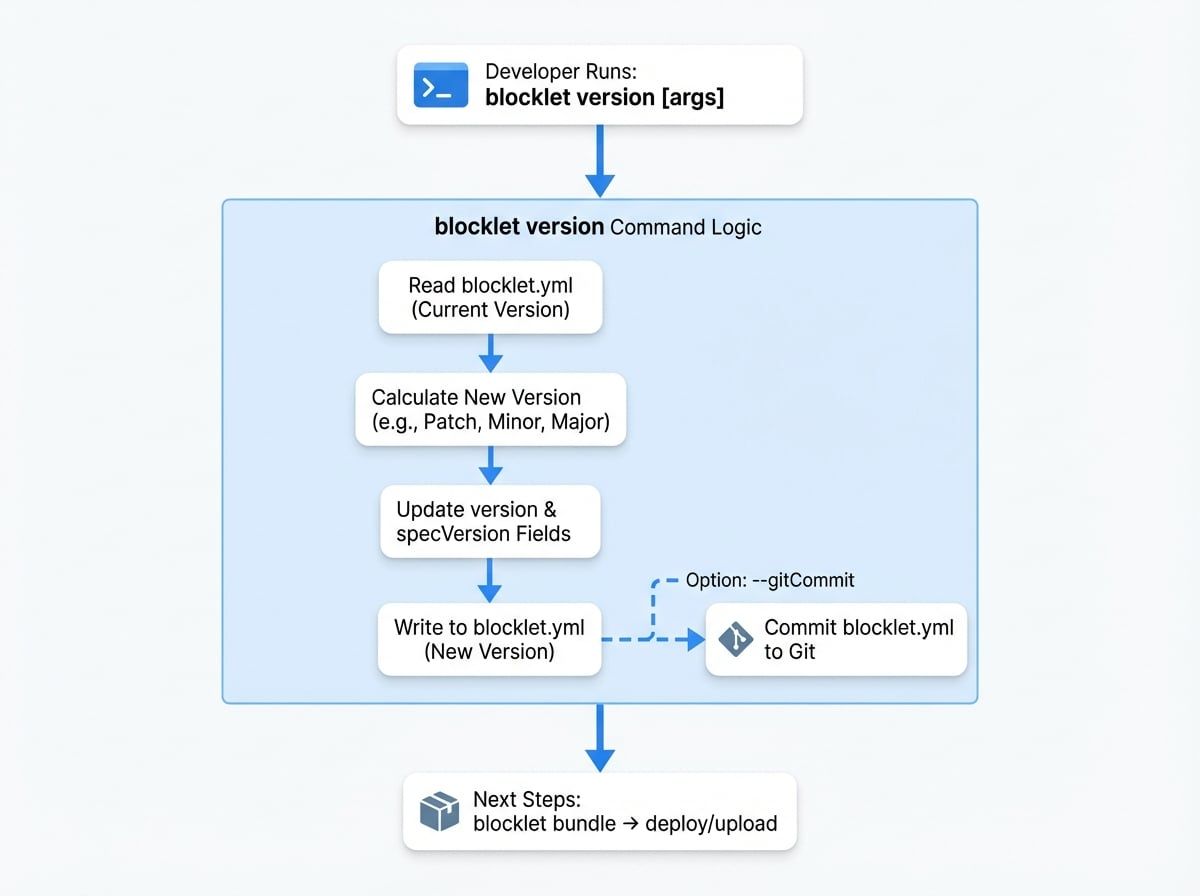
The blocklet version command is a convenient utility for updating your blocklet's version number in the blocklet.yml file. It follows the rules of semantic versioning (semver) to ensure consistent and predictable version increments. This is a critical step to perform before you package and distribute a new release of your blocklet.
Usage#
The command is run from the root of your blocklet project directory.
blocklet version [<newversion> | patch | minor | major | prepatch | preminor | premajor | prerelease] [options]
How It Works#
The command performs the following actions:
- Reads the
blocklet.yml file in the current directory. - Parses the
version field to determine the current version. - Calculates the next version based on the argument provided (defaults to
patch). - Updates the
version field in blocklet.yml to the new version. - Updates the
specVersion to the latest version supported by the CLI.
Version Argument#
The command accepts one optional argument to specify the next version. If you omit this argument, it defaults to patch.
Options#
You can modify the command's behavior with the following options:
Examples#
Increment the Patch Version#
If your current version is 1.0.0, running the command without arguments will bump it to 1.0.1.
blocklet version

# Output:
# ✔ Blocklet version bumped to 1.0.1
Bump to a New Minor Version#
To release a new feature, you can bump the minor version.
blocklet version minor

# Output:
# ✔ Blocklet version bumped to 1.1.0
Set a Specific Version and Commit#
You can also set an explicit version number and have the CLI commit the change for you.
blocklet version 2.0.0 --gitCommit

# Output:
# ✔ Blocklet version bumped to 2.0.0
# (Also runs 'git add blocklet.yml' and 'git commit ...')
Versioning in Your Workflow#
The version command fits into the packaging and distribution workflow after you've completed your code changes and before you create a distributable bundle.
After successfully updating your blocklet's version, you are ready for the next steps in the distribution process.