The DID Wallet Dapp template provides a powerful foundation for building decentralized identity applications. Following this guide, you can create a full-stack application that leverages decentralized identifiers (DIDs) for user authentication and data management. This template is ideal for developing applications that require secure, user-controlled identity solutions, such as decentralized social networks, secure document-sharing platforms, or blockchain-based financial services.
Prerequisites
Developers should have the following skills and environment to start building:
- Skills requirements: JavaScript, React.js, Express.js
- Operating System: It is recommended to use MacOS, and Linux for development, while Windows needs Developing Blocklet in Docker
- Environment: Node.js >= 20
Getting Started
- Install and setup DID Wallet from https://didwallet.io/, or checkout following video to setup DID Wallet on Chrome:
- Install Node.js (v20+) from https://nodejs.org/
- Install Blocklet CLI with
npm install -g @blocklet/cli, for more detailed instructions please checkout Install Blocklet CLI - Initialize and start Blocklet Server (this is where your project will be running) with
blocklet server start -a, for more detailed instructions please checkout Install Blocklet CLI - Complete email verification and blocklet store setup
- Get email verification certificate: https://test.store.blocklet.dev/.well-known/service/kyc/email
- Get TBA token for future use: https://faucet.abtnetwork.io/
- Get your developer passport on blocklet store: https://test.store.blocklet.dev/join
- Connect blocklet store and your development environment:
blocklet connecthttps://test.store.blocklet.dev/ - Run
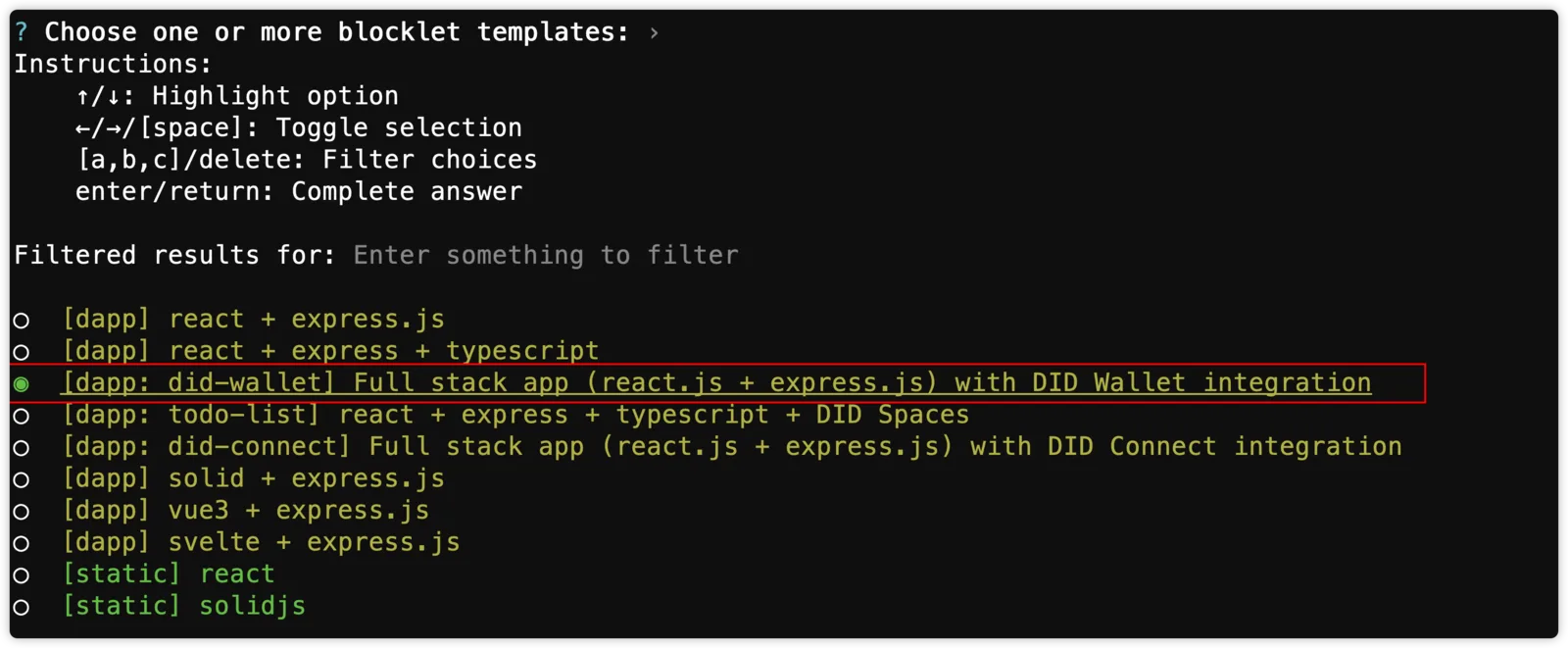
blocklet createin the terminal, enter the project name, select the[dapp: did-wallet] Full stack app (react.js + express.js) with DID Wallet integrationtemplate, fill in the author and email, then press Enter:
Connect using DID Wallet to generate app DID
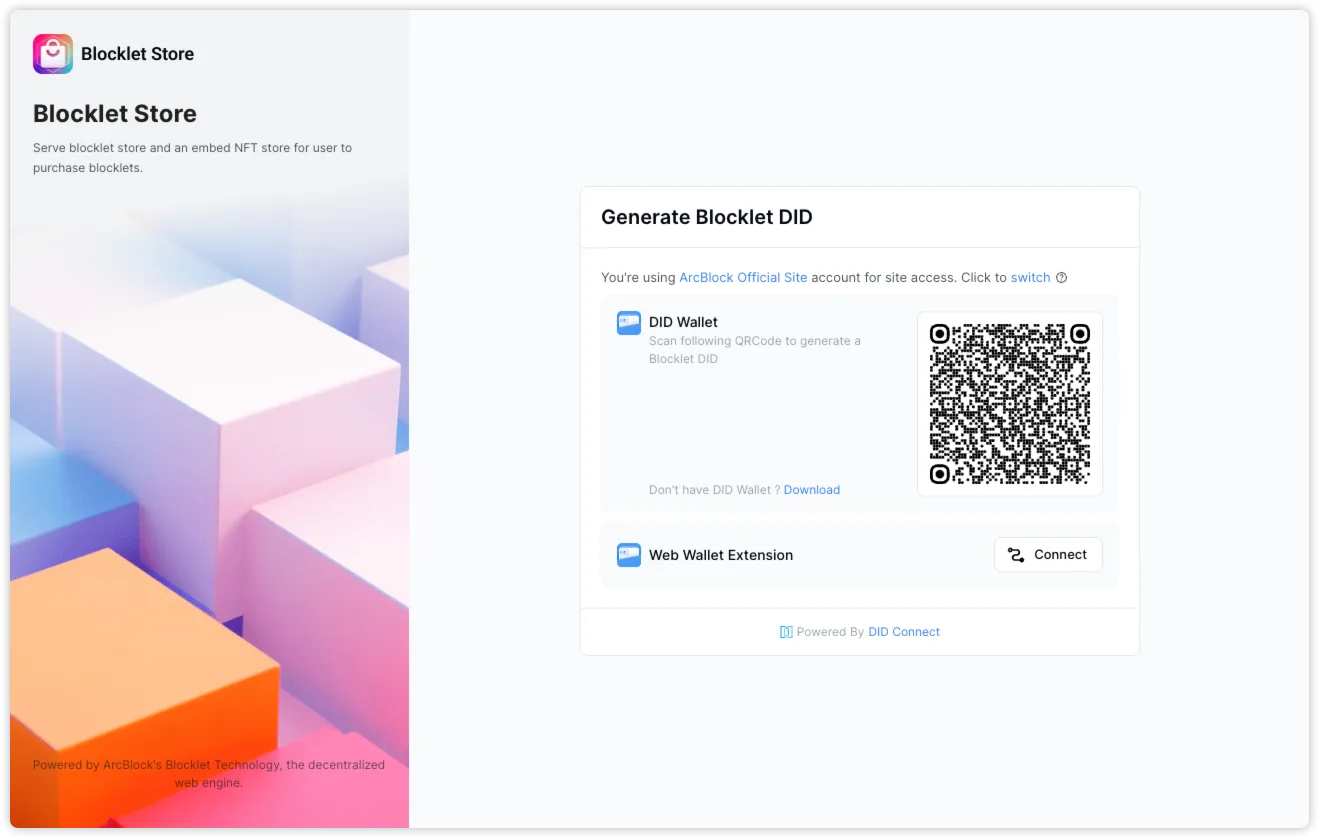
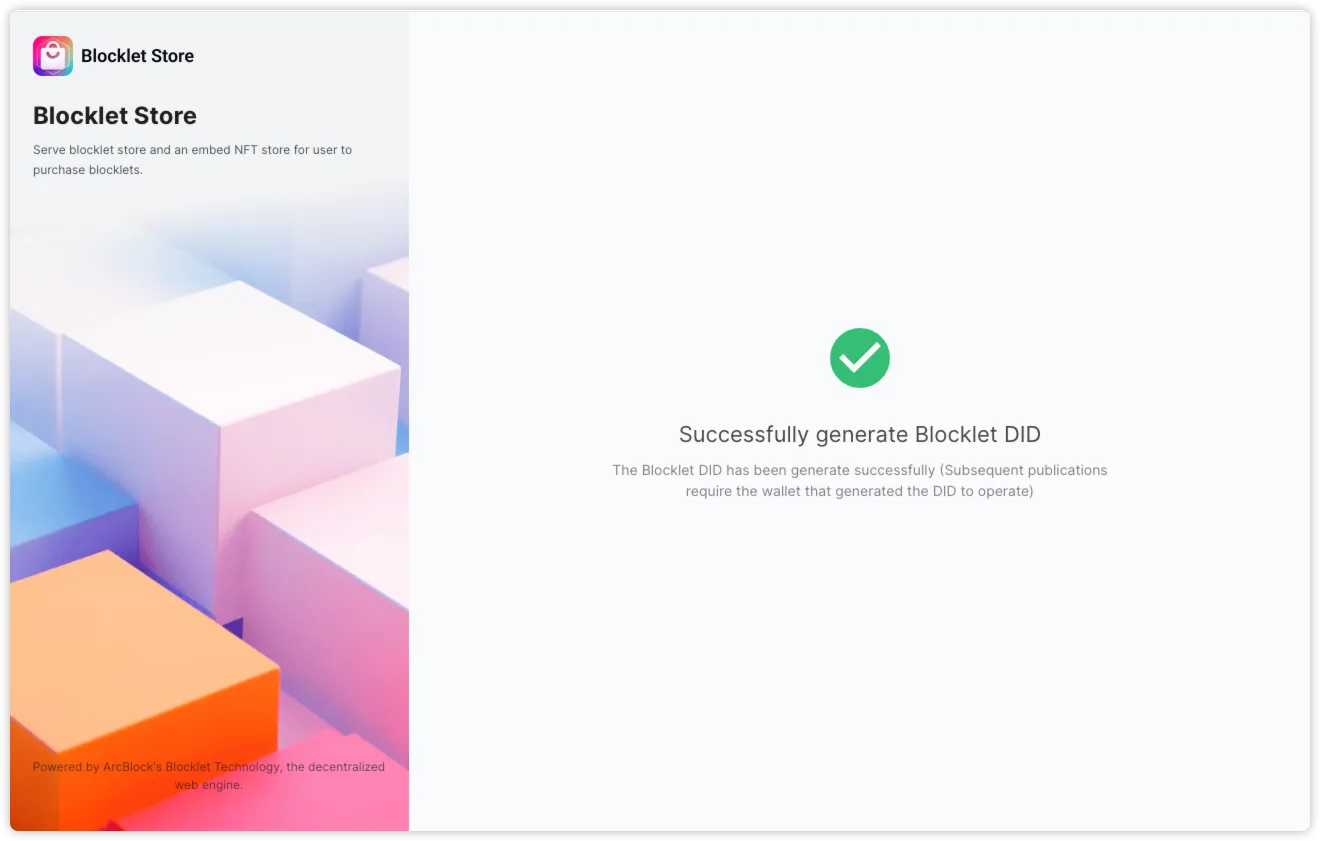
After successfully generating the application DID, the terminal will output the following information.
cd [projectName]
npm install
blocklet dev

Find more usage in README.md- Install dependencies
cd [projectName]
npm install
// Or use yarn or pnpm install- Start the development server
blocklet dev
// Or use [npm/ yarn / pnpm] dev
Development
Develop your DID Wallet Dapp using React.js for the front end and Express.js for the back end. The project structure is set up for you to start coding immediately
User Authentication
- Frontend: Use
useSessionContextfrom@blocklet/sdk/react - Backend: Use
middleware.auth()from@blocklet/sdk
- Frontend: Use
API Protection
- Secure endpoints with
middleware.auth(), see more: https://www.arcblock.io/docs/blocklet-developer/blocklet-sdk#access
- Secure endpoints with
User Login
- The created template application is divided into two main routes:
/homeand/profile. - The
/homeroute is accessible to all users without any authentication requirements. - The
/profileroute is protected and requires user authentication. If a user attempts to access this route without logging in, they will be prompted to do so.
- The
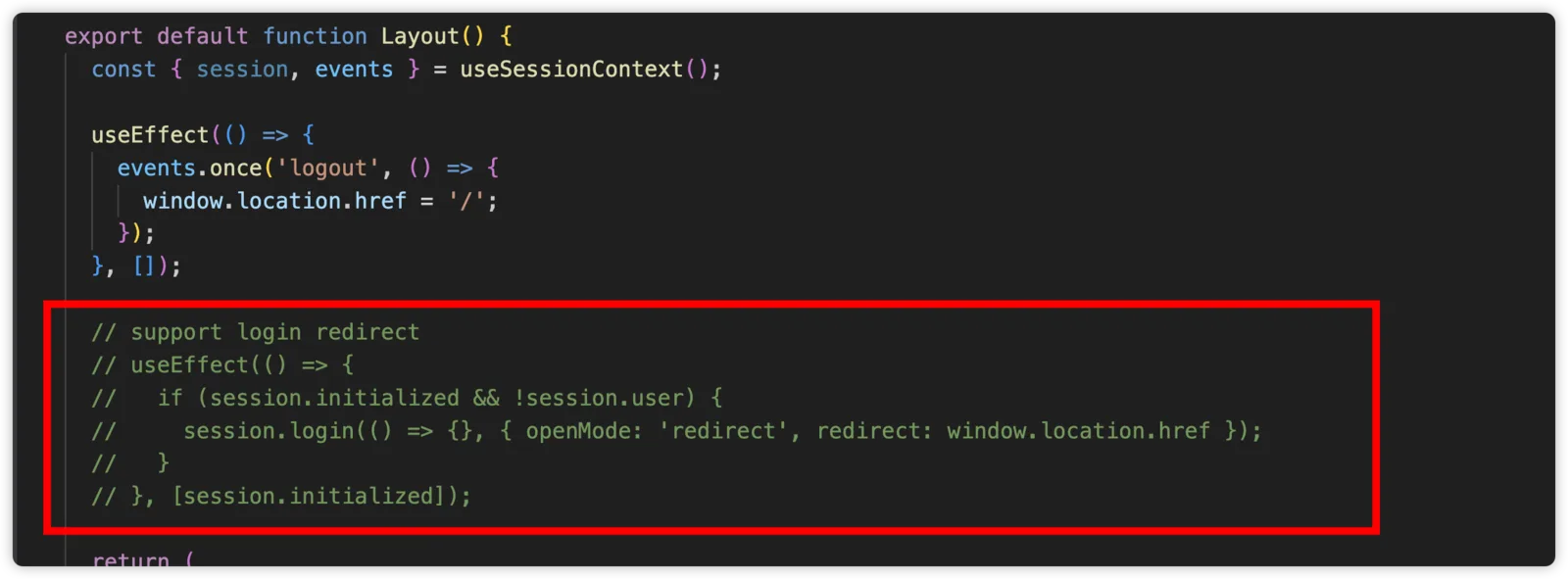
- If you wish to implement global authentication control across the entire application, you can uncomment the relevant code in the components/layout file. This will enable authentication checks for all routes.
- The created template application is divided into two main routes:
Navigation and Route Configuration
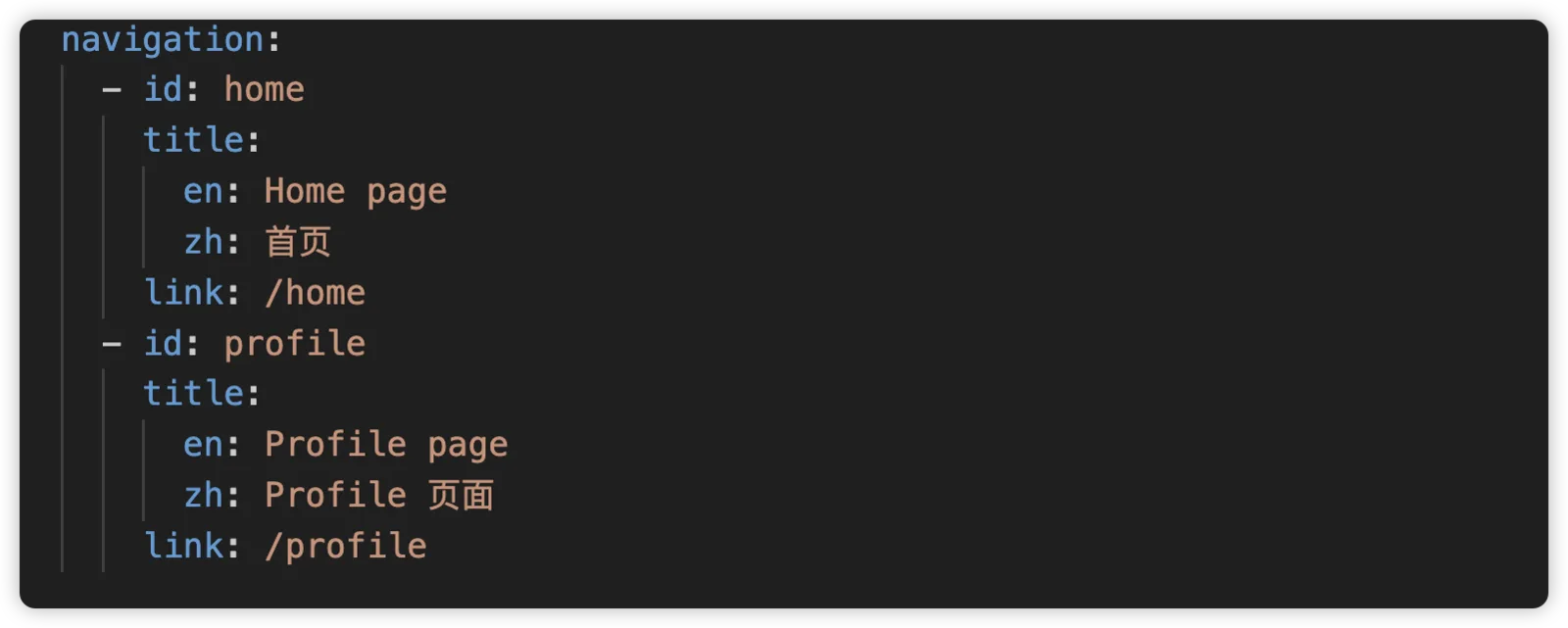
- Navigation: update
blocklet.ymlto adjust the navigation structure and menu items.
- Navigation: update
- Route: update
src/app.jsxto configure the application's routing logic.
- Route: update
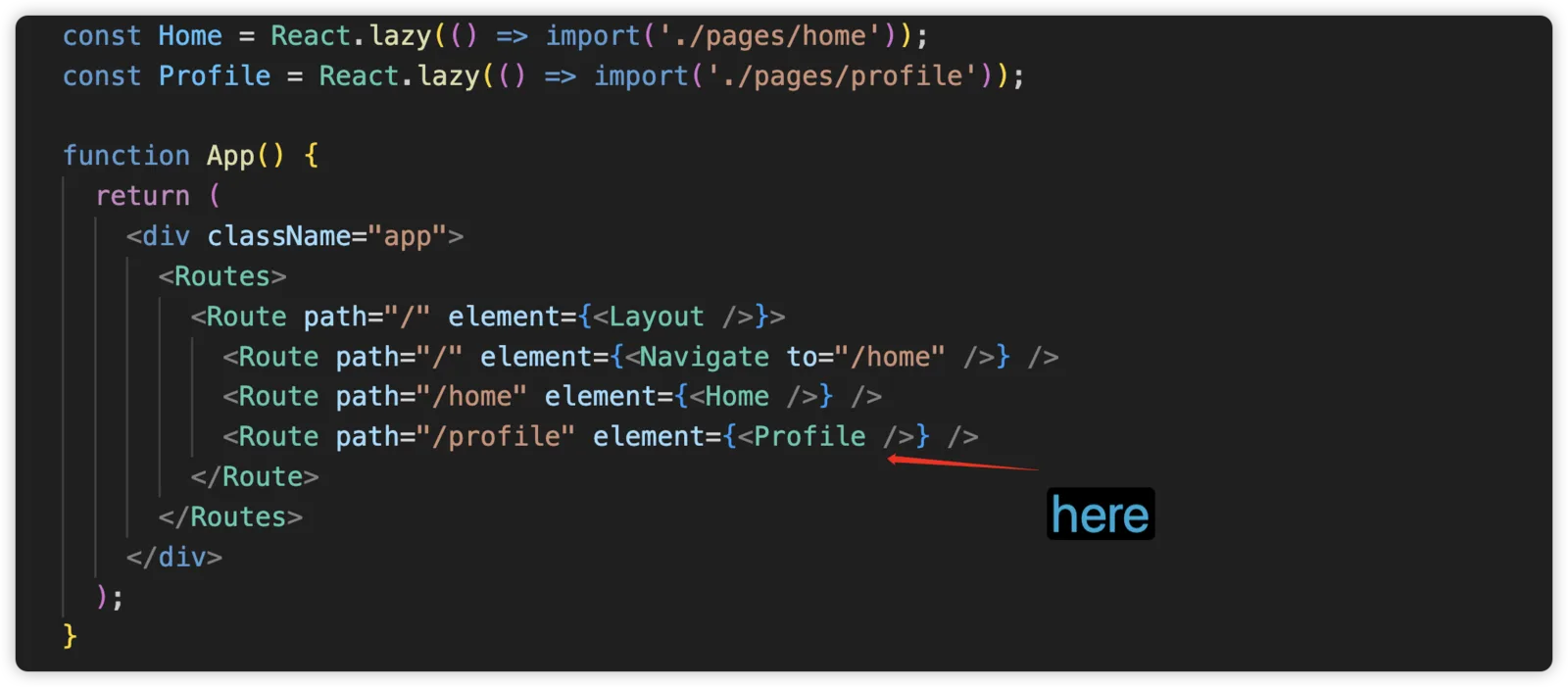
Publish Blocklet to Test Blocklet Store
You can complete the application's build and deployment publishing according to the following steps:
- Bump version:
npm run bump-version - Bundle:
npm run bundle - Upload blocklet to Test Store:
blocklet upload
Or you can directly use npm run upload to skip bundle and blocklet upload (Step2-3)
- Publish on store
Project Ideas
Here are some interesting and useful application ideas for your reference, but of course you can completely follow your own ideas:
- Local File Transfer Web Tool: Develop a DID Wallet gated version of Snapdrop that allows users to transfer files directly between devices without relying on a central server, using WebRTC and blockchain technologies for secure, peer-to-peer communication.
- Decentralized Form Collector: Create a fully decentralized form builder and data collector similar to Typeform that uses blockchain to store form responses securely and privately.
- Decentralized Calendly Blocklet: Develop a decentralized scheduling tool akin to Calendly, where users can manage appointments without relying on a central server, using smart contracts to handle scheduling logic.
- Personal CV Builder: Develop a standalone CV builder that allows users to create, manage, and share their professional profiles and resumes in a secure and verifiable manner.
References
For any questions or support, visit the ArcBlock Community Hackathon Support board or consult the ArcBlock Developer Documentation. Good luck with your DID Wallet Dapp development!