NFT Studio + Payment Kit: Enhanced NFT Minting and Selling Experience
Through the team's continuous efforts, we have successfully deeply integrated NFT Studio with Payment Kit, adding powerful functionality to configure NFT minting methods for NFT Maker. At the same time, we have introduced the concept of "Minting Round Management" allowing you to easily manage and mint NFTs in rounds, making it easier to organize marketing activities to attract more users. These features can be easily configured in NFT Maker, providing users with an unprecedented minting experience.
Before the detailed introduction, we have already prepared a new minting method for Season Girl (an AIGC NFT Collection that combines the changes of four seasons with girls' outfits), the rules are as follows:
- Minting price: 0.5 ABT or 0.5 USD
- Single Minting Quantity: 2
- Limit Minting Total: 88
The on-chain price is as high as 9.9 ABT per NFT! Don't miss this rare opportunity, experience the newly upgraded minting method now!
Function Comparison
For your convenience, we have prepared a table for comparison:
| Set up NFT minting method -> mint NFT using Payment Kit | Traditional minting methods | |
|---|---|---|
| Adjust Single Minting Quantity | ✅ Support, administrators can adjust this parameter at any time | ❌ Not supported, limited to minting only 1 NFT at a time |
| Limited Minting Total | ✅ Support, administrators can adjust this parameter at any time. | ❌ Not supported, strictly follow on-chain data |
| Dynamic Price Adjustment | ✅ Support, administrators can adjust this parameter | ❌ Not supported, strictly follow the on-chain data |
| Using multiple currencies for minting | ✅ Support, administrators can adjust this parameter | ❌ Not supported, strictly follow on-chain data |
| Refund or Rebate | ✅ Supported, administrators can perform operations | 🤔 Partial support, can only be transferred manually via wallet |
| Check the bill | ✅ Support, users can view bills | 🤔 Partial support, can only be viewed in Block Explorer or DID Wallet |
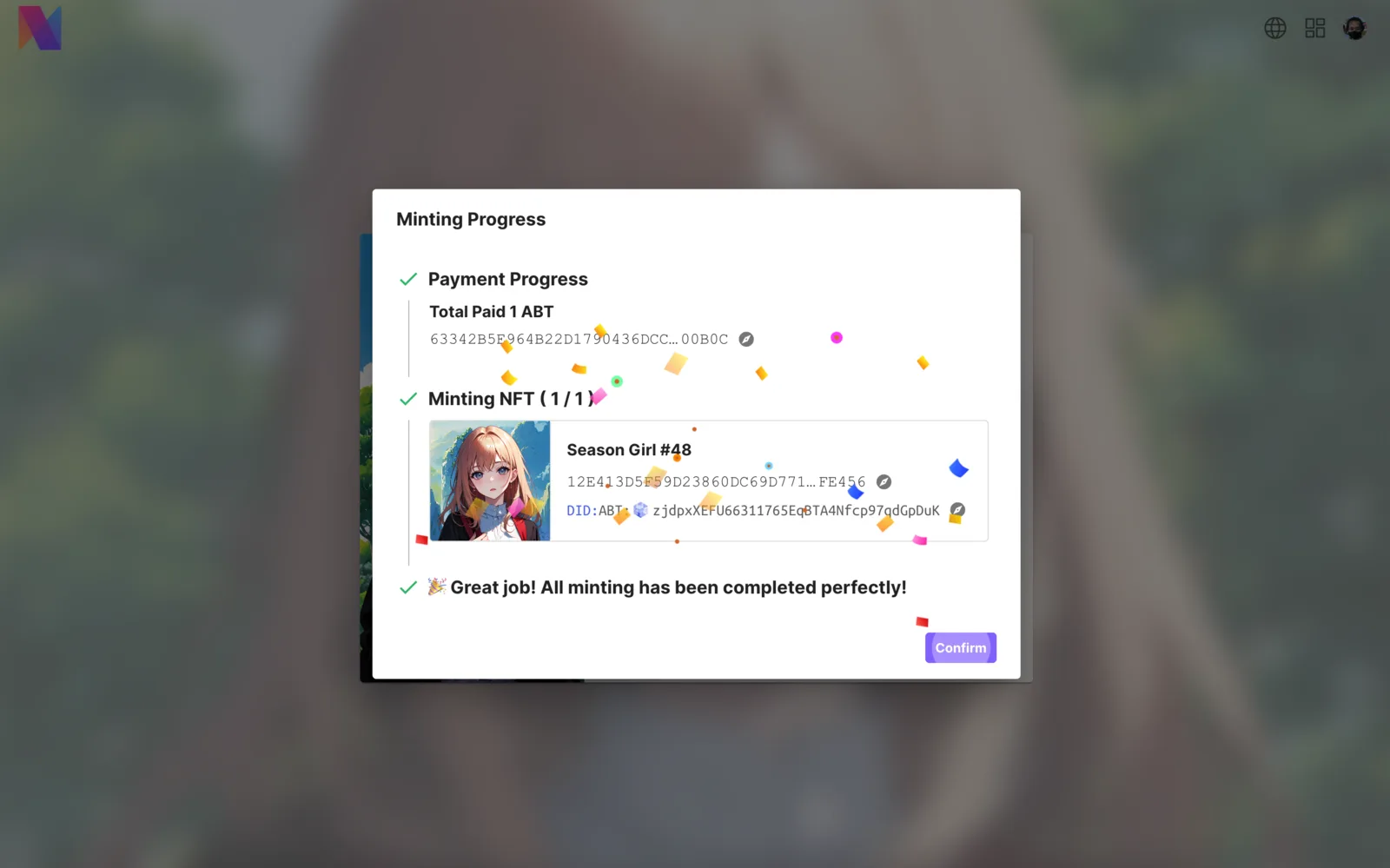
| Intuitive minting progress | ✅ Support, users can see the pop-up window of the minting progress | 🤔 Partial support, only 1 simple message reminder |
| More new features | 🚧 Bundled sales, bulk minting discounts, and other functions | 🤔 Difficult to expand more new features |
After the deep integration of the Payment Kit, the experience of both administrators and users has been significantly improved, which is also the convenience brought by the mutual combination of our Blocklets.
How to use
Please follow our steps, step by step to learn how to use new features:
- Install or upgrade the NFT Studio's related components & Payment Kit, ensuring they are updated to the latest version (version number needs to be greater than the one shown)
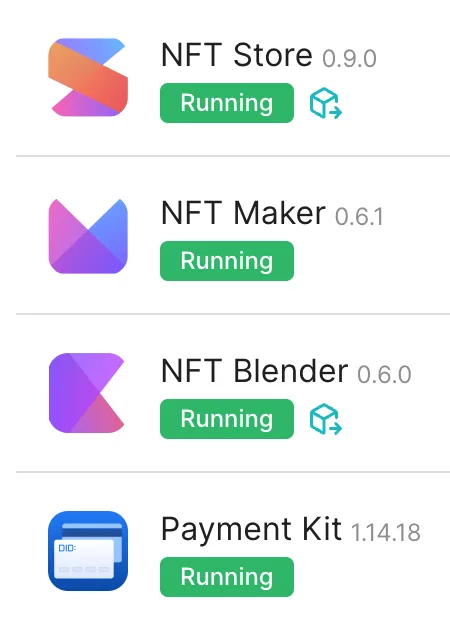
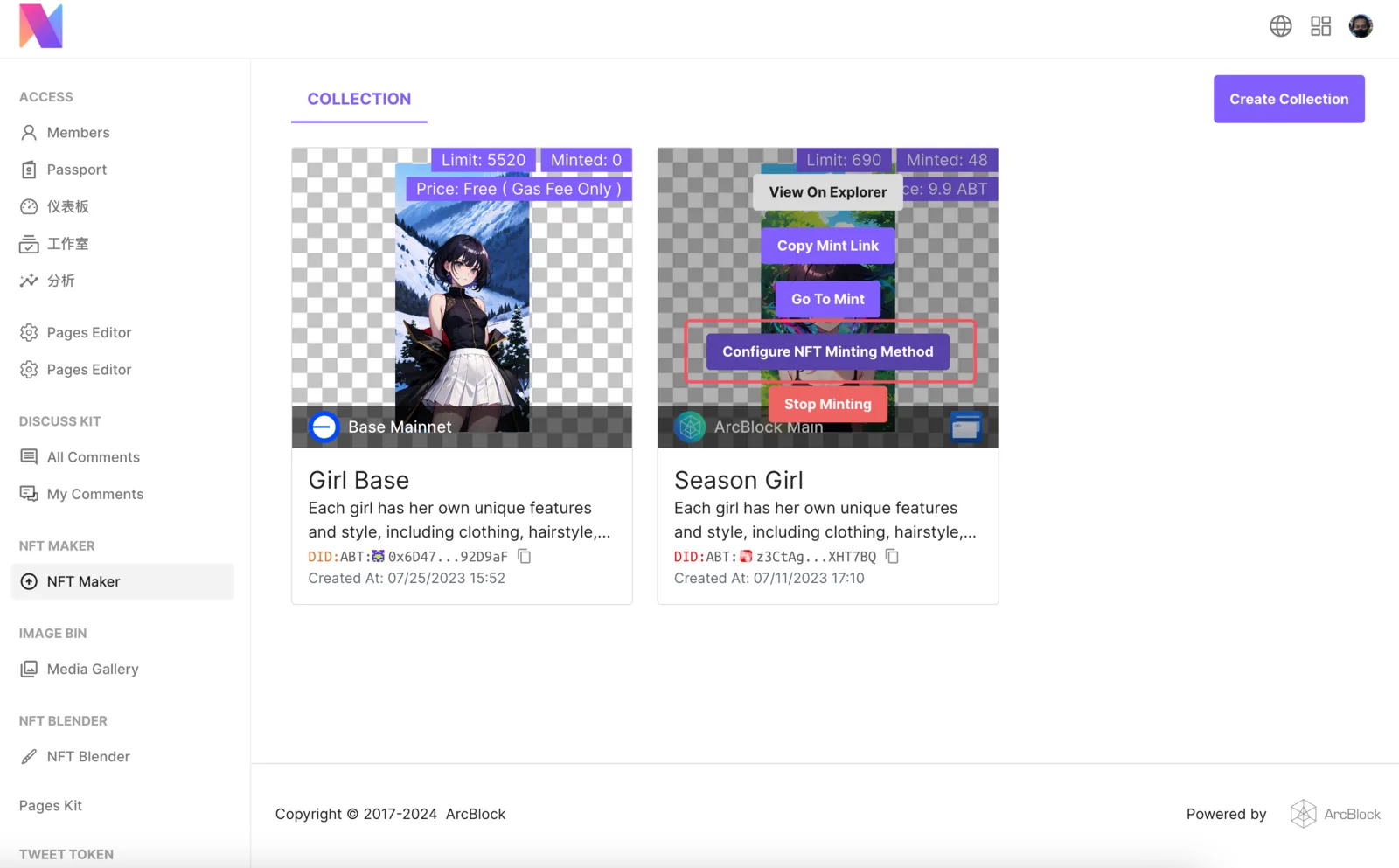
- Open NFT Maker, hover the mouse over the NFT Collection you want to configure, and click the outline area
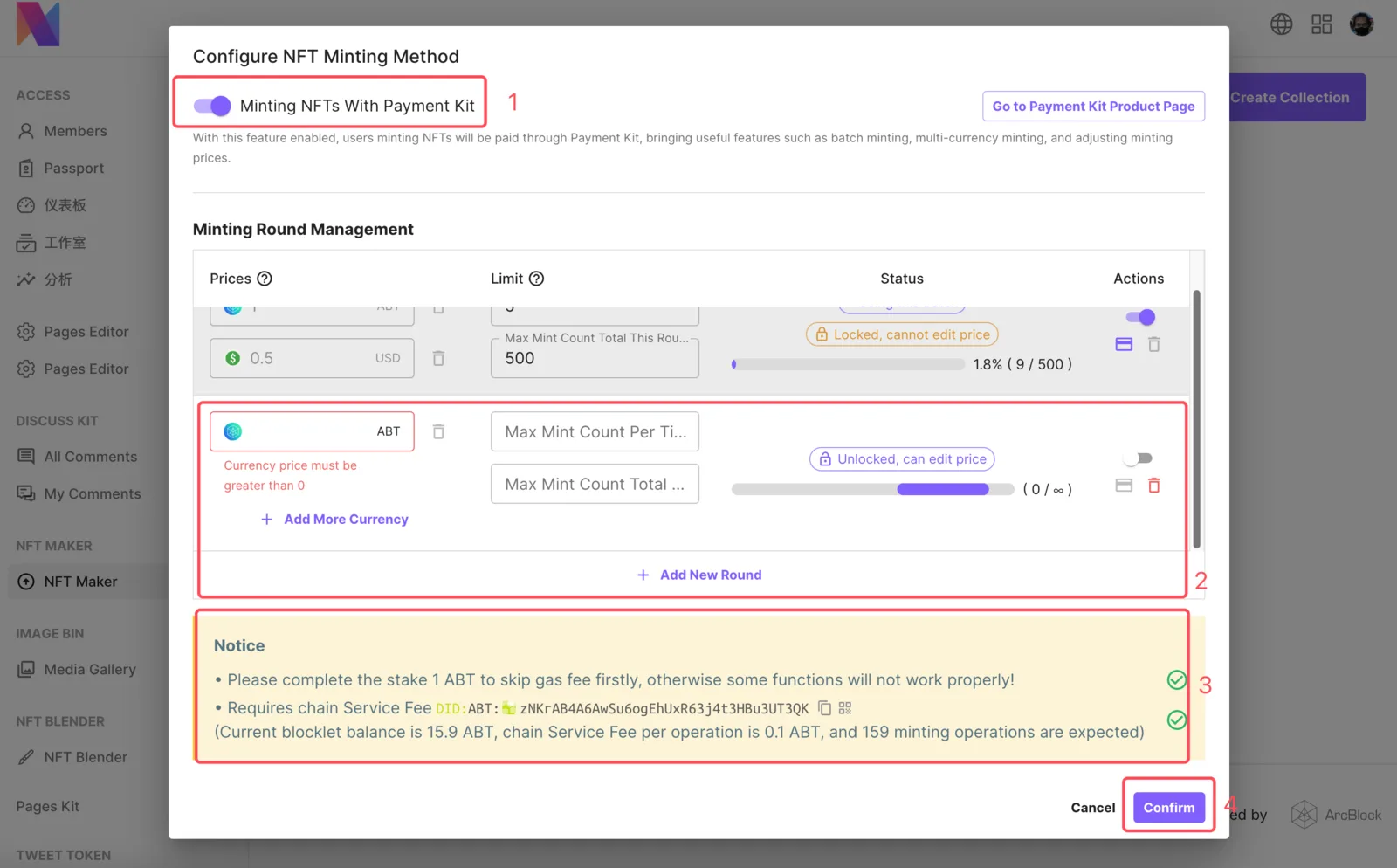
- Turn on the switch, configure the Minting Round Management, setting what you want, and confirm to save
- After the Payment Kit icon appears in the NFT Collection, it means the feature is being activated.
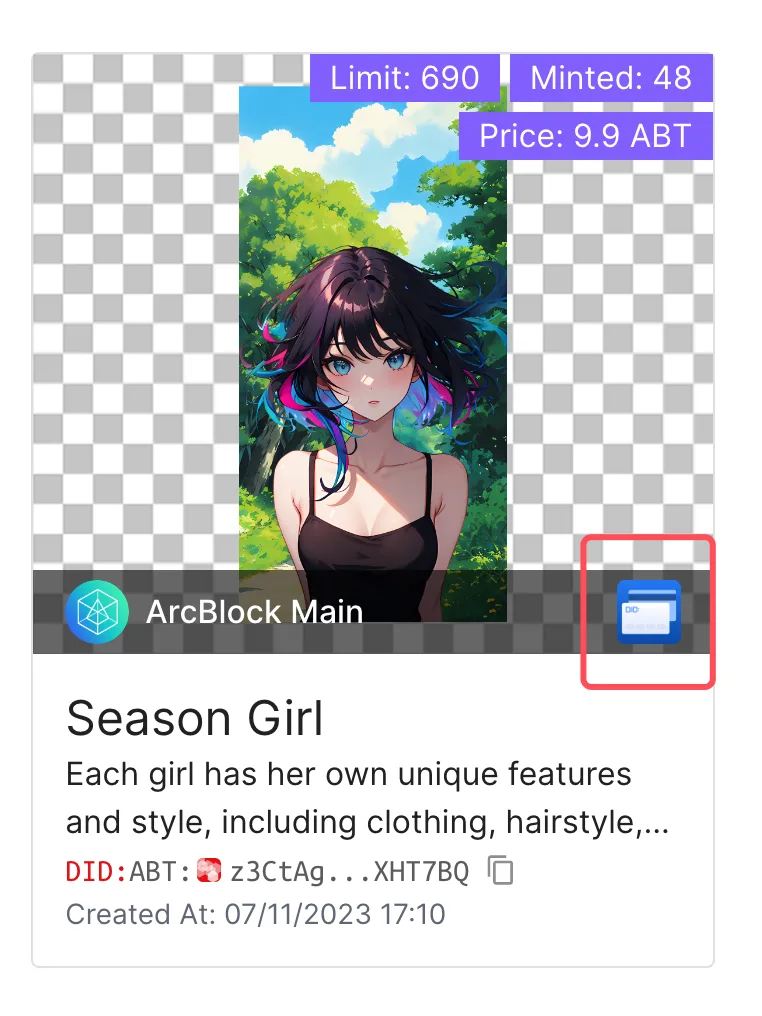
- Open the minting page for testing, check if it meets expectations, and see content related to the minting round on the page.
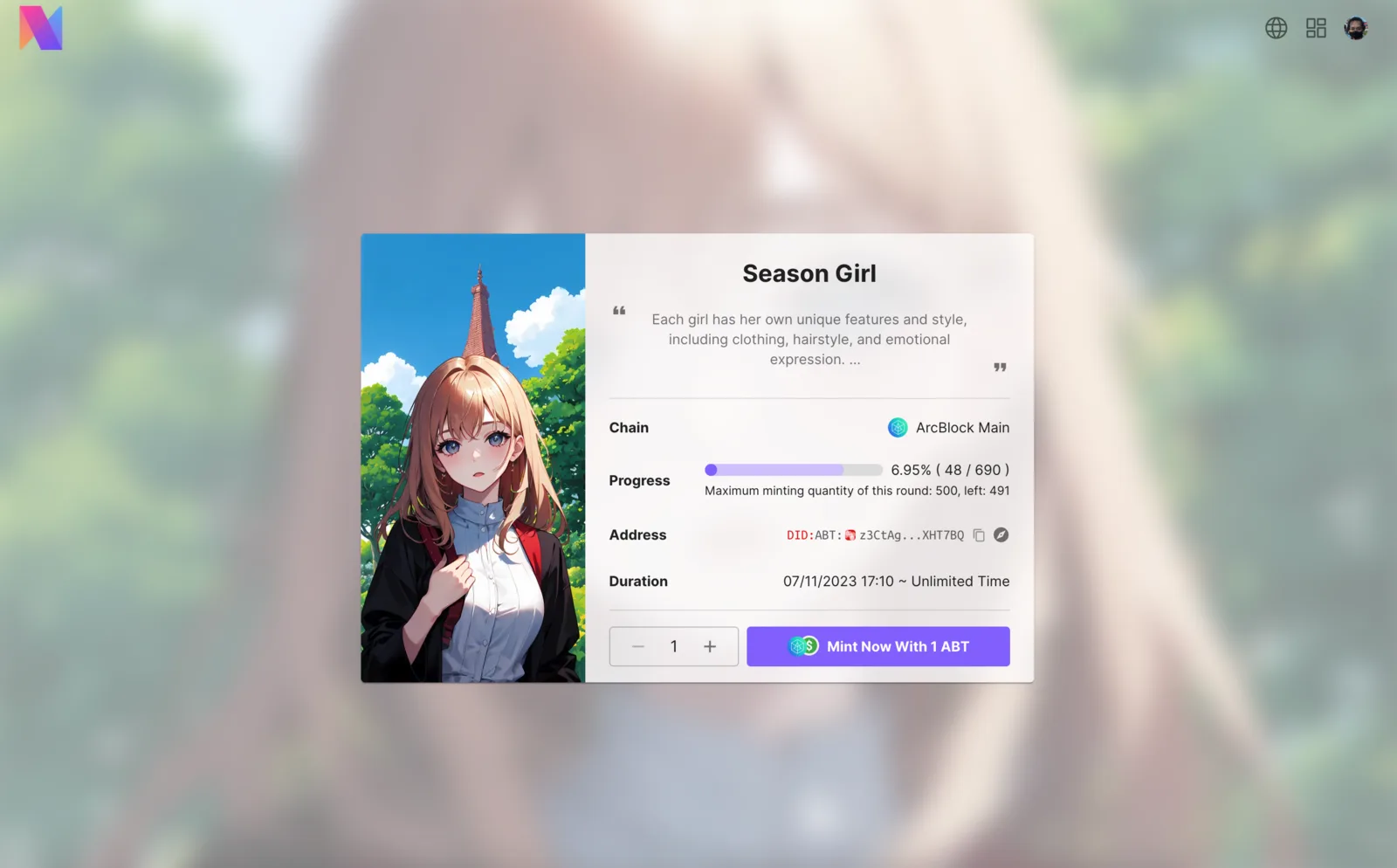
- Minting NFT was successful! New feature activation completed!
Frequently Asked Questions
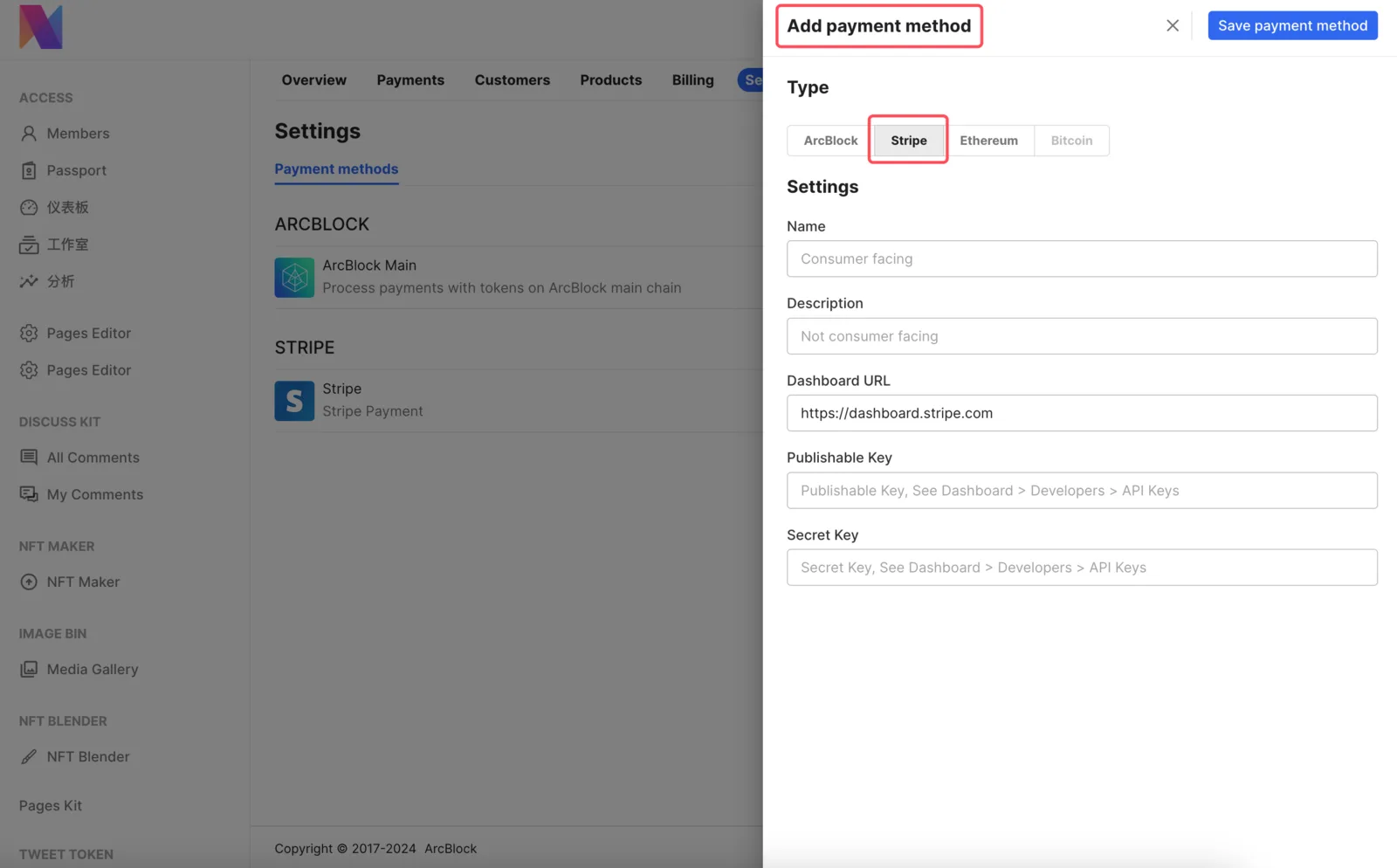
How to add Stripe payment method to receive currencies other than Virtual Currencies
You need to go to Payment Kit to add new payment methods, restart all applications after adding, and then go to NFT Maker to configure multi-currency prices.
How to use the balance in the Payment Kit
Divided into 2 cases:
- Virtual currency payment: Find the Blocklet app account in the DID Wallet and proceed with the usage.
- Stripe Payment: The balance will not be stored in the Payment Kit, please go to Stripe Dashboard for confirmation
How to give users a refund or rebate
Go to the Payment Kit management page, and select the corresponding record for refund in Payments
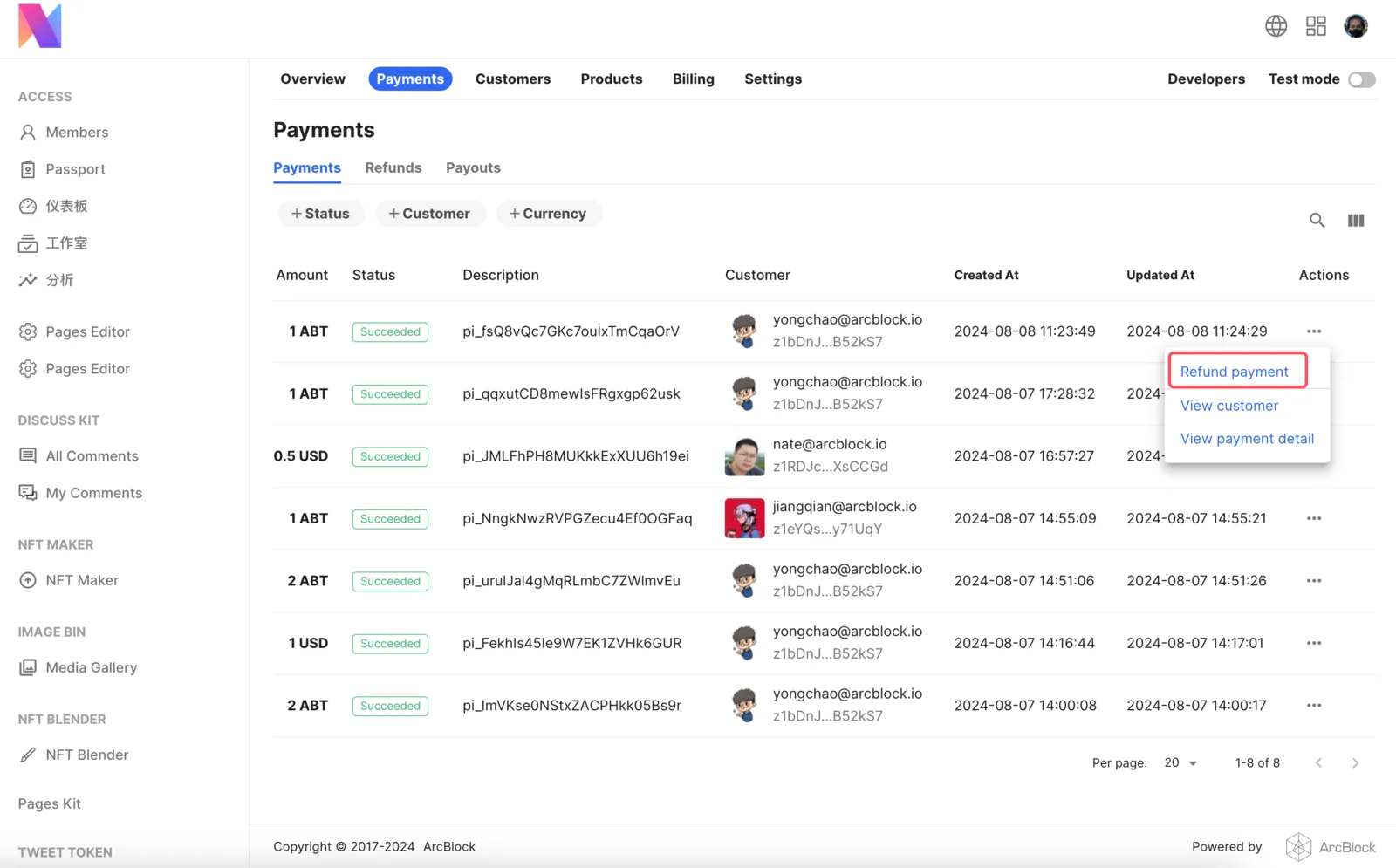
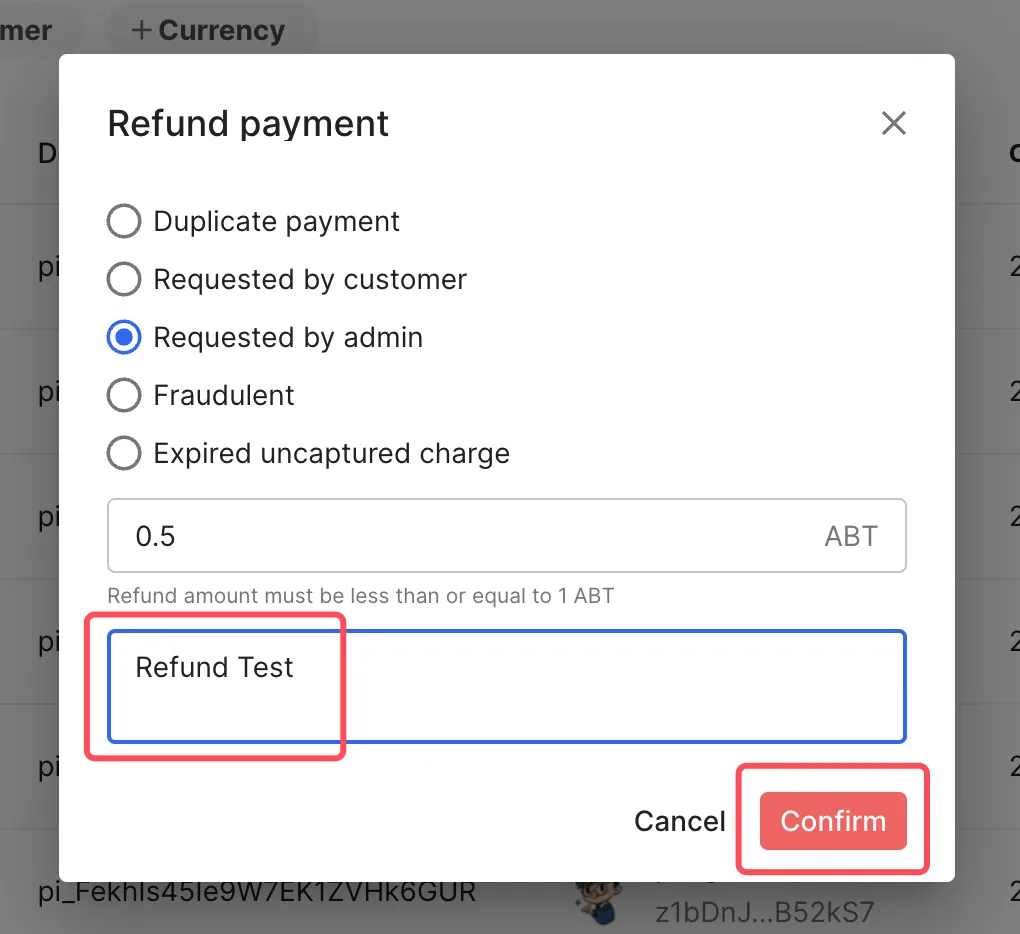
Operation according to the prompts on the page.
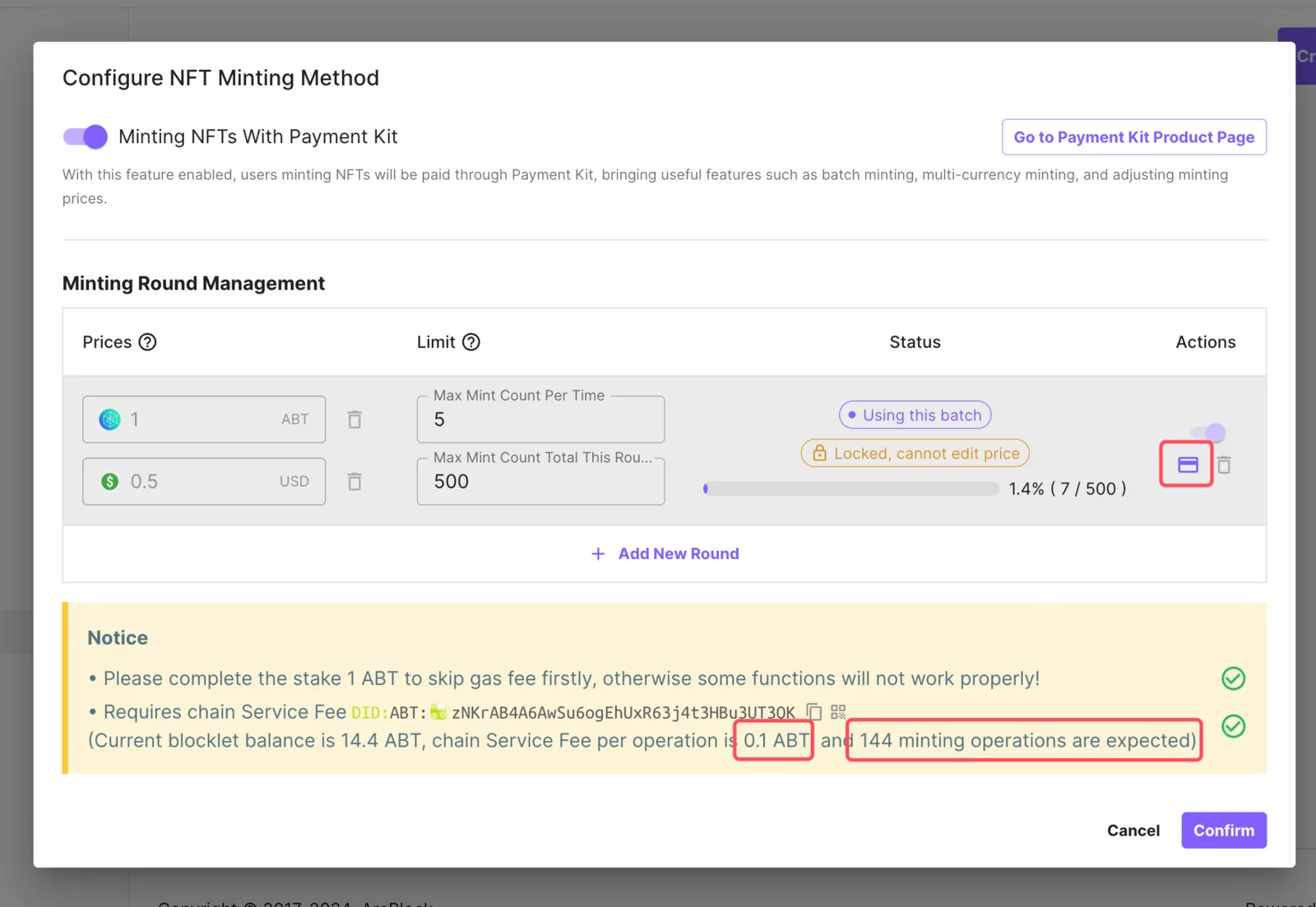
Why do you need to recharge the chain service fees
Unlike the previous acquire-asset minting method, the new minting method is completed through mint-asset, in order to prevent abuse of this feature, this feature requires payment of chain service fees.
In general, if the price of your NFT Collection is adjusted to be greater than 0.1 ABT, and no fiat (USD) payment is configured, you don't need to worry about this limit.
However, we still recommend that you recharge enough chain transaction fees based on the total minting amount of each batch to ensure the progress of the minting task
- Note: The recharge of the chain service fees is lossless and can be used at the disposal of the DID Wallet
How to close the new minting method
You can close the new way of minting at any time, just turn off the switch and save.
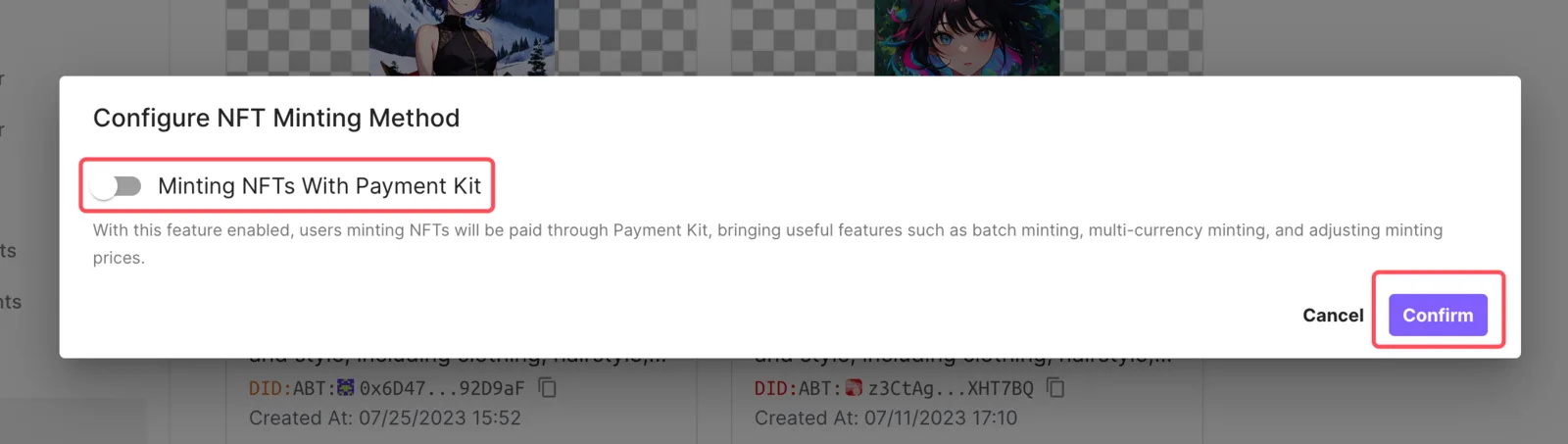
Of course, you can also open and make adjustments at any time
Why is my USD being deducted more when I mint NFTs with Stripe?
When you make a payment in USD, Stripe may perform a pre-authorization transaction (usually 1 USD). The purpose of this transaction is to verify the validity of your credit card and to ensure that your payment method works. This pre-authorization is not an actual chargeback and will usually be automatically refunded to your account within a few days.
If this pre-authorization payment is not returned immediately, rest assured that it will usually be automatically released within a few days and will not be debited from your account. If you find that this payment has not been returned after a few days, please reach out to your card issuer or Stripe!
Help us improve
We constantly listen to and accept suggestions from users, and thank the following users for providing us with some valuable feedback:
- Option for Owners to change NFT prices after a Factory is created? z1TTxpjeYVMyNVwRbBjrhxa4E94UaDd6ZX9
- NFT Price Change After its been set. z1eCiUZ3cLnUKEEdVvsXaC6LgmsRQoViFxV
We look forward to seeing you create more wonderful NFT works on NFT Studio. Whether you have any needs or suggestions or encounter any problems during the use, please feel free to let us know in the community. We will do our best to assist you, your voice is crucial to us.
Referenced here
Products
- Payment Kit improving
PaymentKit continues as a payment application, with a smooth upgrade from its legacy Blocklet version to ARC 3 underway. The old version is no longer maintained; the product continues to evolve.
- Web3 Kit superseded
Blocklet-side pieces for working with on-chain data and accounts. Its work has been taken into ARC; the standalone Blocklet is no longer maintained.