DID Connect supports user session management
With the increasing number of internet-accessible devices, we often log in to websites from many different places. At these times, we may often forget where we have logged in before. If you have logged in to your account from a default location and then forgotten to log out, it may pose some security risks to your account. Therefore, we have introduced: The user session management function, which adds more controllability to your account security.
How to use session management functionality
Ensure that the blocklet-server where the application is located is upgraded to version 1.16.26 and above.
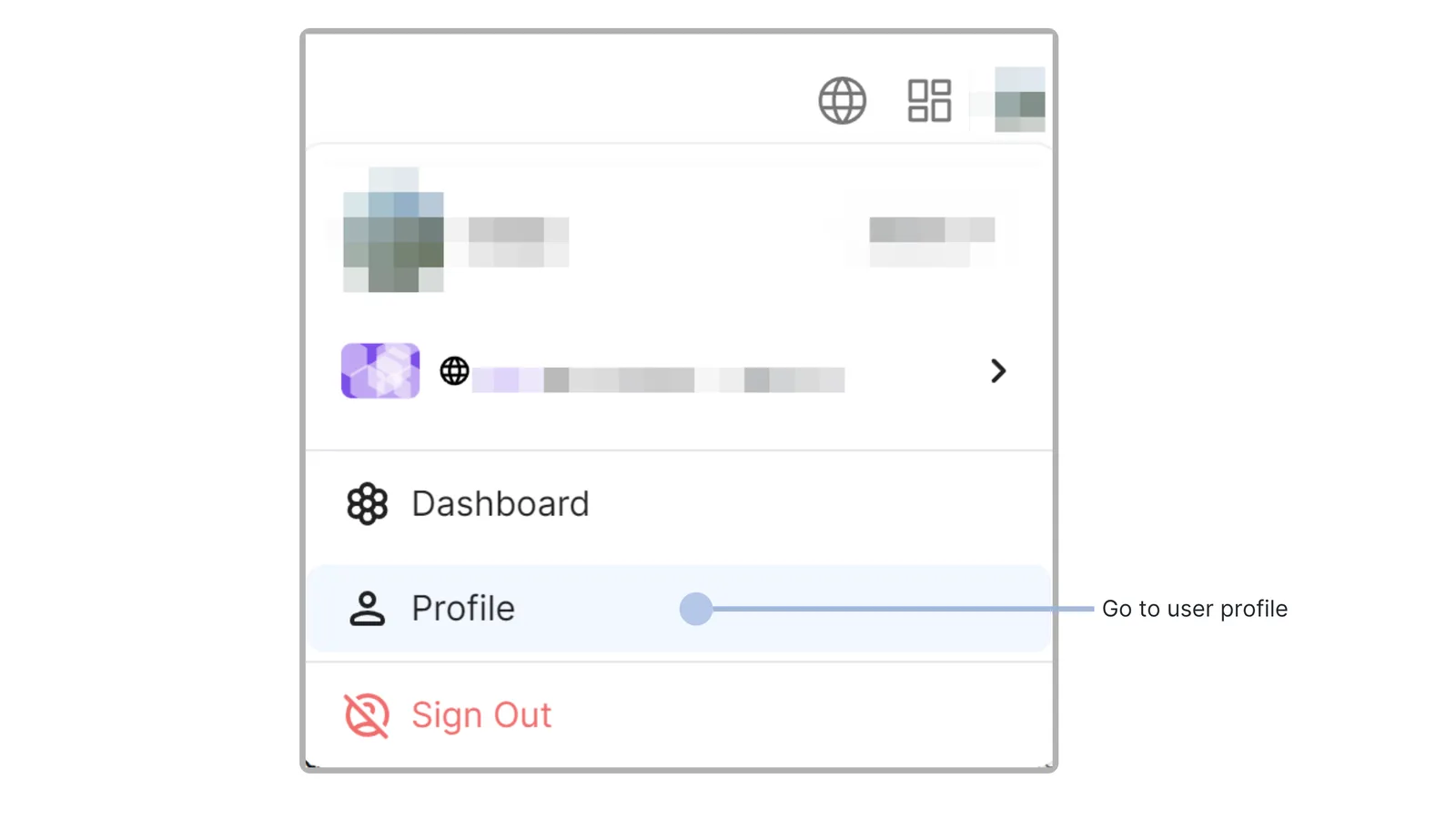
- Click on the profile picture in the upper right corner of the website, click to display the menu, and then click on the user center button.
- On the user center page, click the settings button, and open the session management tab
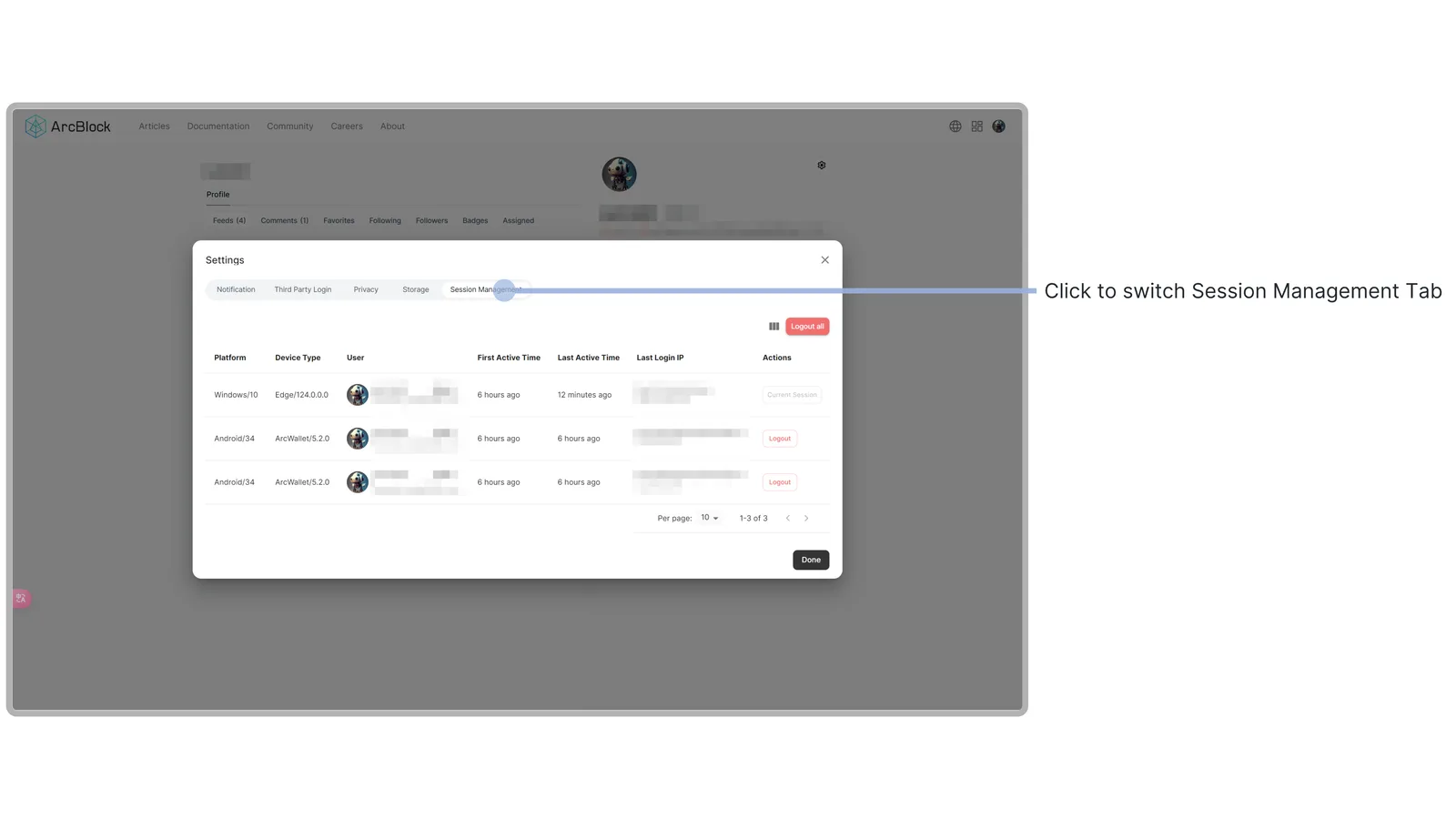
- This page displays all the login sessions of the current account, including the operating system used in the login, browser information, user details, first activity time, last activity time, recent login IP address, and administrative region.
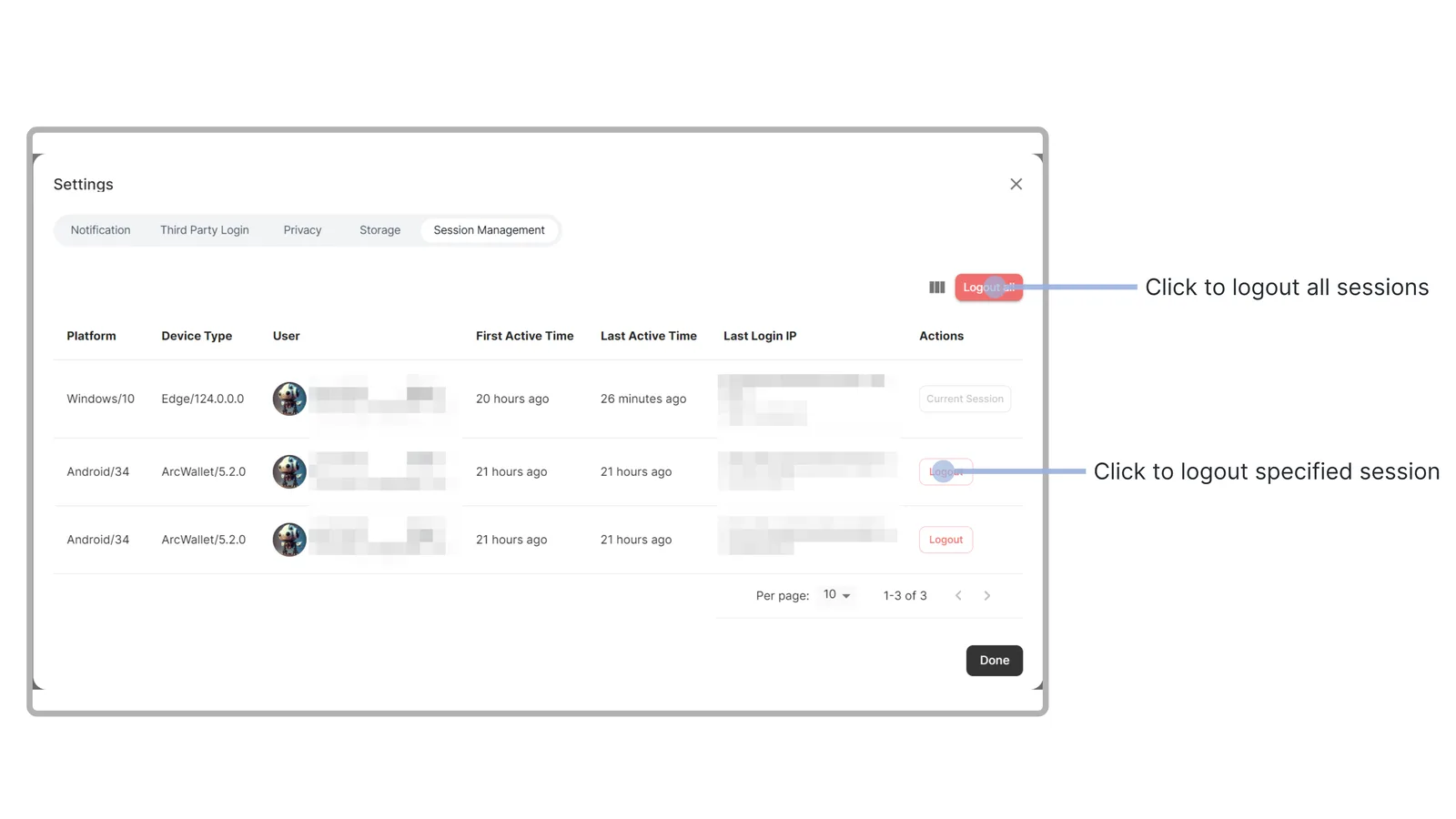
- Users can also manage other login sessions on the page, forcibly log out a specific login session, or log out all other login sessions except the current page
Online experience
User session management is currently supported on the following sites, and you can access them directly to experience it.
Help us improve together
If you have any needs, suggestions, or problems during use, feel free to visit ArcBlock Community for feedback. We will do our best to provide assistance, and if your feedback is selected for our Bug Bounty Program, you will receive ABT rewards.
Referenced here
Products
- DID Connect active
The part of the DID protocol an application uses to ask someone to sign in or present a credential, including alongside third-party accounts.
Terms
- DID
A DID is a digital identifier. It helps its holder and a verifier establish who controls an identity and who a claim relates to. It is not a wallet, and it does not replace application accounts, sign-in methods, or permission rules.
- Self-Sovereign Identity
The position that a person should hold their own identifiers and credentials and decide each time what to disclose. It is a stance about who is in control, not a protocol; decentralized identity is how it gets built.