Blocklet Server v1.16.13 Release Note

We are pleased to announce the release of the new version of Blocklet Server! We will announce the subsequent release announcements of Blocklet Server here to facilitate interested students in understanding the progress.
Blocklet Server is a decentralized application base developed by ArcBlock. It not only provides the installation, configuration, start-up, and composition functions of applications but also provides powerful basic services such as user and passport management. Each formal version has made significant improvements in performance, stability, scalability, and user experience compared to the previous version. Each test version will be released as a formal version only after stable operation in our production environment for at least two weeks.
Compared to v1.16.12, the new version mainly has the following changes:
New features
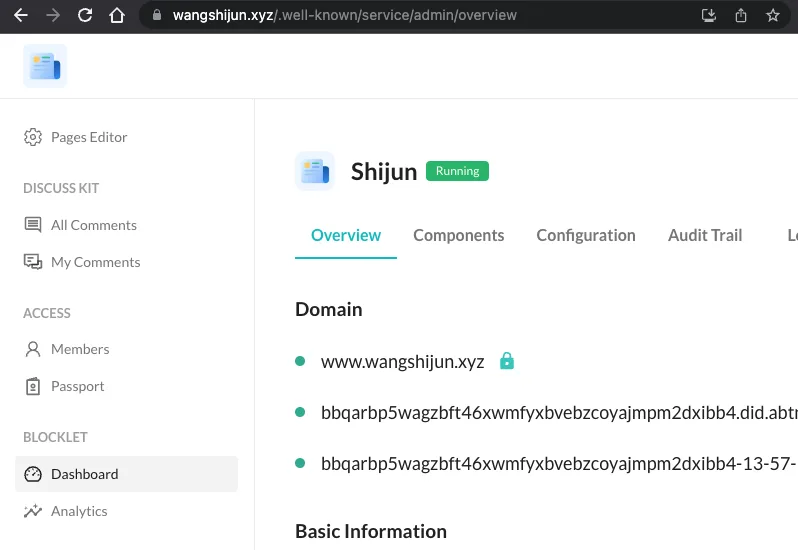
Support for adding multiple routes for a single component.
In previous versions, each component within the application could only be mounted under a specific path. In the new version, it is supported to mount a component under multiple paths. For example, the configuration of the site you are visiting:
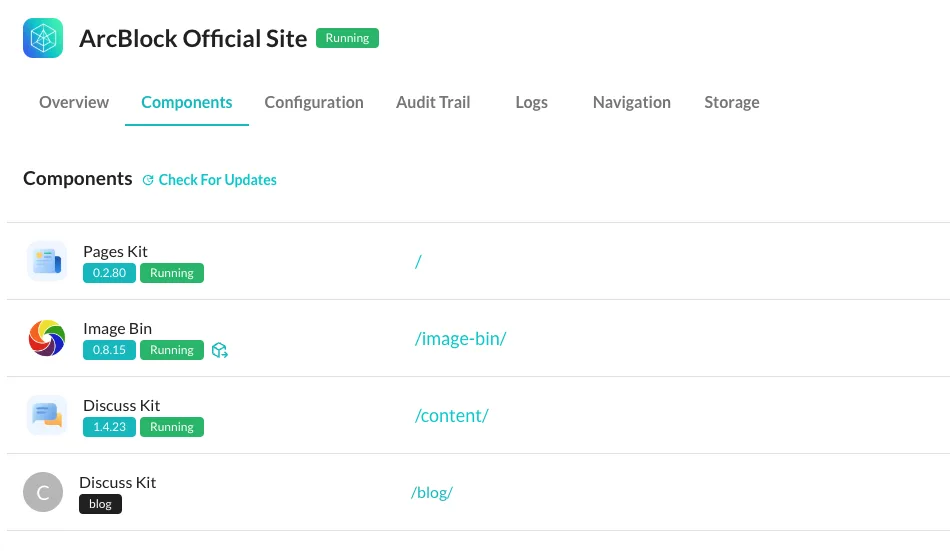
If you want to use this feature to update your own website, you can refer to: https://www.wangshijun.xyz/blog/host-blog-community-doc-with-discuss-kit
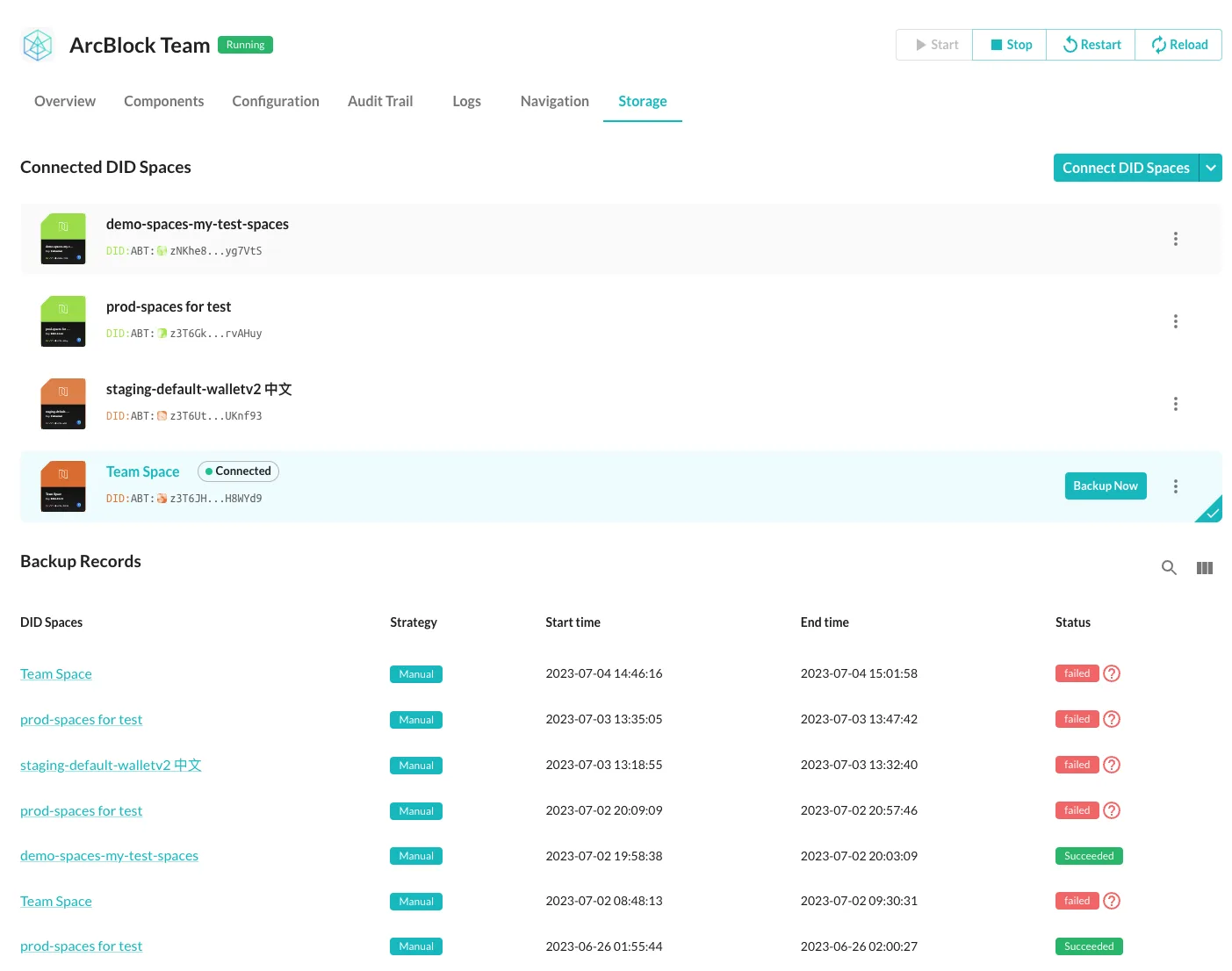
Application backup and recovery experience changes
In the new version, you can easily connect multiple DID Spaces, then switch backup space at will, and view backup logs:
Ready-to-use traffic statistics analysis
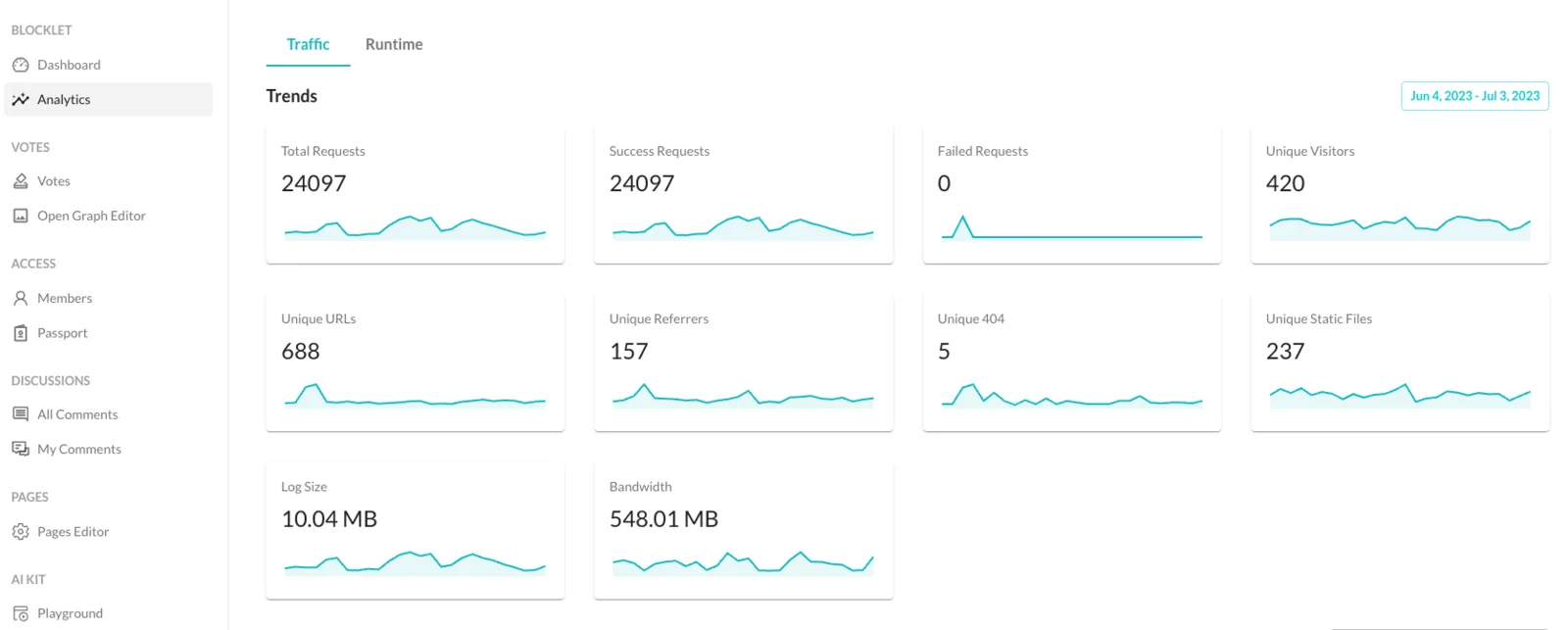
Any site needs traffic statistics and analysis to help webmasters understand the visit situation of their own site. We have built a built-in traffic analysis tool based on goaccess. In order to make it easier to find, we have put traffic analysis and runtime analysis on a separate statistical analysis page:
Clearer reminder of expired application space
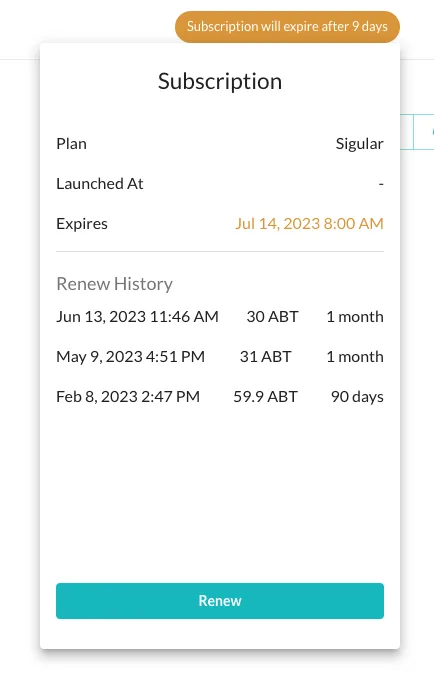
For application space purchased from Blocklet Launcher, you can immediately access the expired reminder, bill, and even complete the renewal within the application.
Other improvements
Security improvements
- Only the Owner of the application can see the entrance for transferring the ownership of the application.
Reliability improvement.
- Fixed the issue of abnormal status during application component upgrade, startup, and stop processes.
- Fixed the issue of HTTPS certificate generation after migrating the database to SQLite.
- Change the port allocation at the start of the application component to dynamically allocate on demand, completely resolving the issue of startup failure caused by port occupation.
- Change the start and stop of the application to component granularity, where the failure of a single component will not affect the failure of the entire application.
- Support migration of application DID when querying audit logs
Performance optimization
- Optimize waiting time and timeout settings to make the application start faster, reducing it from around 30s to 20s.
- By optimizing the waiting time and timeout settings to make the node start faster, from the previous 10s to about 6s.
- Optimizing the performance of user session verification, with a session interface performance of 300 QPS on 1C, 1G machines, and 90% response time around 400ms.
- To add PWA support to the application and node console, the speed of console access will be faster and can be installed as a desktop application independently.
Improved developer experience.
- Support configure appDid and mountPoint from .env file when run
blocklet dev - Support for starting cluster mode component in development mode.
- Support developing components with the same name when the component already exists in production mode
SDK improvement
- Add Typescript definitions for
@abtnode/timemachine - Add fault tolerance for
@blocklet/sdk, to avoid application startup failure - Add AuthService.refreshToken support for
@blocklet/sdk - Fix the delay task issue in
@abtnode/queue - Abstract
@blocklet/resolveras a separate utility library for easy reuse
How to get the new version
If you want to use the latest version of Blocklet Server, please follow these steps:
- Install the latest version by running the command
npm install -g @blocklet/cli. - Start the service directly and run the command
blocklet server start.
We will continue to improve Blocklet Server and provide more exciting features and optimizations. Thank you for your support and attention!
If you have any questions or feedback, please give us feedback at https://community.arcblock.io/.
Referenced here
Products
- Blocklet Server superseded
The server that hosted blocklets as subprocesses. ARC is where that work continues; the subprocess hosting model is not being carried forward.
- DID Spaces renamed
A data space associated with a DID. Create a personal space, or connect an application with the permissions and data model its task requires.