Prepare Your Next Draft in Aside

You reopen a saved article and remember liking it. What you meant to write about it is harder to recall. Before you start a draft, use Aside to give the source a short purpose note and save your own angle separately. You will have something specific to return to when it is time to write.
Try it with a fictional example: a piece about starting a small plant journal to share observations regularly. You will save one web source and one note of your own, then put them in a collection for this draft. The text in the screenshots was prepared for this example too.
Save the page and give it a job
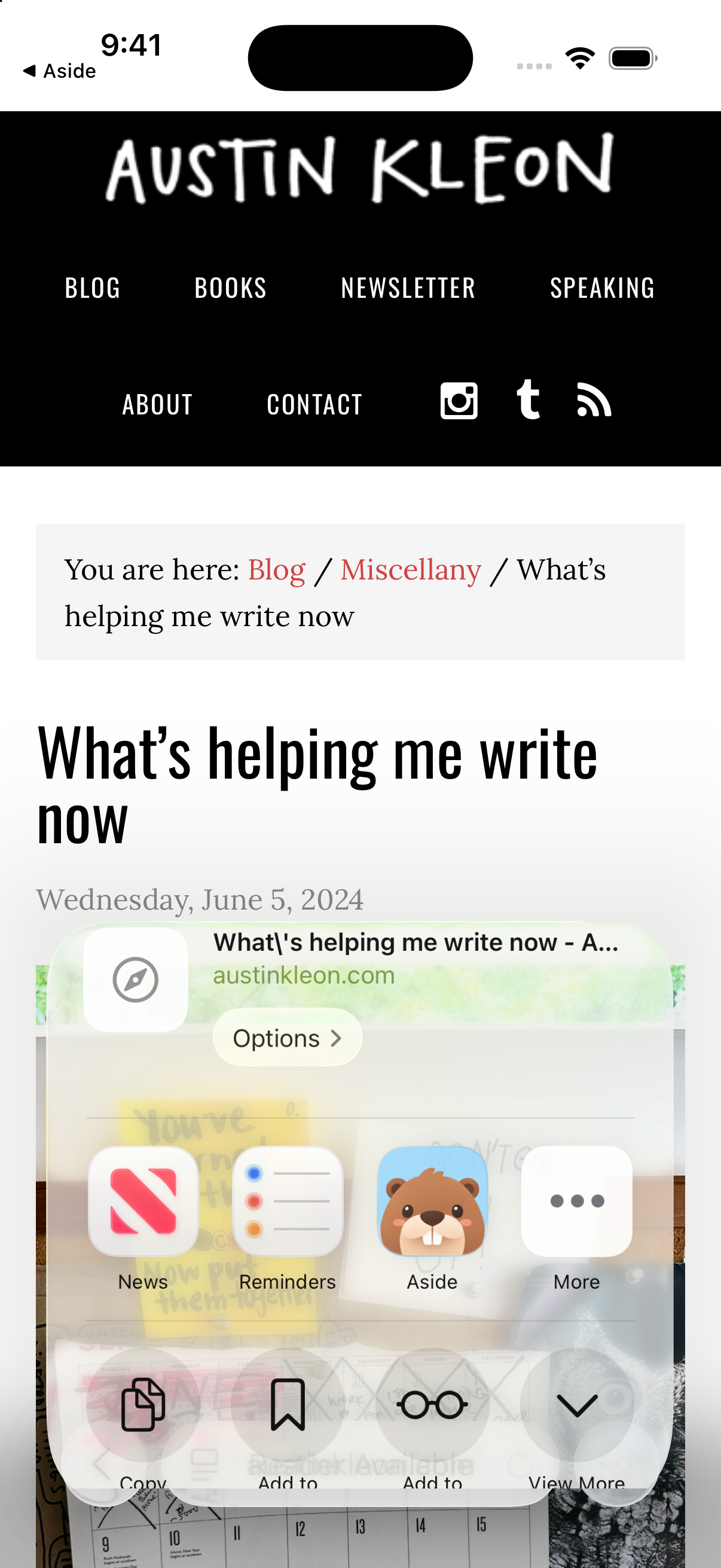
On your iPhone, open Austin Kleon's post about what helps him write in Safari. It mentions objects on his desk and bulletin board, including a calendar and timer. For this piece, take one idea from it: getting started can involve making a concrete arrangement around you.
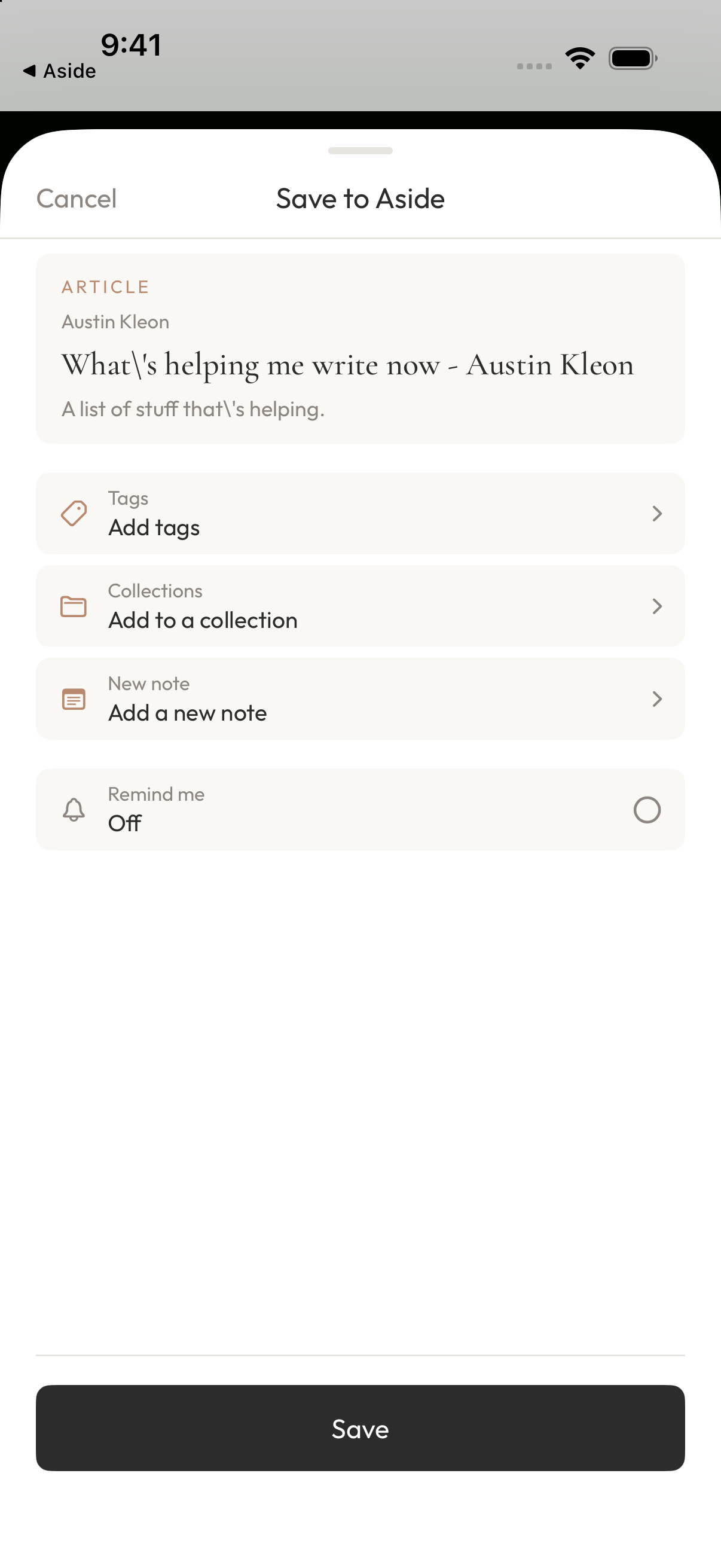
Tap “More” in the lower right of Safari, then “Share,” and choose Aside in the system share menu. If Aside is missing from the app row, look under “More.” Check the page title, then tap Save at the bottom.
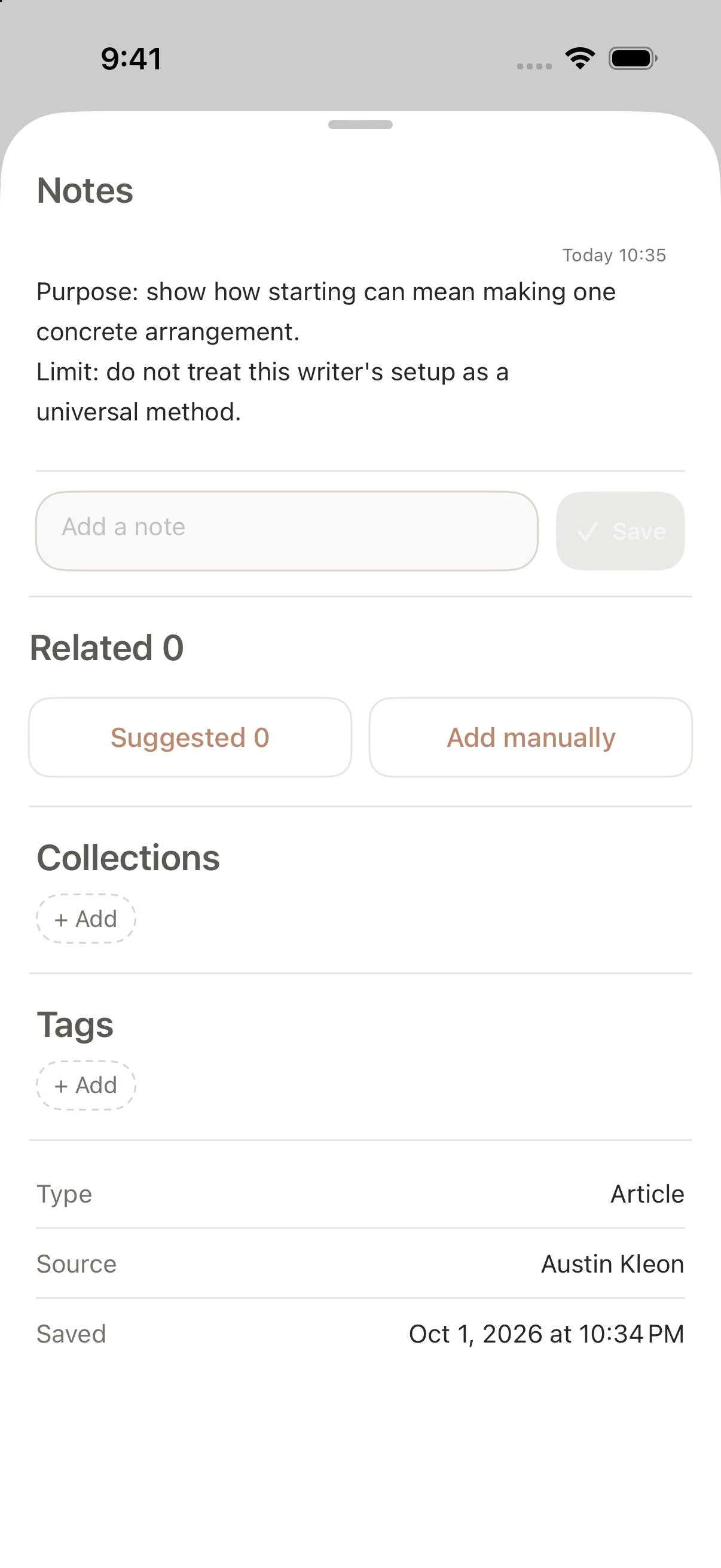
Back in Aside, open the saved page. Tap the notes bar at the bottom of the detail view to expand it. Enter your purpose in “Add a note,” then tap “Save.”
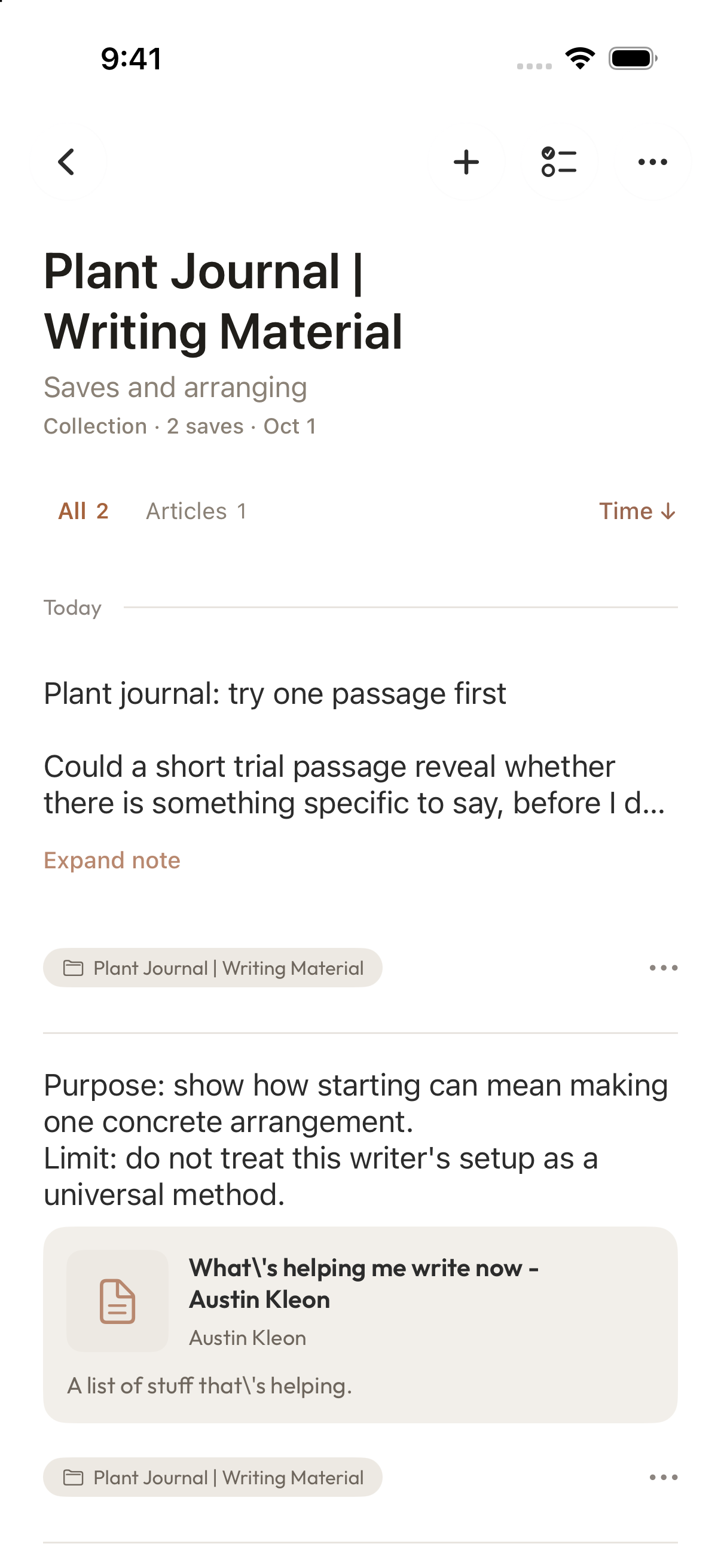
For example: “Purpose: show how starting can mean making one concrete arrangement. Limit: do not treat this writer's setup as a universal method.” These are words you type yourself. The note tells you what you wanted this source to do in this particular piece.
Capture the angle you want to explore
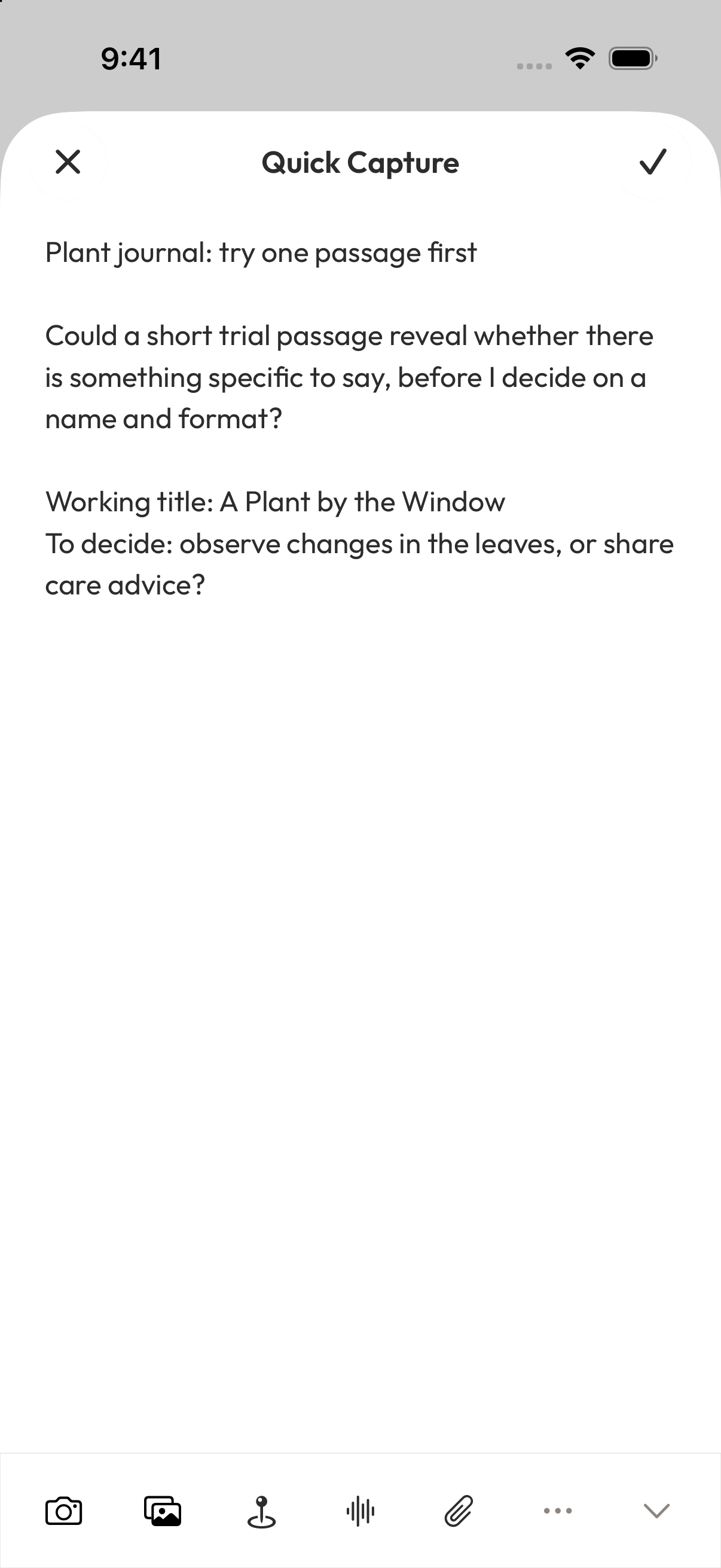
That gives the journal a possible starting point: set aside time for one observation and write a passage about it. Return to the home screen and tap “+” to open Quick Capture. Start with “Plant journal: try one passage first” so you can recognize the note later.
Then write your question: “Could a short trial passage reveal whether there is something specific to say, before I decide on a name and format?” Add the working title “A Plant by the Window” and the choice you still need to make: “Observe changes in the leaves, or share care advice?”
Tap the checkmark in the upper right to save. This note holds your own question. Kleon's page remains a separate source you can return to when you need to quote or check it.
Put both in a collection for this draft
Open Organize and tap the folder-plus button in the upper right. Choose “Create a collection and start,” enter “Plant Journal | Writing Material” as the collection name, then tap “Create collection and start.”
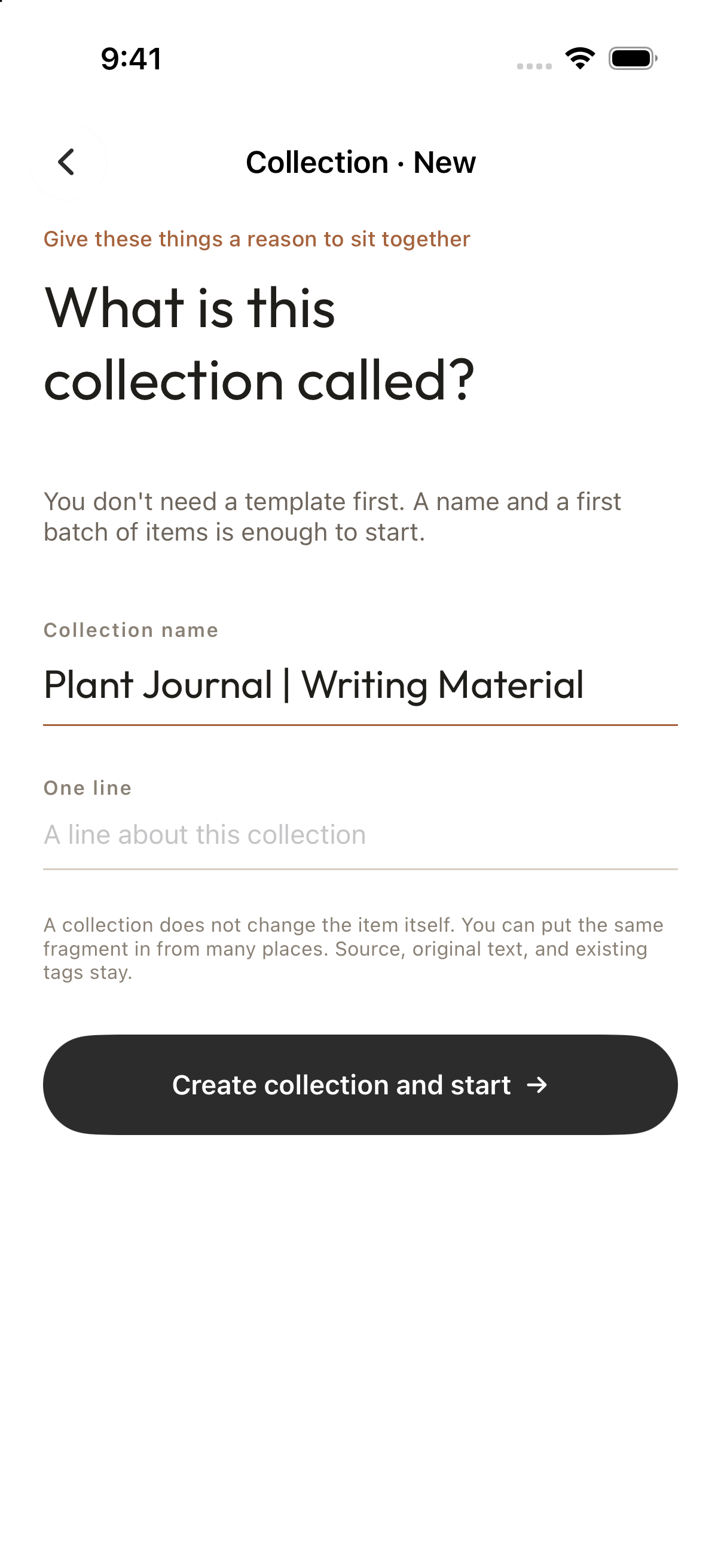
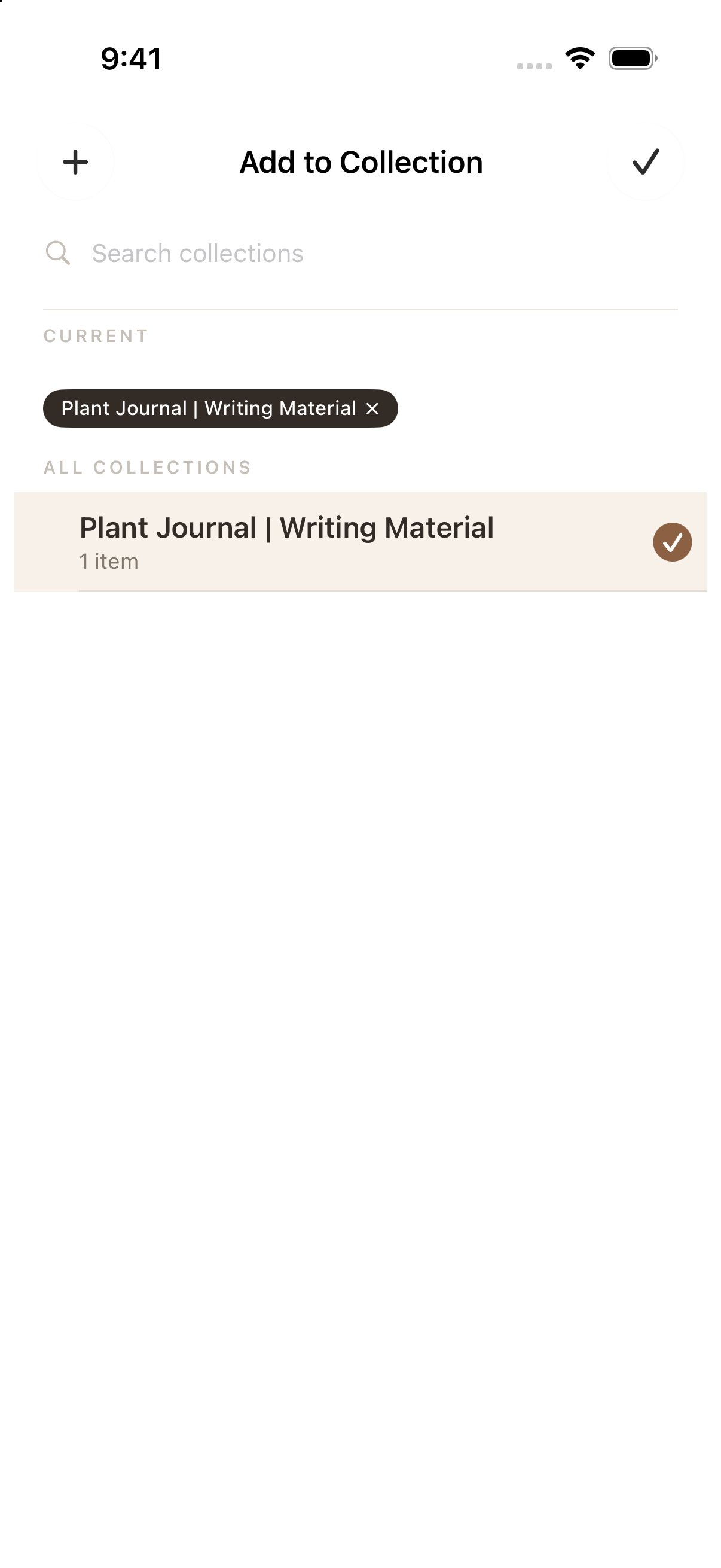
Tap the back button at the upper left, then Home in the bottom bar. Tap the “…” menu at the bottom right of the saved page’s card. Choose “Add to Collection,” select the collection you just made, then tap the upper-right checkmark to return. Repeat this for your angle note to put it in the same collection.
When you are ready to write, open the collection from Organize. Read the source's purpose note to recall the example you wanted to use. Then open your own note and return to the unresolved choice between observing leaves and offering care advice. Move to your usual writing tool to begin the draft, returning to Aside when you need the source.
You can start with a single page. Give it a purpose in the piece you are writing, and leave yourself a record of what you wanted to say.
Download Aside from the App Store, or visit the Aside product page to learn more.
Sources
- Austin Kleon, What’s helping me write now, June 5, 2024.
Referenced here
Products
-
Aside
active
Collect the things that catch your attention and revisit them in collections.