AIGNE 0.3: Publish the AIGNE Project as a Blocklet
After releasing AIGNE in May, we received a lot of attention from users💗. Many questions and feature suggestions were raised (thanks for the positive feedback), among which one feature stood out:
- Can I publish an Agent to the Store?
- I made an AIGNE app, how do I put it on my site?
- How do I share it with my users?
Today, we released AIGNE 0.3, now support publishing AIGNE apps to the Blocklet Store, and also support installing an AIGNE app from the Blocklet Store🎉🎉🎉!
Let's now explore the new features brought by AIGNE 0.3 together!
New Features
Publish AIGNE applications to the Blocklet Store
Blocklet is the basic unit for decentralized application development, delivery, and operation on the ArcBlock Platform, and also supports Lego-like composability. AIGNE is a platform launched by ArcBlock that allows users to create their own AI applications based on powerful natural language understanding capabilities. Now, we support releasing an AIGNE application as a Blocklet to the Blocklet Store for users to download, install, and run.
The video introduces how to publish an AIGNE application to the Blocklet Store:
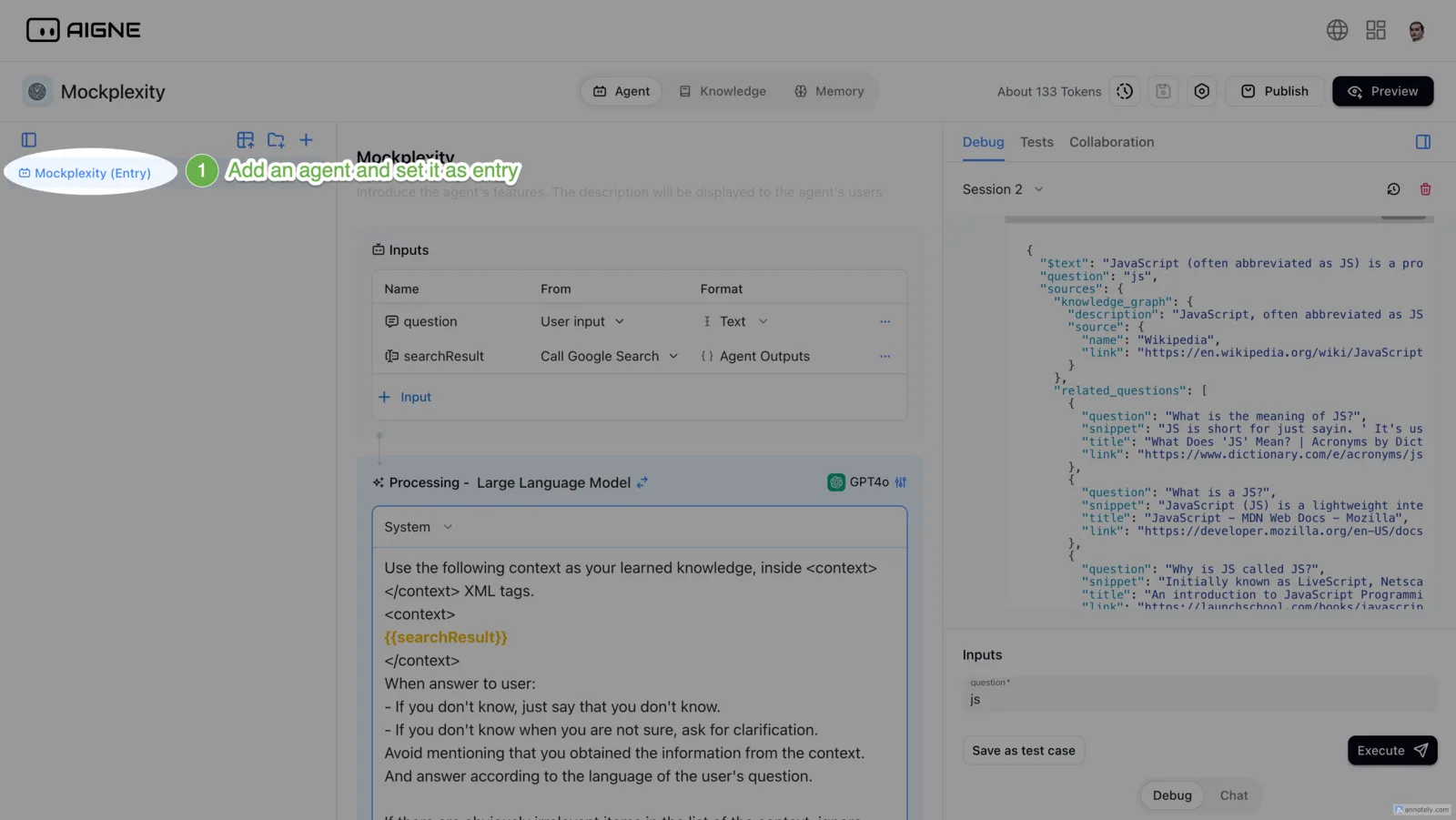
- Create Agent: Create your Agent in AINGE, make sure there is an entry Agent in the project (you can set the Agent as the entry in the Agent menu)
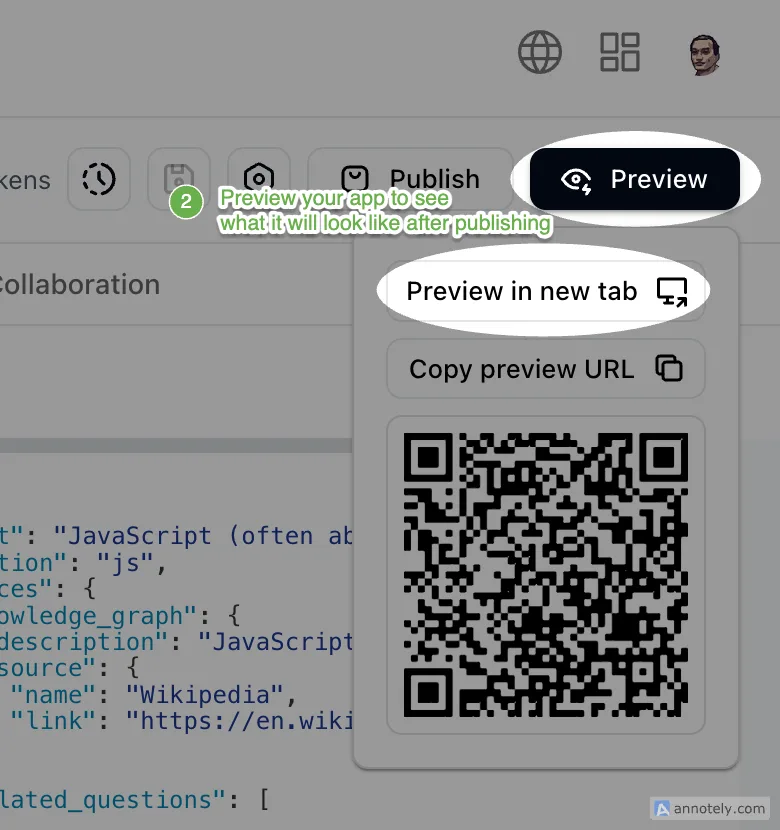
- Preview: You can experience the effect of Agent running in the preview
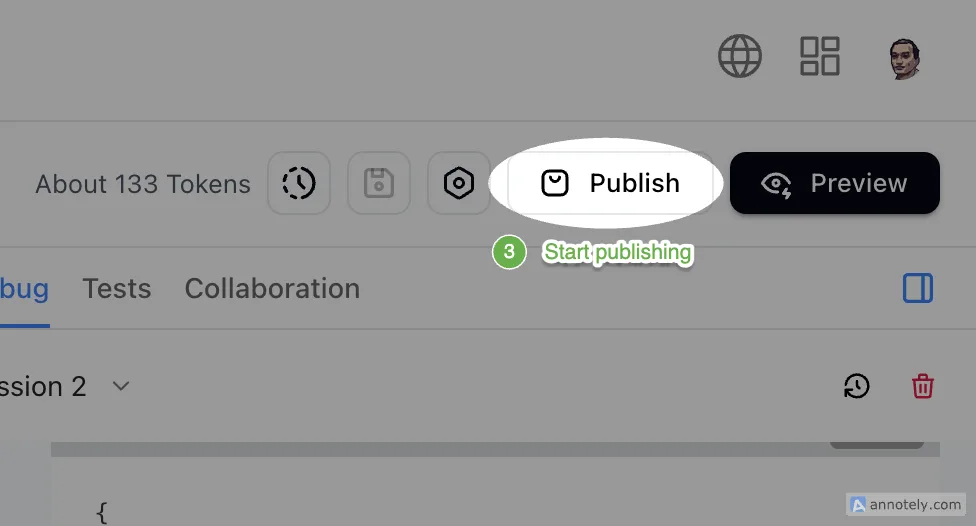
- Start Publishing
- Start creating your Blocklet
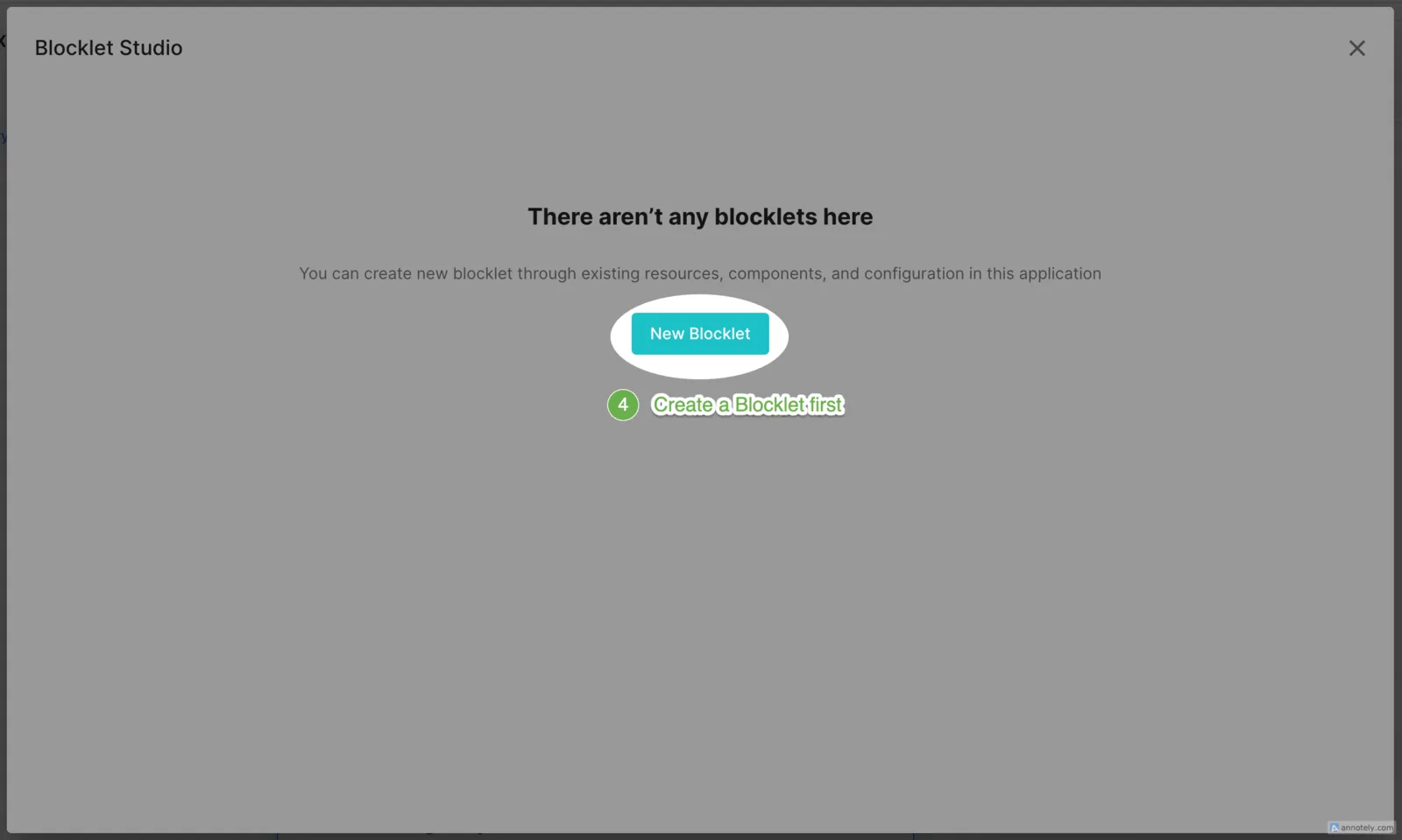
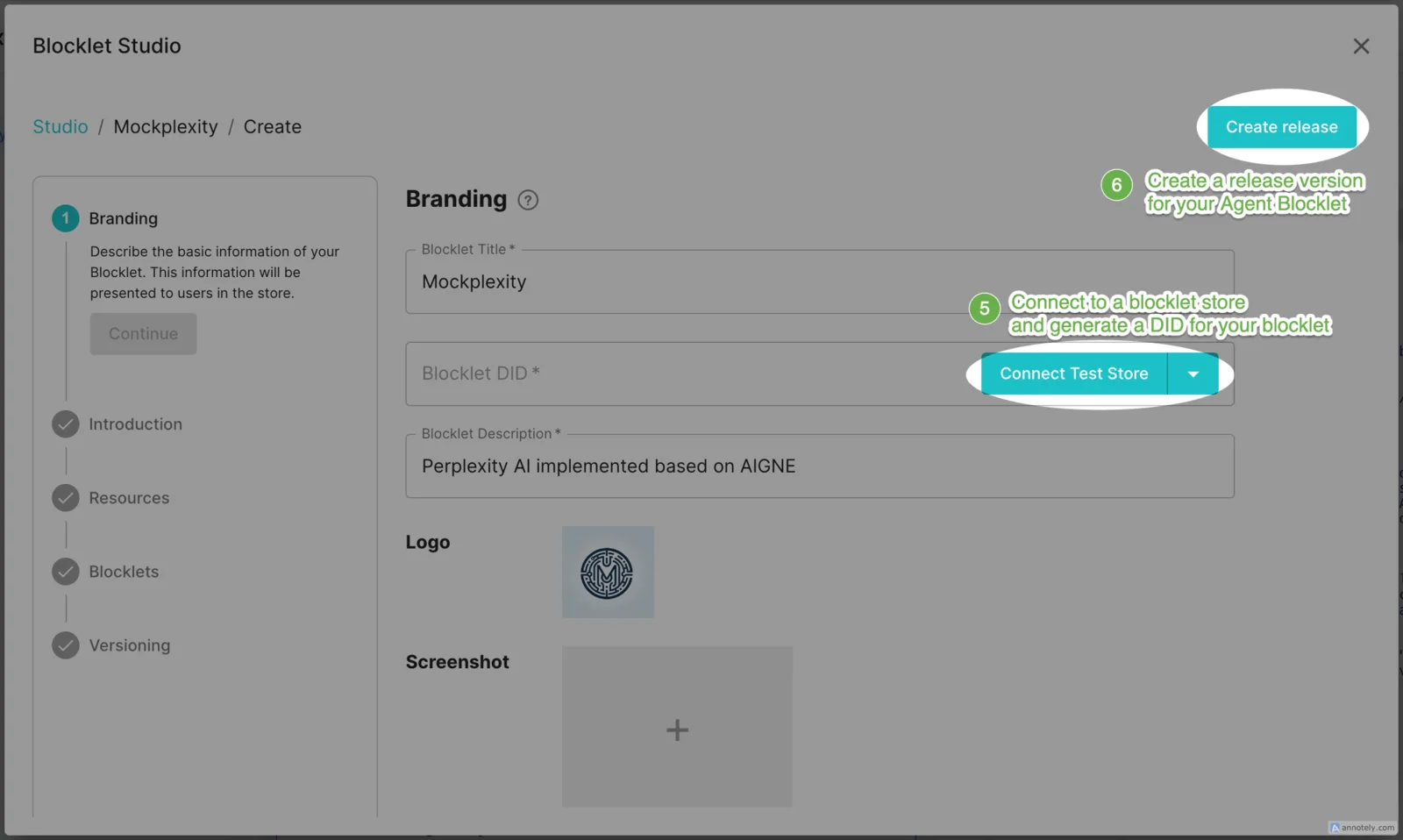
- Create your Blocklet: connect to Blocklet Store, which will generate a DID for your Blocklet
- Create the first version for your Blocklet: afterwards, updating the Agent only requires creating a new version for the update release
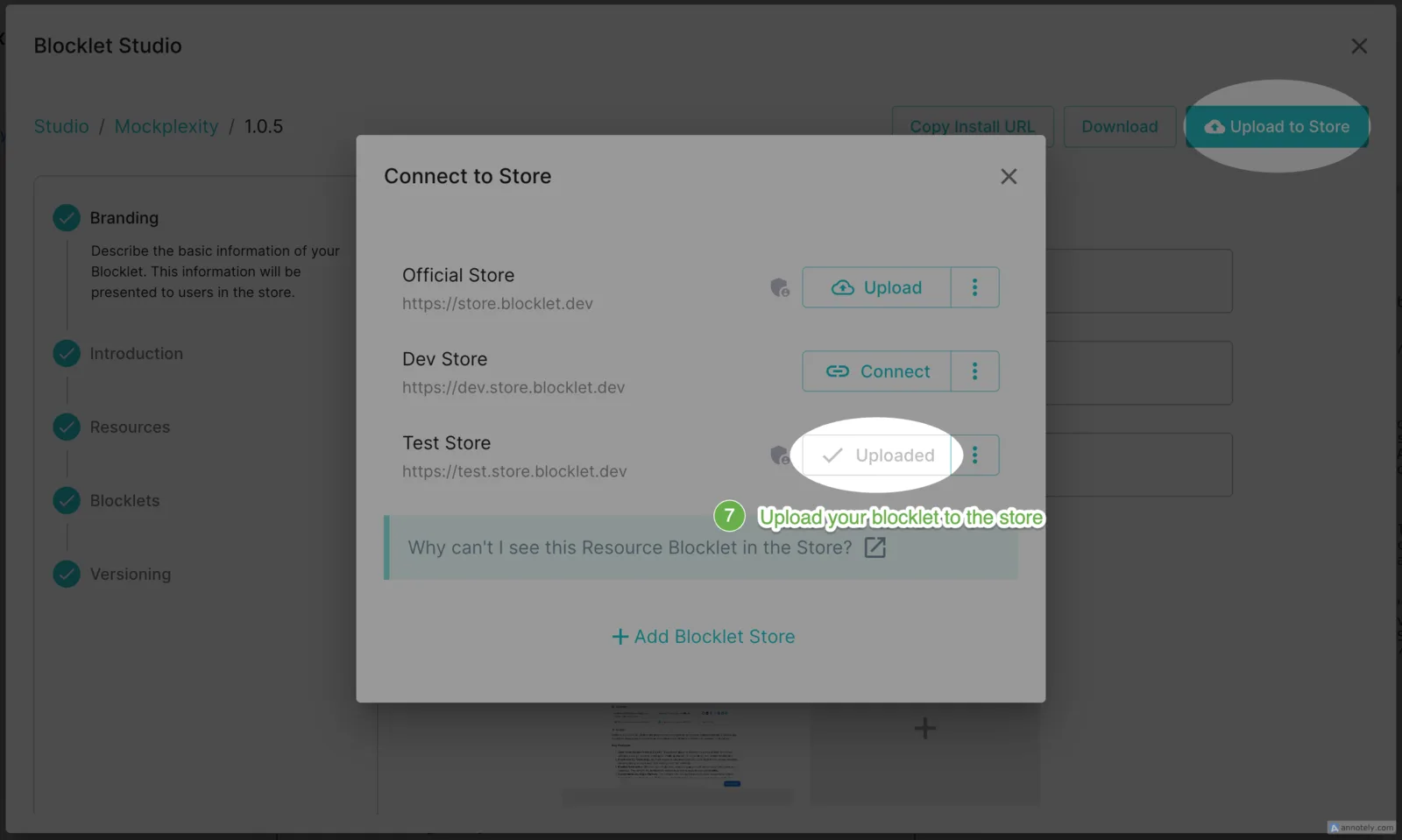
- Upload to Blocklet Store: According to ArcBlock Developer Policy, developers need to obtain a developer pass before they can publish Blocklet to the official ArcBlock Blocklet Store. Before that, developers can upload their Blocklet to their own Store or ArcBlock test Store for review. Once the review is passed, developers will receive a developer pass and can then publish the Blocklet to the ArcBlock Blocklet Store for all users to install and use.
Install AIGNE Application from Blocklet Store
The video introduces how to install an AIGNE application from Blocklet Store:
- If you already have your own application, you can add apps created with AIGNE to your application in the following way : Dashboard -> Blocklets -> Add Blocklet -> Search for the AIGNE app you want -> Choose -> Add it.
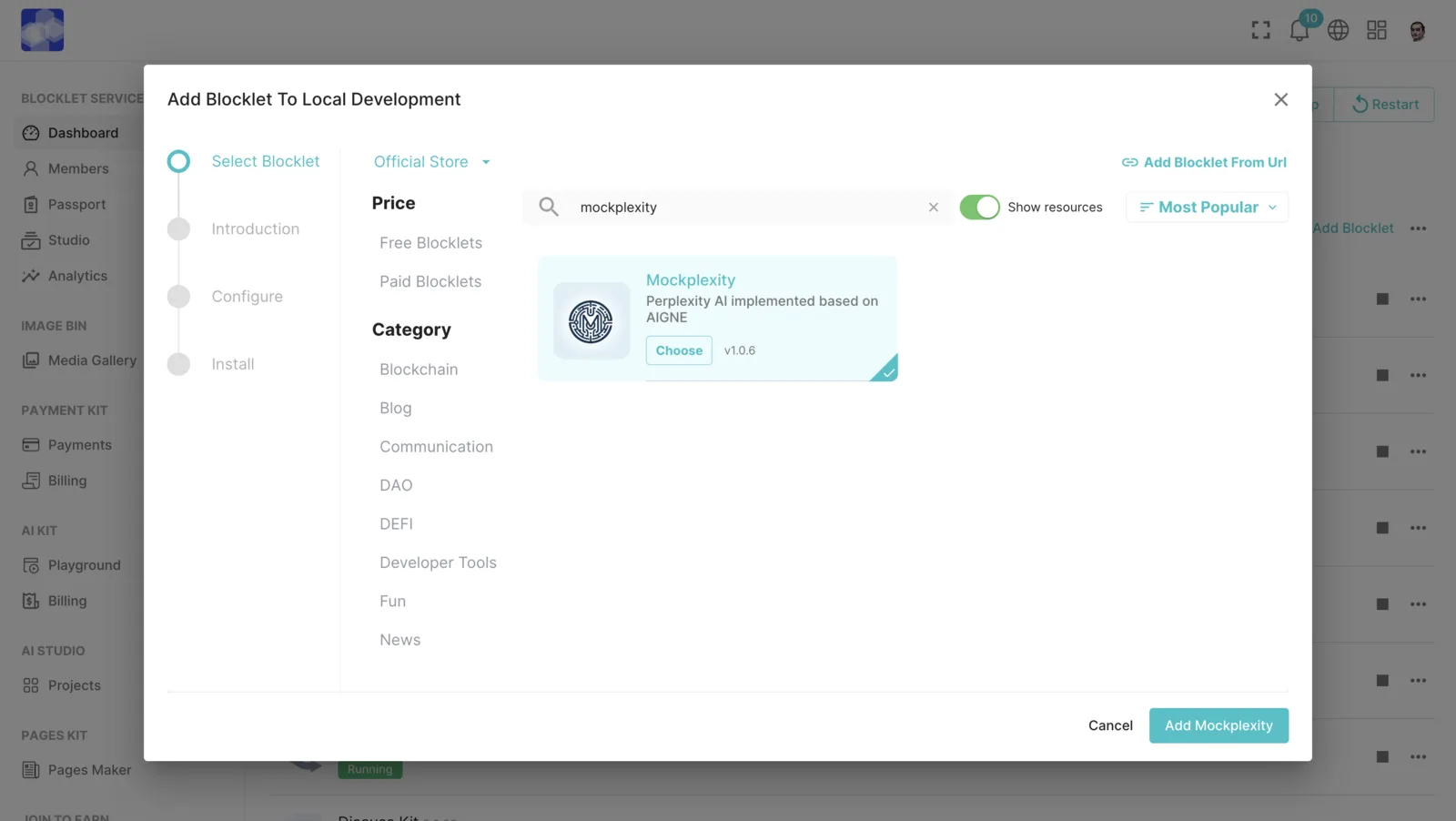
- If you don't have your own Blocklet app yet, you can launch your own app through the ArcBlock Launcher: Blocklet Store -> Search for the AIGNE app you want -> Launch -> Follow the Launcher instructions
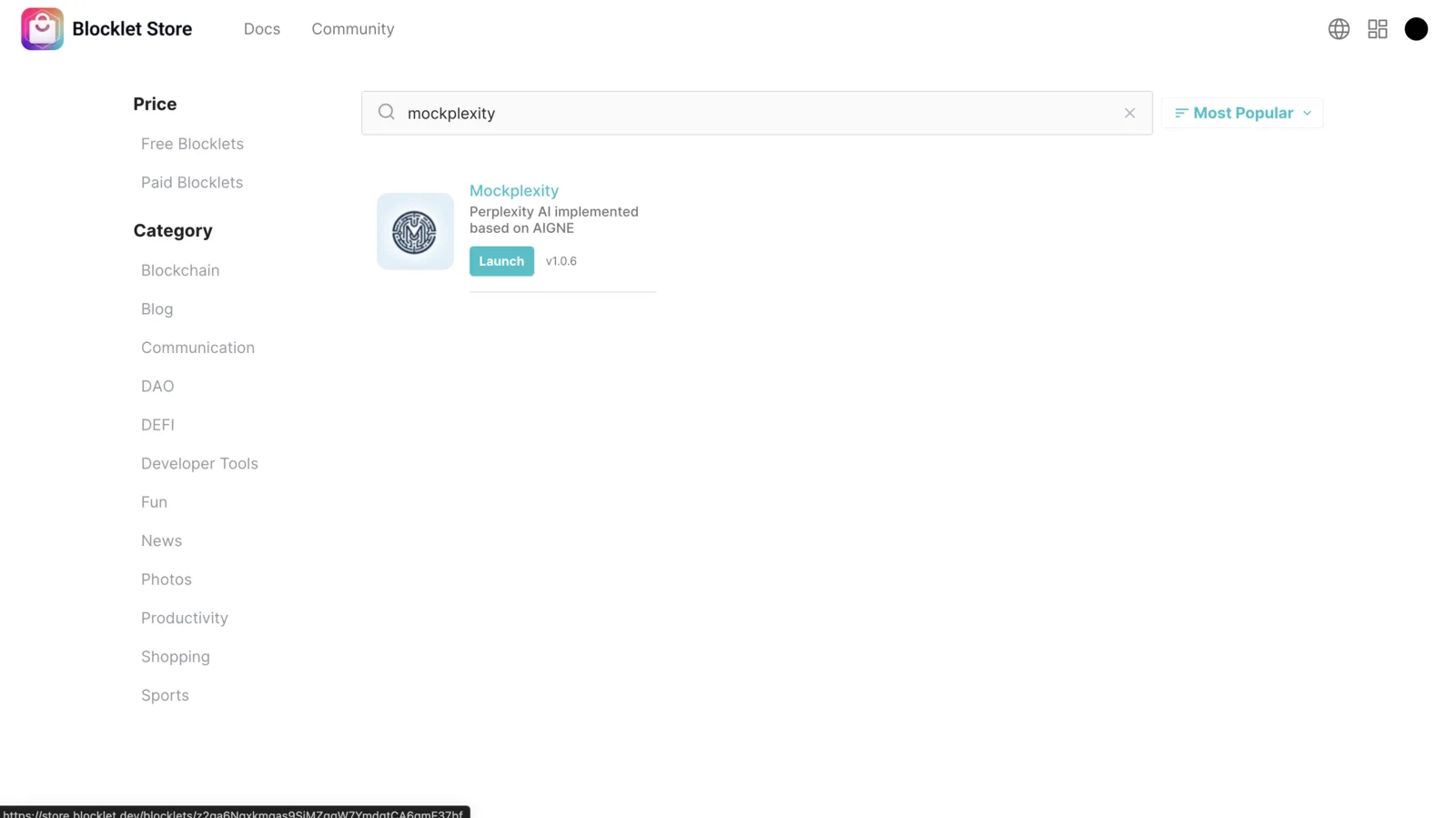
Official examples published
- Mockplexity: Use AINGE to quickly implement Perplexity search applications, which can help users search for relevant content, aggregate knowledge, and deliver results that users care about
- Mock0: Using AIGNE to implement Vercel's V0 application, it can generate website components based on the user's text requirements (imagine the surprises that will come with supporting the generation of Blocklet applications in the future 🤔)
- AI Fitness Coach: Use AIGNE to quickly implement a GPT application. This is a fitness consulting expert based on AI. You can ask him for any fitness-related experiences, knowledge, and advice
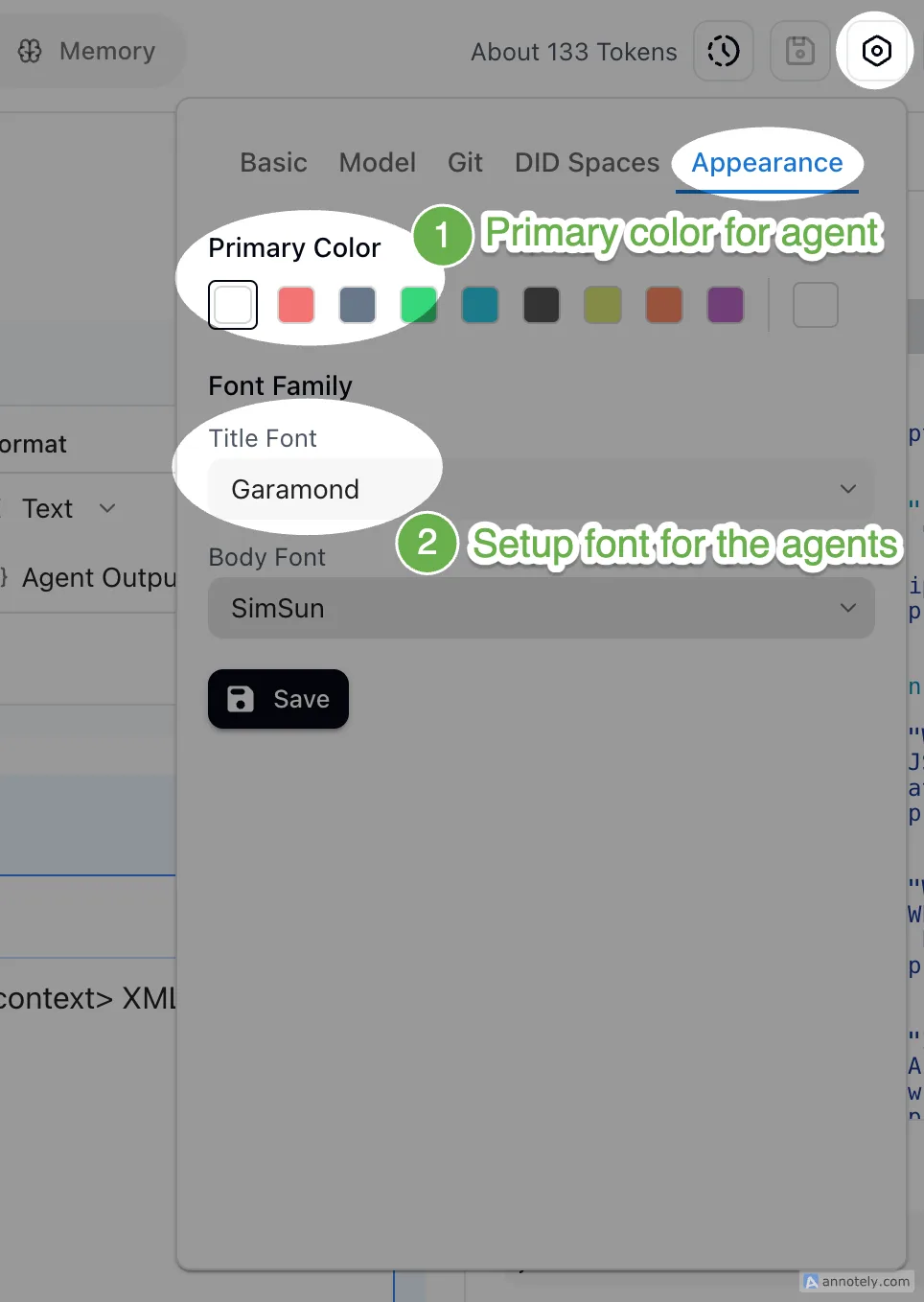
Support setting theme color/font for projects
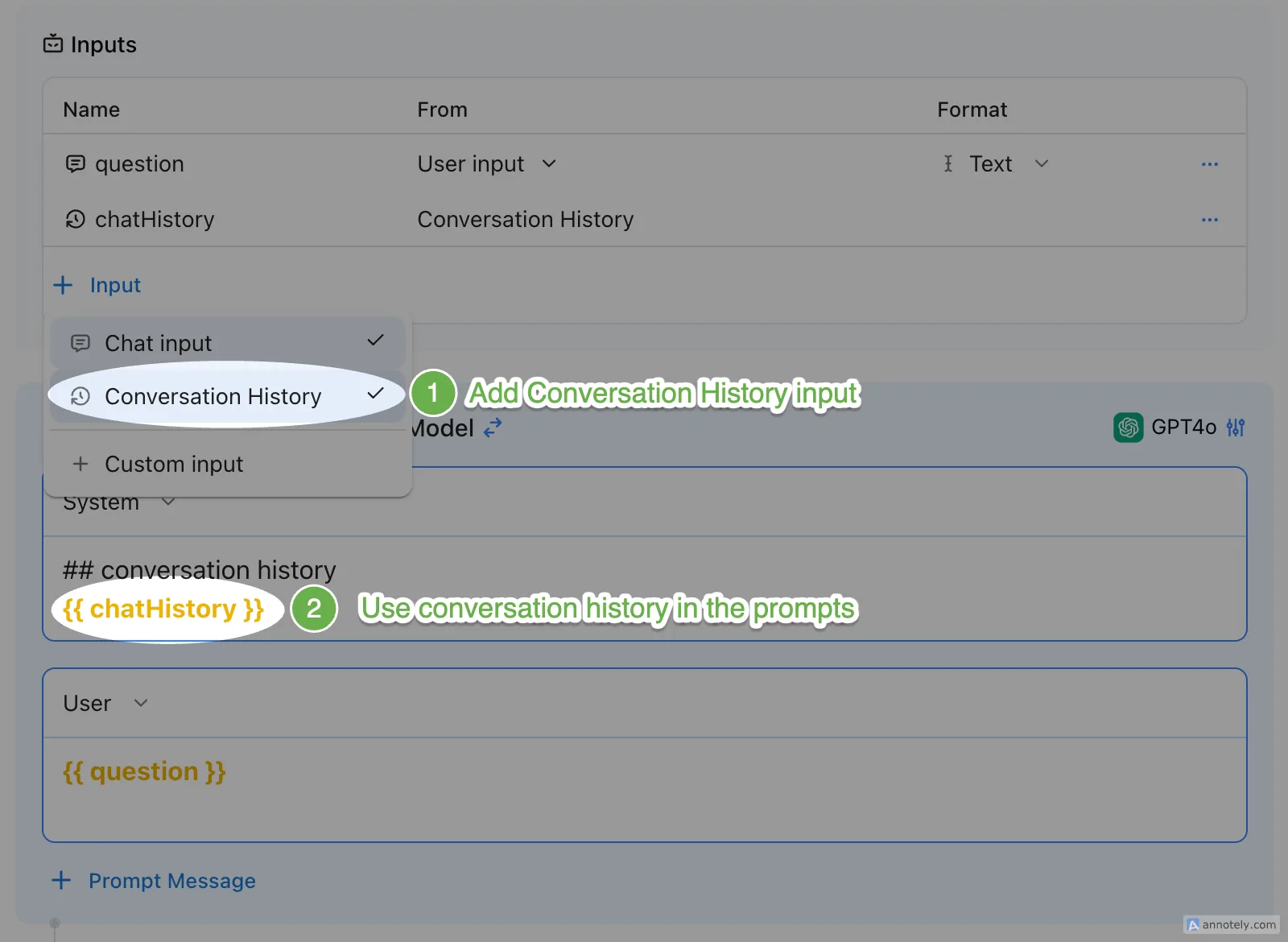
Support multiple Agents sharing session history.
Other features and bug fixes
- Agent outputs the new boolean type
- Support setting appearance for each output
- Support double-click to rename Agent
- Fix the issue of project icon loading failure
- Fix the issue of numbers not being able to be entered in model parameters
- Fix the problem of parameter prompts not being displayed on the mobile end
You say, we listen: Enhanced features in this version
We believe that the core of our product lies in a vibrant user community. Your insights and suggestions are extremely valuable to us, and we are committed to incorporating your feedback to make AIGNE even better. In this release, we focus on the latest updates and bug fixes inspired by you (our users). From minor adjustments to major changes, every update is a step towards enhancing your experience and meeting your needs. Thank you for your continued support and involvement. Let's see how your feedback has helped us improve the content in this version!
- Aigne Output: layout, primary color- color chart feature z1dTAX6BubAxmhXGP8zMVAZAFwizvbv8gnB
- Aigne settings “?” Not displaying info z1dTAX6BubAxmhXGP8zMVAZAFwizvbv8gnB
- aigne导入git项目报401问题 z1fXXRA3YQTAAkKr4kVTJ6nWZnQm6AFAuNF
- aigne的github配置界面ui优化 z1fXXRA3YQTAAkKr4kVTJ6nWZnQm6AFAuNF
- AIGNE input variable - default number glitch z1dTAX6BubAxmhXGP8zMVAZAFwizvbv8gnB
- Aigne multi agent chat output- import from AI image - prompt not working on iOS z1dTAX6BubAxmhXGP8zMVAZAFwizvbv8gnB
- aigne项目外观设置的颜色设置标题重复 z1fXXRA3YQTAAkKr4kVTJ6nWZnQm6AFAuNF
- Aigne feature- copy/paste javascript into logic processor z1dTAX6BubAxmhXGP8zMVAZAFwizvbv8gnB
- AIGNE - cant upload video for Agent profile z1dTAX6BubAxmhXGP8zMVAZAFwizvbv8gnB
- AIGNE - Chat Ai, clear previous conversations from the screen z1dTAX6BubAxmhXGP8zMVAZAFwizvbv8gnB
- 移动端did wallet访问aigne预览项目无反应 z1fXXRA3YQTAAkKr4kVTJ6nWZnQm6AFAuNF
- Agent profile avatar doesn’t show on Desktop z1dTAX6BubAxmhXGP8zMVAZAFwizvbv8gnB
- aigne新建agent时图标统一 z1fXXRA3YQTAAkKr4kVTJ6nWZnQm6AFAuNF
- Blocklet studio - AI studio “application no entry agent” bug z1dTAX6BubAxmhXGP8zMVAZAFwizvbv8gnB
Help us improve
We look forward to you enjoying a better user experience in the new version of AIGNE!
Finally, thank you for the attention and support from every user, we will continue to improve to better meet your needs. If you have any needs, suggestions, or problems during use, please go to the community to provide feedback. We will do our best to help.
Referenced here
Products
-
AIGNE
active
A framework for developers building agents. Start from the command line to create and run a project; use the framework documentation for the parts that need detail.
-
AIGNE Studio
sunset
A place to build and run agents without writing the wiring by hand, including self-hosted models. Its work has been taken into ARC.