User Guides
How do I connect my social account to a wallet?
You can easily connect to some Blocklets using your social accounts, like Google or Apple, without setting up a DID Wallet right away.
To Connect a Social Account (OAuth)#
- Open the Profile page in the connected Blocklet
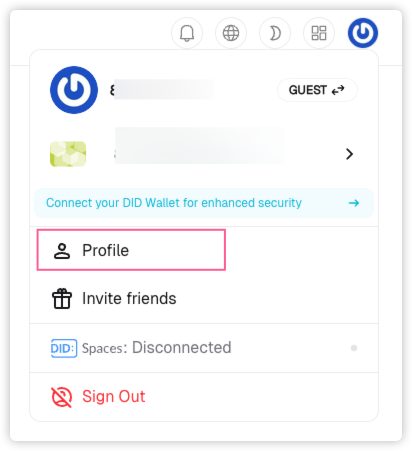
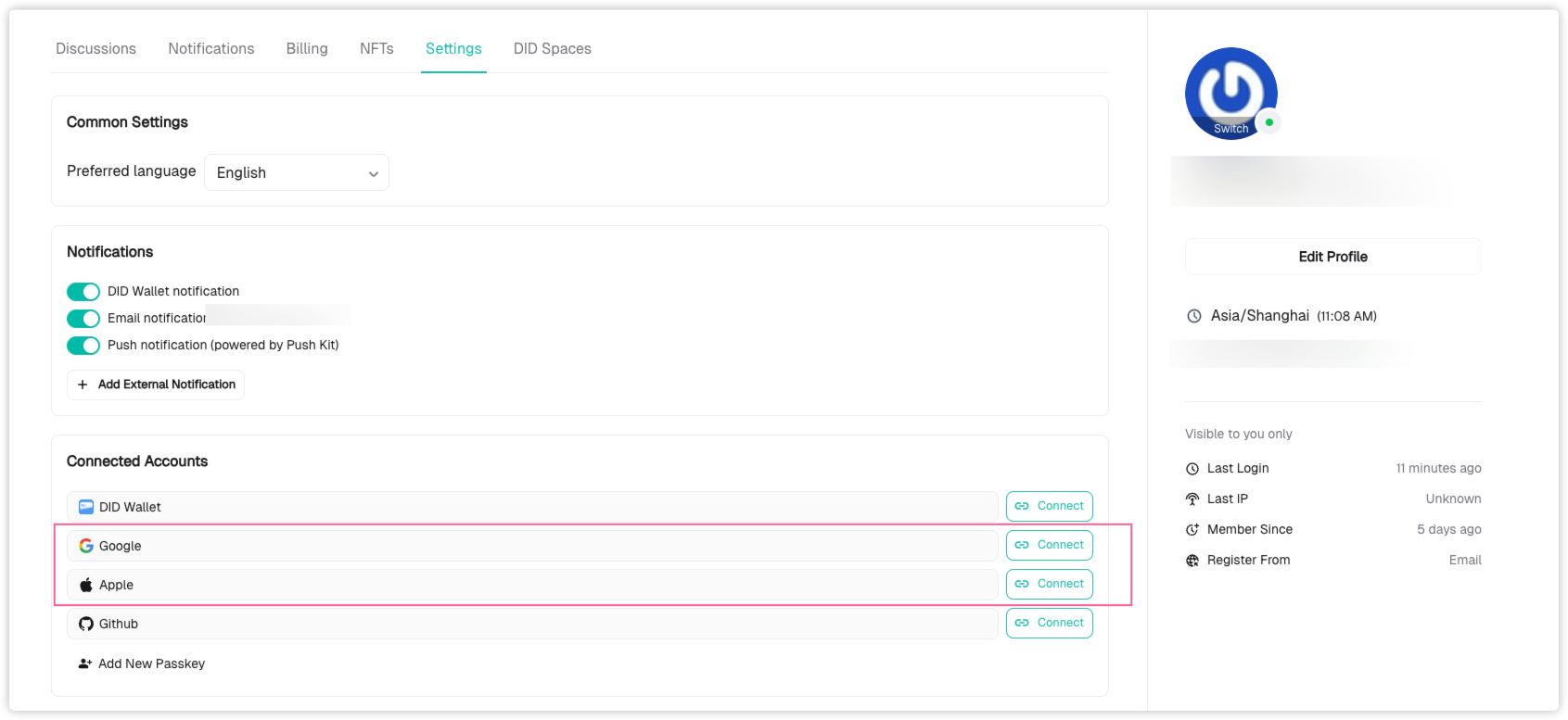
- Go to the Settings tab and choose a provider (like Google or Apple) to connect
To Connect a DID Wallet#
There are a few ways to link your DID Wallet to your account:
- From the Profile menu, follow the prompt to “Connect Wallet” and complete the steps
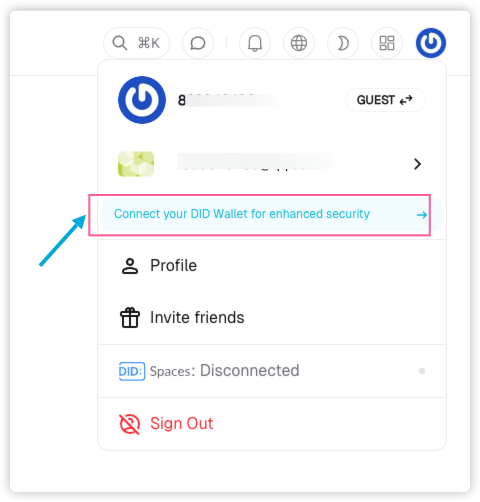
- Or go to Profile → Settings → Connected Accounts, and connect your DID Wallet there
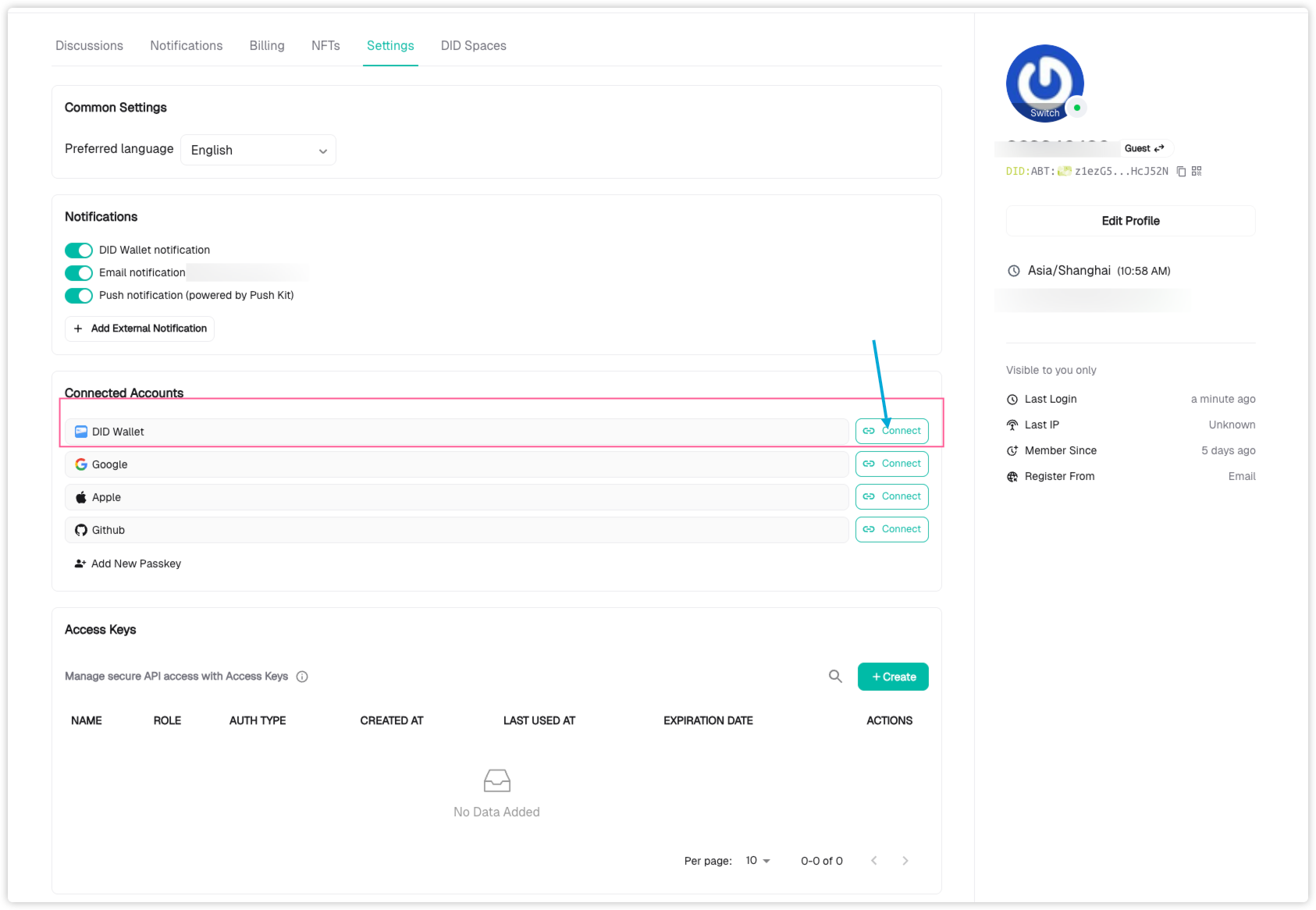
- Complete Connect(Use Web wallet or DID wallet)
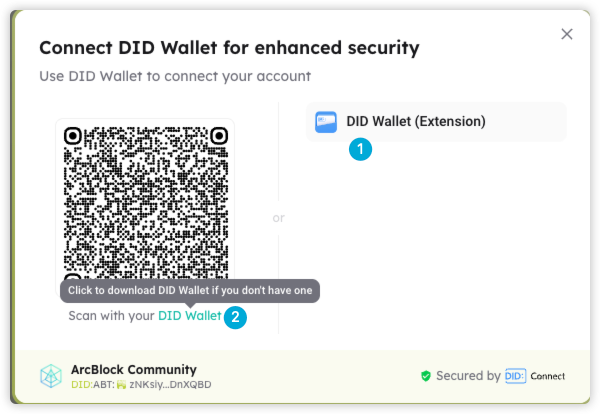
If you don’t have a DID Wallet yet? You can:
- Install the Web Wallet browser extension
- Or download the DID Wallet mobile app for iOS or Android
After creating your wallet, simply scan the QR code shown in the Connect Modal, or select the “DID Wallet (Extension)” option to finish connecting.
Once linked, your wallet will appear in your ABT account as one of the connected apps.