
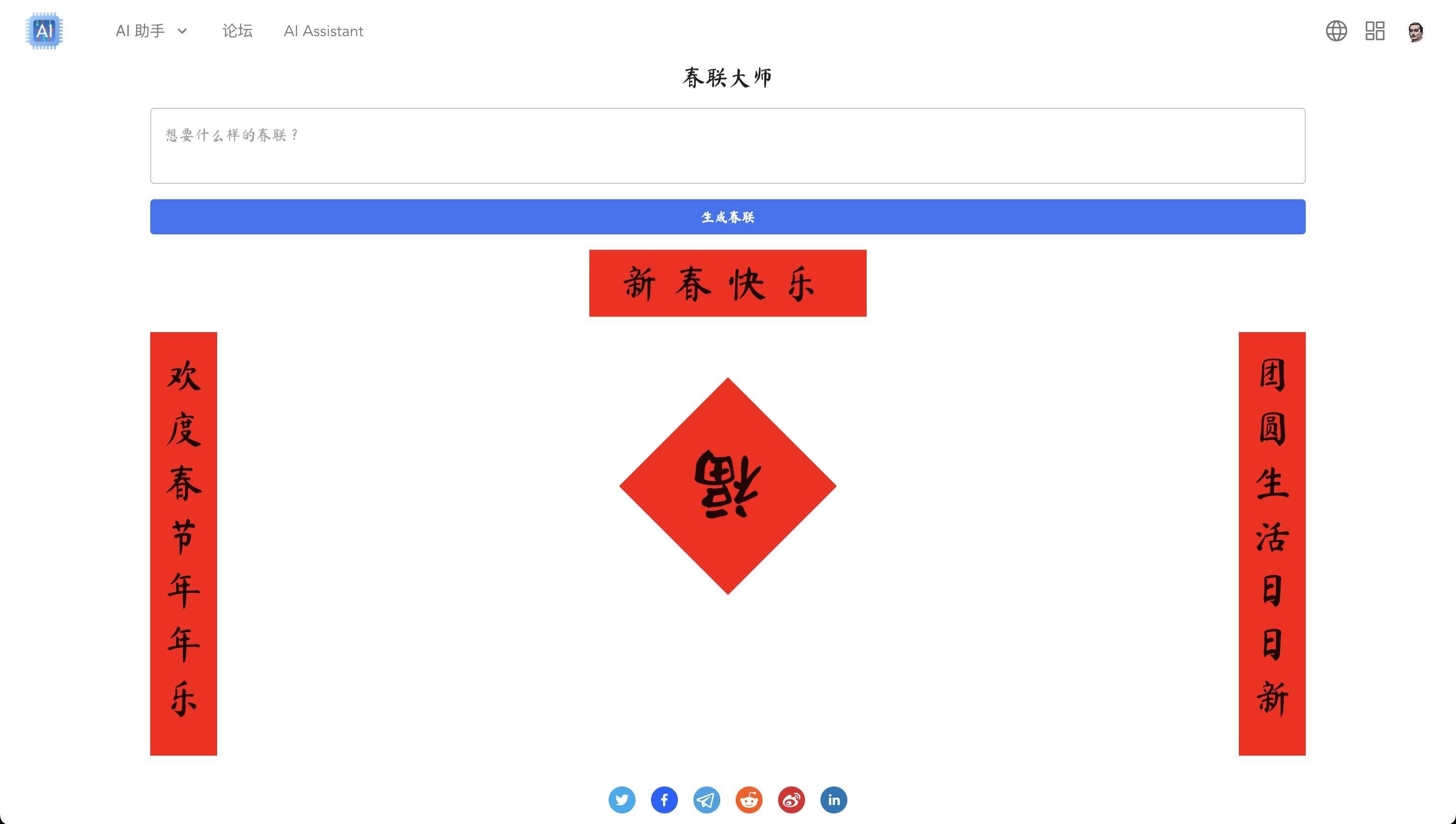
We came across a fantastic AI-powered app for writing Chunlian (Spring Festival couplets) on social media. We think this idea is really great:
Although this is an open-source project, I'm thinking: if it is our AIGNE product, can we achieve the same result without writing any code, just by using keywords? After one or two hours of practice tonight, I have successfully implemented a simple prototype, which can be considered as a validation of our AIGNE's capabilities.
The final achieved result.#
Due to our AIGNE still being in Private Beta, not everyone can use it immediately. Here, we have deployed the finished product on the AIKit site as a demo.
Implementation Steps#
Friends who have already visited AIGNE AI Studio can try the following steps. If you haven't yet, you can have a sneak peek here at the steps to using AIGNE to develop complete applications, obtaining a rough understanding of AIGNE.
Developing AI applications#
- Create a Prompt Assistant in AI Studio by AIGNE and name it "Master of Chunlian".
- Add a parameter "question" of type "text" by default.
- Change the first prompt role to system, and the prompt content is:
你是一个写春联的大师,请根据我的提示生成复合意境的春联,包括上联、下联、横批和总结。

[Response JSON Format]:
{
  "上联": "",
  "下联": "",
  "横批": "",
  "总结": ""
}

[Requirements]:
- 上联和下联的字数必须一致,在 5 到 13 个字之间
- 横批必须是 4 个字
- 不需要标点符号,不要使用生僻字
- 总结必须是一个字,例如:福、喜、财、运、乐
- 必须用 JSON 格式输出- Add a prompt for a new user role, with content: (where
{{ question }}will be replaced with input parametersquestion)
春联提示:
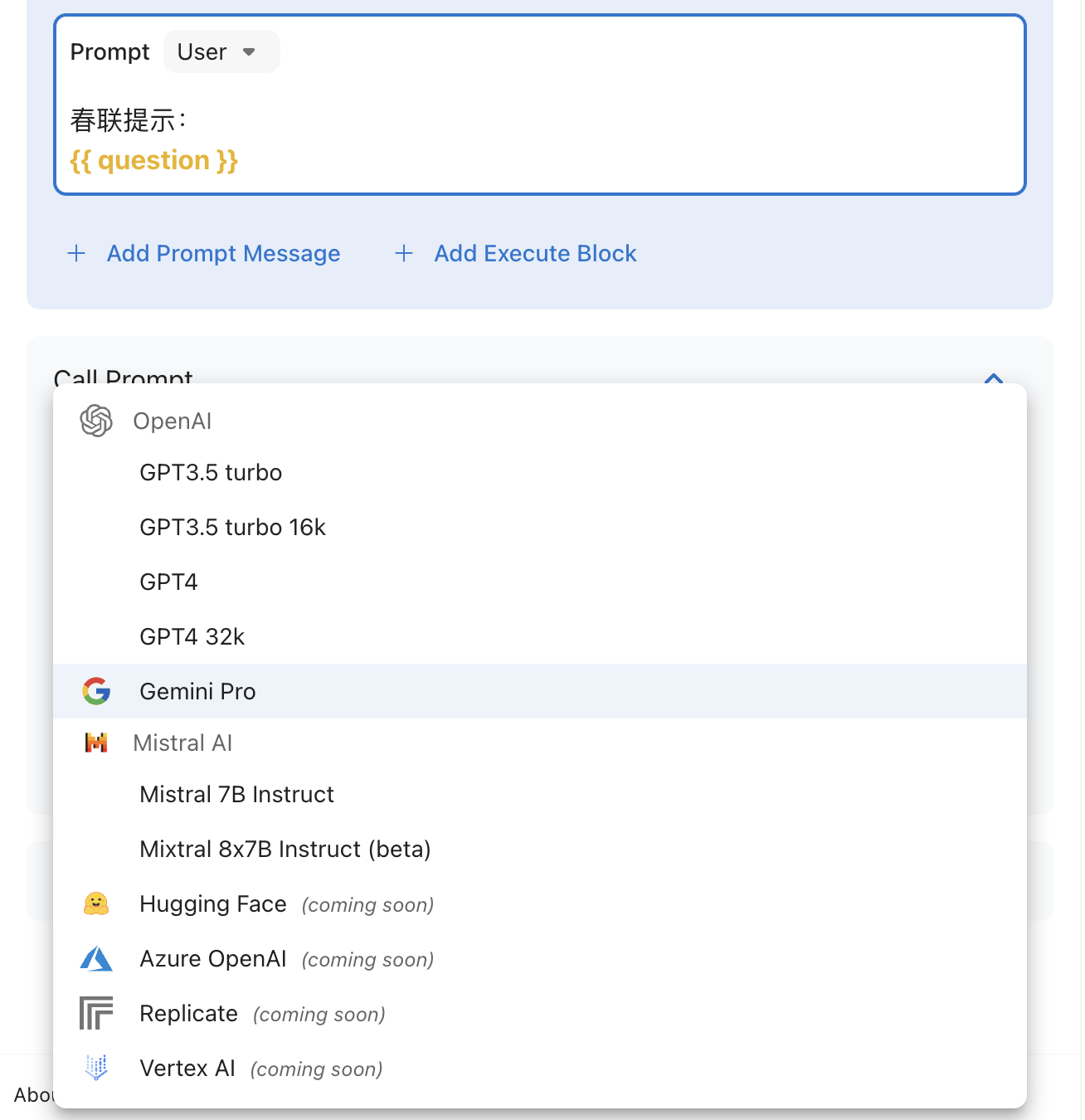
{{ question }}- Select the operating model: It has been found through testing that Google's gemini-pro model performs better in generating couplets compared to Open AI's GPT-3.5 and GPT-4. This is an interesting discovery, but currently, the development of large language models often requires practice and testing. Switching to different large language models for testing in AI Studio is just a simple choice (as shown in the figure).
- Debugging: enter some Spring Festival couplets prompts in the question variable, click "send", as shown in the picture:
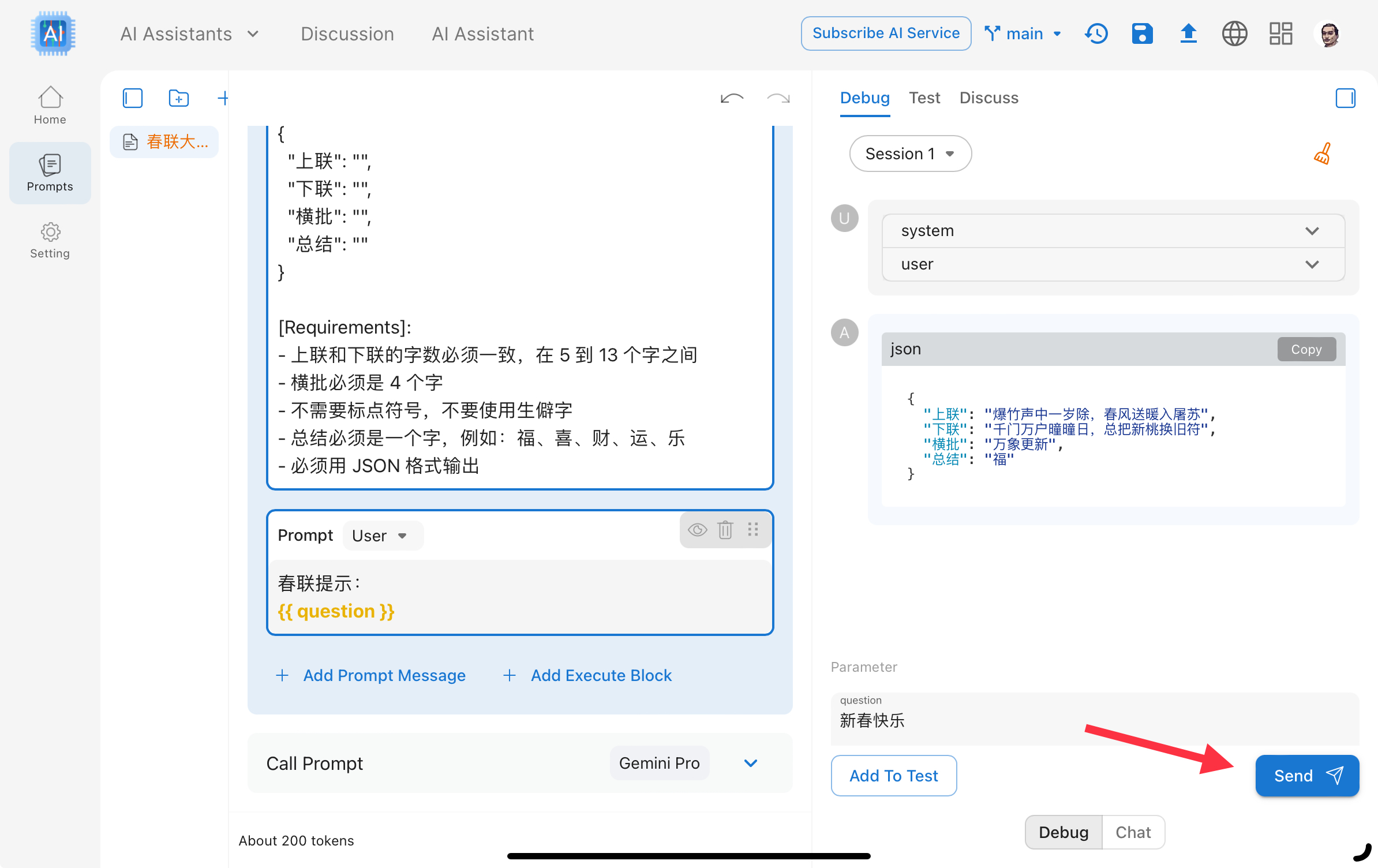
- The AI section has been completed so far.
Create front-end pages.#
Our goal is to achieve most of the interface without code (or with low code). Of course, a small amount of code can also be used to implement special interfaces.
- Create a custom component named "Spring Couplets Master", choose Renderer as React Component (we use React component to implement the UI of "Spring Couplets Master"), the code can refer to:

- Create a new Pages page, drag the "Spring Couplet Master" component that was just created into the Outline of the page.
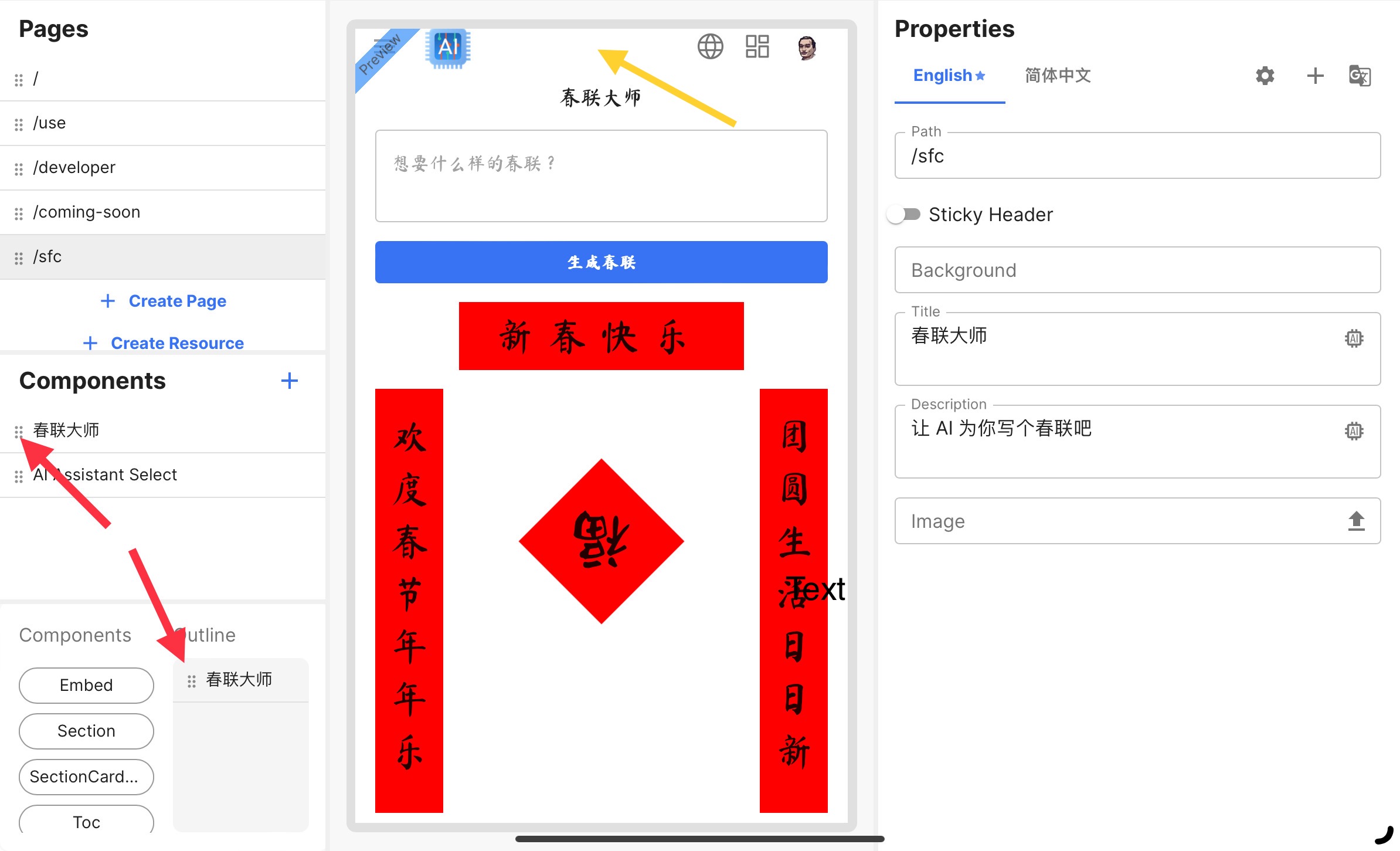
- Page configuration, click on the yellow arrow area in the above picture, on the right side "Properties" panel, you can configure the path/title/description, and other information of the page.
- Preview: Click the Preview button in the Header to preview the draft version of the page.
- Release
- Publish to staging: Click on the "Publish to staging" button in the Header, select the page that was just created, and publish it to staging.
- Click to production: Click the Preview button in the Header to select staging and enter the staging preview page. Click the "Publish to production" button in the header of the preview page to release the selected page to production.
- Return to the pages editor page, click on the "Preview" button in the header, and select "Production" to open the formally published page.